 Live Preview
← All Templates
Live Preview
 Live Preview
 Live Preview
Food
Foodo — Free Food Template for Framer
Foodo is a free 8-page food Framer template for restaurants that want a menu, booking, and review page in one sitemap. Skip it if you need events or a CMS menu.
freerestaurantmenubookingseriffoodo
Foodo is a free 8-page food template for Framer, built for restaurants that sell on the menu and a table booking. It has no CMS: Menu Page, Blog, Booking Page, and Review Page are all static. Skip it if you run events or need a menu that edits from a collection. Bistrocarte covers events and a journal. The rest of the free Framer templates are one tap away, or start with the food shortlist.
Who should remix Foodo?
Picture a neighborhood restaurant with one chef, a menu that changes a few times a year, and a phone that rings too often. Foodo gives that owner a Menu Page to answer “what do you serve,” a Booking Page to take the call off the host stand, and a Review Page that turns happy diners into the proof a stranger wants before choosing a table.
Walk away if the business is a venue, not a dining room. Tastings, live nights, and private hire need their own pages, and Foodo has none. Bistrocarte is built for that. If all you want is a menu and a contact form, La Tavola has three pages and less to delete.
What Foodo looks like
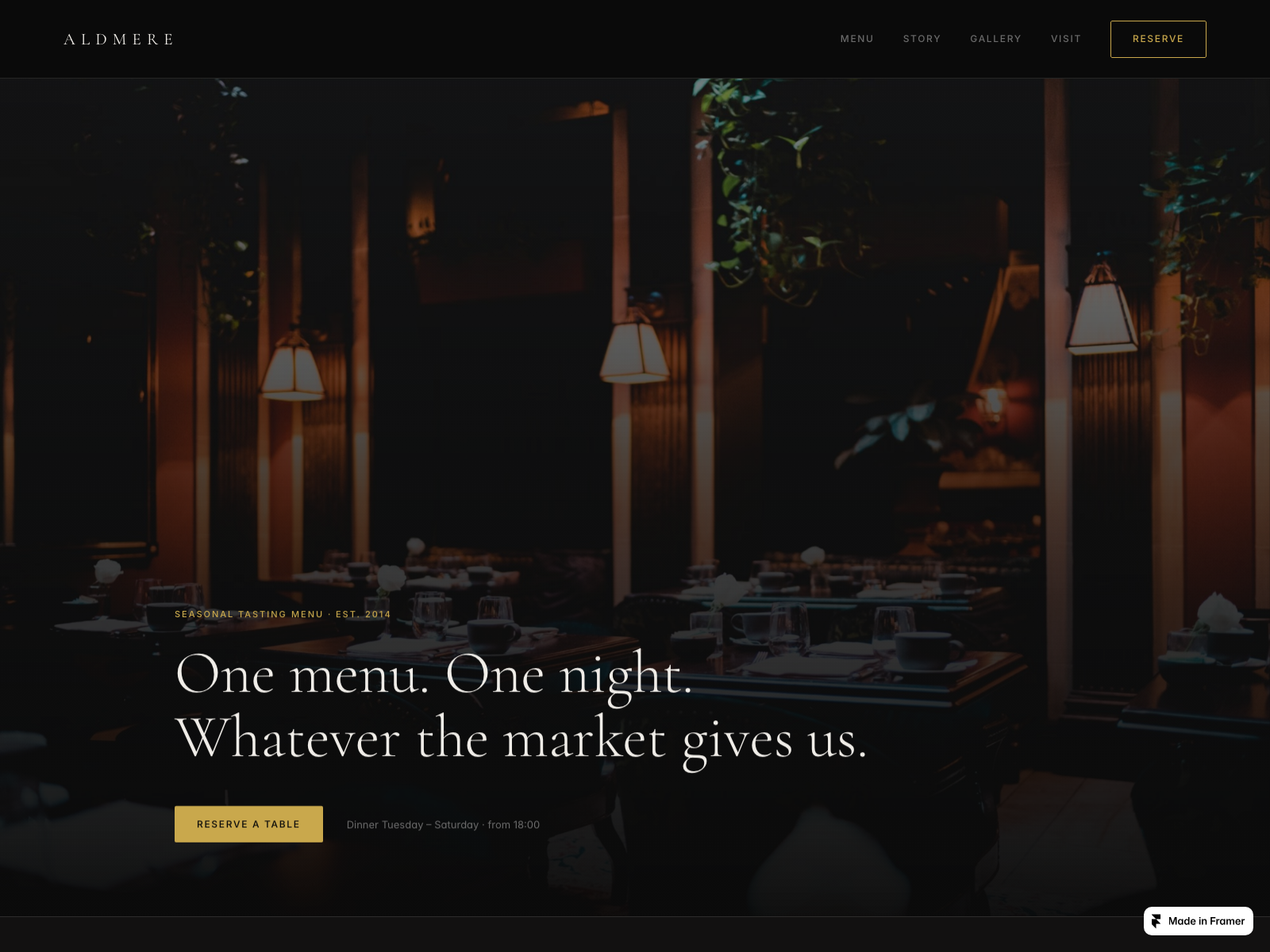
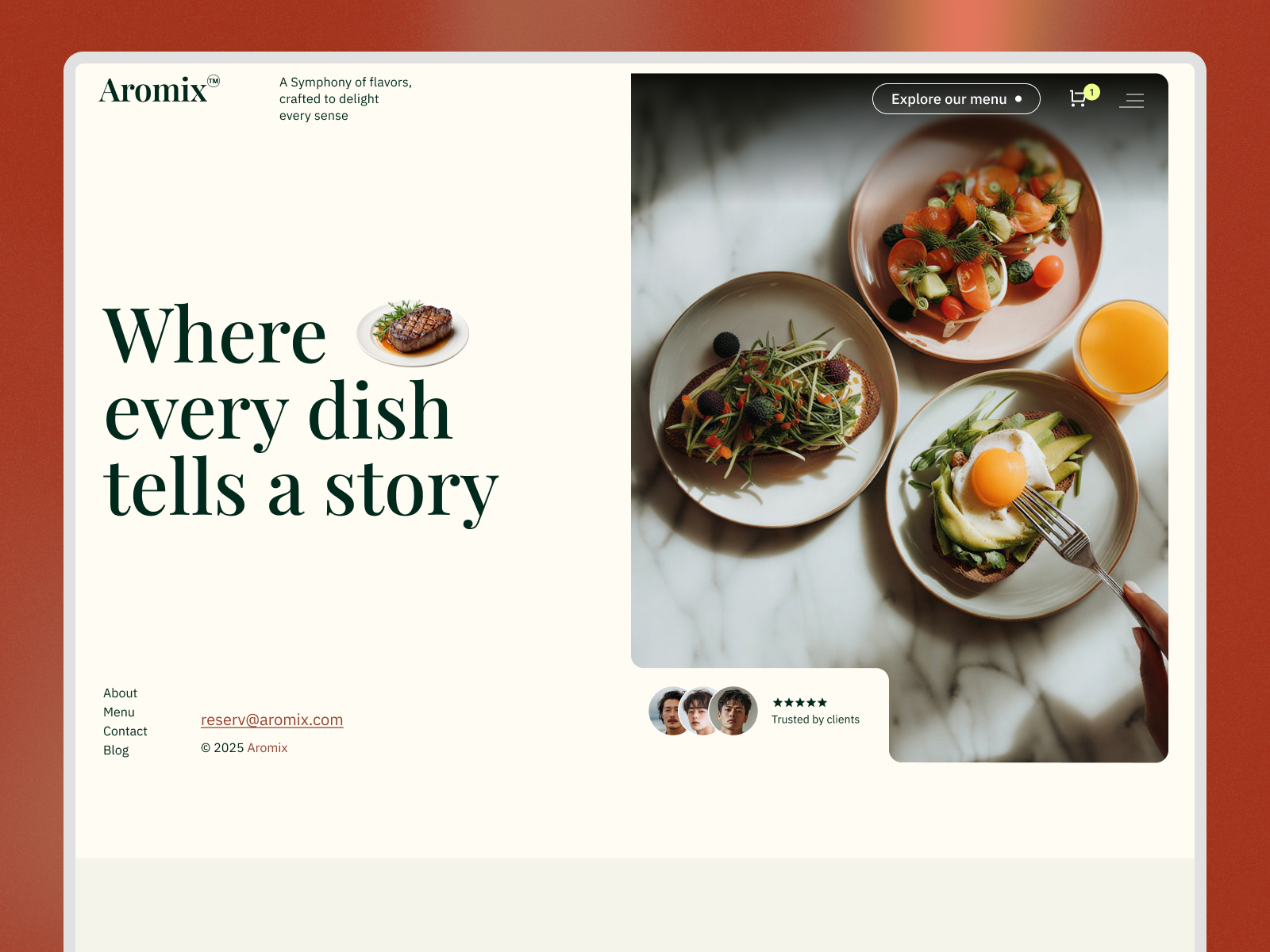
The preview sells a warm, upscale kitchen. Light off-white sections, an olive green that carries the header and secondary buttons, and one hot orange for the main call to action. The headline is set in a thin, high-contrast serif with the body in a quiet sans, which is closer to a boutique bistro than a delivery app. Big food photography does the selling, and the hero overlaps a chef portrait on a plated dish so the page feels like a person cooked it.
That mood helps trust: a diner scanning on a phone sees one action color and one clear verb, “Book a Moment.” The fight is the stock brand. The sample is wired around a single name and a rustic, meat-and-vegetables photo set, so a sushi bar or a bakery will spend its first night replacing imagery and recoloring the olive.
Pages included in Foodo
Eight pages, named as Framer lists them:
- Home: hero with two buttons, one to book and one to read the menu, then supporting sections that introduce the kitchen
- About: the story page, where the chef or owner earns trust
- Menu Page: the dish list, the page most visitors want first
- Blog: a static journal for seasonal specials or news
- 404: a branded dead end
- Contact: address, hours, and a way to reach the host stand
- Booking Page: a dedicated reservation request page instead of a modal on Home
- Review Page: a place to put diner quotes, which most free restaurant files skip
The Booking Page and the Review Page are the reason to pick Foodo over a plain menu site.
What is distinctive about Foodo
- A real Review Page. Social proof gets its own route instead of a strip near the footer. That matters for a restaurant with a good rating and a bad Google snippet.
- Booking as a page. The nav button reads “Book a Moment” and lands on its own URL, which is easier to link from Instagram or a QR code than an embedded widget.
- Menu on its own route. You can send diners straight to it. Food files that fold the menu into Home make that link impossible.
- Serif plus olive palette. It signals a sit-down place, not fast casual. Wrong if your brand is loud or playful.
- Figma included, per the preview. The thumbnail shows a Figma badge, so a designer can iterate before touching Framer. Check the listing before you rely on it.
The platform covers SEO and analytics for everybody. They are not why you pick this file.
When to remix Foodo, and when to skip
Remix Foodo when you are a single-location restaurant that wants menu, booking, and reviews on separate pages and can live with static content. The creator is listed as Unknown on the marketplace, so there is no track record to cite. Judge it on the preview and the page list.
Skip it if you run events or need a menu that edits from a CMS. That is Bistrocarte. Compare it against the food shortlist first, or go back to the free Framer templates hub if you are still choosing a niche.
Frequently Asked Questions
Quick answers about Foodo, including pricing, CMS support, responsiveness, and who it is built for.
-
What kind of website is Foodo best for?
- Foodo is a free 8-page Framer template for independent restaurants. It pairs a Menu Page with a Booking Page and a Review Page, so a diner can read the food, reserve a table, and see proof in a few taps. Event-heavy venues should look at Bistrocarte .
-
Is Foodo free to remix?
- Yes. Foodo is a free Framer template, so you can remix it into your own project at no charge. Putting it on a custom domain still follows Framer's hosting plans. yoframer does not charge for the file and does not take a cut of your site.
-
Does Foodo include a CMS?
- No. Foodo ships as static pages, and that includes the Blog and the Menu Page. If you change dishes weekly, you will edit them by hand in Framer or add a collection yourself after remixing. A CMS-first food template is a better fit for that job.
-
When should I skip Foodo?
- Skip Foodo if you run events, tastings, or private dining and need a page for each. Bistrocarte has Events, Reserve, and Journal routes. If you only need a menu and a contact form, La Tavola is smaller.
Featured in our Food roundup
20 Best Free Food Framer Templates in 2026
Diners bounce when a restaurant site hides the menu, buries reservation details, or reads like a generic landing page with stock food photography. These 20 free Framer food templates ship menu CMS, booking routes, and hospitality sections indie operators need without commissioning a custom build.
More Food templates
View all Food templates
Live Preview
Live Preview
Aromix — Free Food Template for Framer
by Unknown
Live Preview
Dinnerturn — Free Food Template for Framer
by Unknown