 Live Preview
← All Templates

SaaS
Forma Desk — Free SaaS Template for Framer
Forma Desk is a free 13-page SaaS Framer template for B2B teams that need features, pricing, and legal routes on day one. Skip it if you want CMS blog posts or a shorter startup map.
freeframerremixsaasforma
Forma Desk is a free thirteen-page SaaS template for Framer aimed at product marketing teams that want a full static sitemap before they touch CMS. Home, Features, Solutions, Integrations, Pricing, Changelog, About, Contact, Security, legal pages, Get Started, and 404 are all named routes with no collections in the file list. Skip it if you need blog posts and customer story articles as CMS entries. Echoflux ships a longer map with Blog and case study detail pages. More free Framer templates live on the hub, or open the SaaS shortlist.
Who should remix Forma Desk?
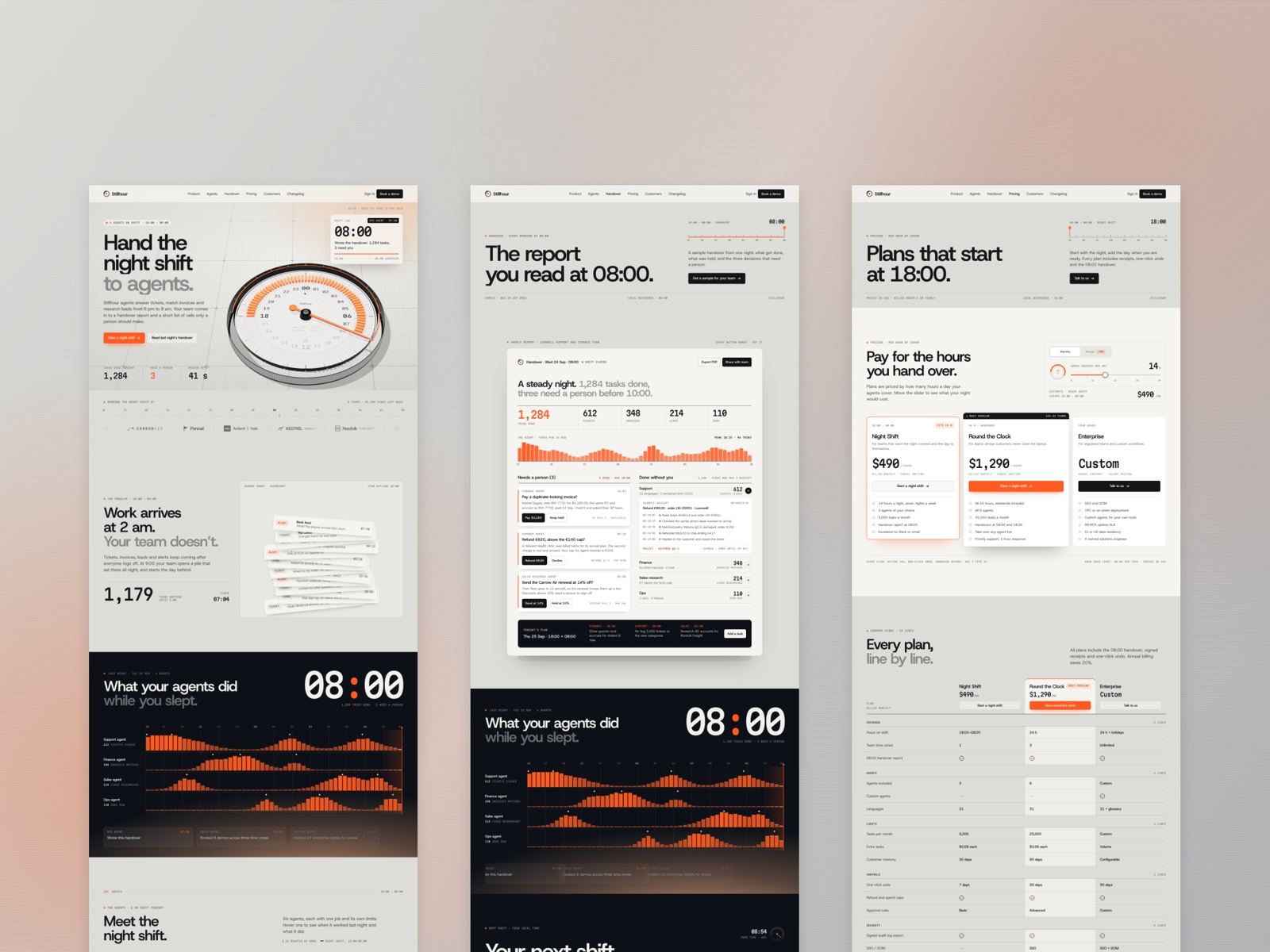
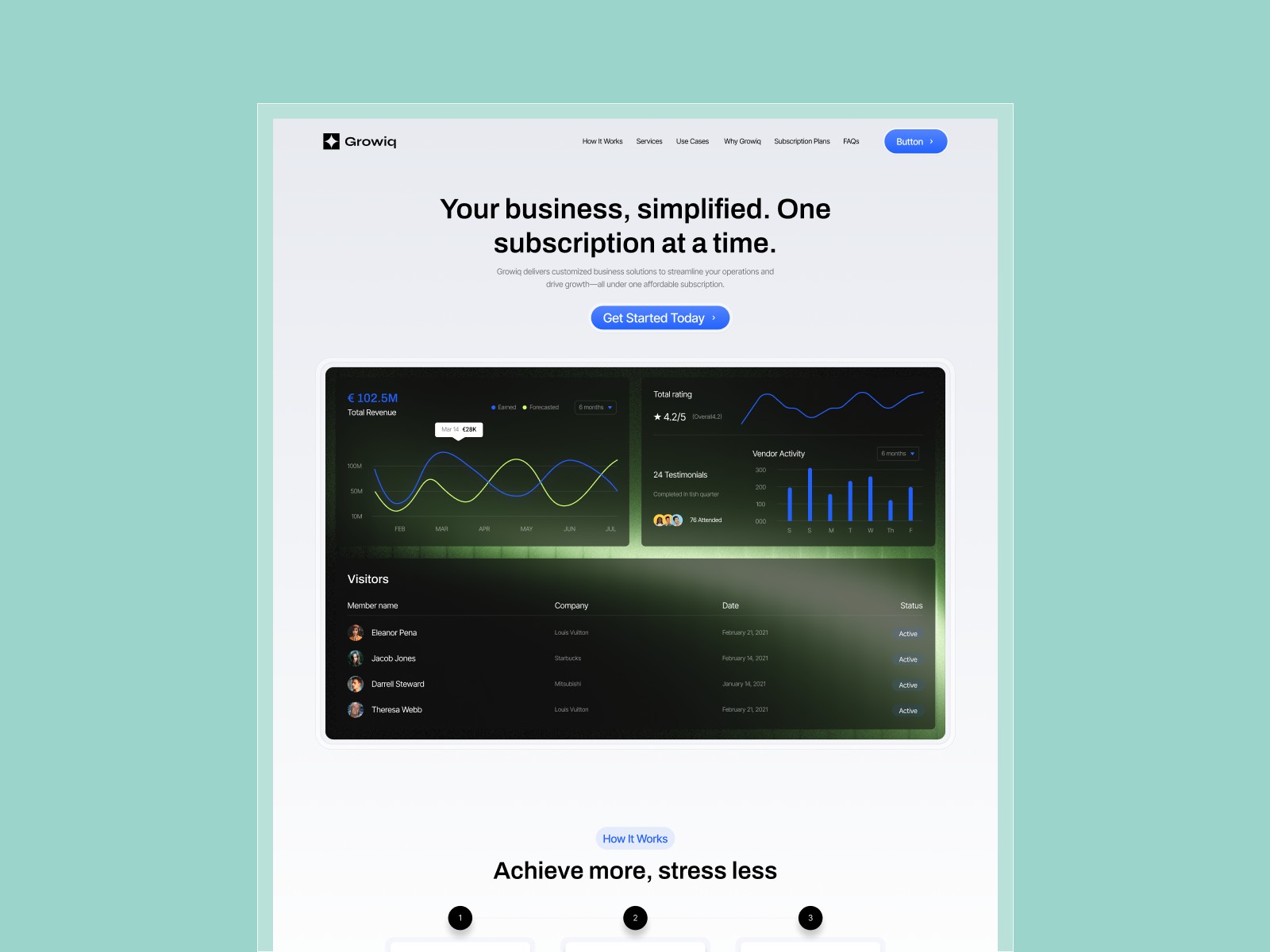
Forma Desk fits early-stage B2B SaaS founders and lean marketing leads who must look enterprise-ready on the first demo: integrations logos, a pricing table, a changelog lane, and a Security page for procurement questions. The Visuvate-style preview stacks product UI mockups with benefit copy, closer to a desk or workspace tool than a consumer app landing. If your sales cycle includes “send the security page,” this route list saves a week of frame duplication.
Walk away if editorial content and customer proof are core to your motion and you want CMS from remix day one. Echoflux is the honest yoframer swap for blog posts and customer story detail routes. Skip Forma Desk when you only need a tight ten-page AI startup shell with careers. Cirro matches that smaller static map on the same roundup.
What Forma Desk looks like
The demo reads clean B2B SaaS: cool neutrals, soft gradients, rounded product cards, and sans-serif headings with plenty of section breathing room. Feature and Solutions pages use repeatable row patterns so you can swap screenshots without redesigning grids. Pricing is comparison-friendly, and Integrations reads like a partner wall rather than a single logo strip on Home.
Motion is product-marketing standard: gentle scroll fades and hover states on cards, not experimental scroll-jacking. The fight is length. Thirteen static pages mean copy debt if you launch every nav item at once; many teams ship Home, Pricing, and Get Started first, then fill Security and legal when buyers ask.
Pages included in Forma Desk
Thirteen pages, named as Framer lists them:
- Home: hero value prop, product shots, social proof strip, and primary signup or demo CTAs
- Features: capability grid with room for deep-dive sections per module
- Solutions: use-case or persona lanes that mirror how sales talks about the product
- Integrations: partner logos and short blurbs for ecosystem credibility
- Pricing: tier cards, feature comparison, and FAQ-friendly layout for packaging debates
- Changelog: release notes layout for shipping velocity signals
- About: team, mission, and trust cues for buyers researching the vendor
- Contact: form or calendar hook for sales and support inquiries
- Security: compliance-oriented copy blocks for IT reviewers
- Privacy Policy: policy scaffold for GDPR-style disclosures
- Terms of Service: terms scaffold for contractual language
- Get Started: focused conversion page for signup or trial activation
- 404: branded dead end for mistyped product links
Everything is static in the marketplace list. Plan on pasting real policy text and wiring forms on Contact and Get Started after remix.
What is distinctive about Forma Desk
- Integrations plus Security on one free file. Rare combo for teams facing enterprise checklists without a paid theme.
- Changelog as a first-class route. Signals active product without bolting Notion onto the nav later.
- Solutions and Features split. Lets marketing mirror sales decks instead of cramming personas into one page.
- Get Started isolation. Dedicated conversion URL for ads while Home stays narrative.
- Thirteen-page static core. Broad enough for launch reviews; no CMS setup tax on day one.
Framer analytics, SEO defaults, and responsive breakpoints are platform tooling, not reasons to pick Forma Desk over another SaaS remix.
When to remix Forma Desk, and when to skip
Remix Forma Desk when you are a B2B SaaS team that needs integrations, pricing, changelog, and security routes live in one remix, and you are fine editing static copy until you add CMS later. Unknown authorship does not change the sitemap: it is a credible product marketing shell you re-brand in Framer.
Skip it when blog posts and CMS customer stories are non-negotiable. That is Echoflux. Need a shorter static SaaS map? Try Cirro. Still comparing? Return to the SaaS shortlist or browse free Framer templates on the hub.
Frequently Asked Questions
Quick answers about Forma Desk, including pricing, CMS support, responsiveness, and who it is built for.
-
What kind of website is Forma Desk best for?
- Forma Desk is for B2B SaaS marketers launching a credible product site with integrations, pricing, changelog, and security pages without wiring CMS first. It includes 13 pages: Home, Features, Solutions, Integrations, Pricing, Changelog, About, Contact, Security, Privacy Policy, Terms of Service, Get Started, 404.
-
Is Forma Desk free or paid?
- Forma Desk is a free Framer template. The listed price on yoframer is free.
-
Does Forma Desk support CMS and responsive design?
- Forma Desk does not include CMS support. It is fully responsive.
-
When should I skip Forma Desk?
- You need CMS blog posts and customer story detail pages. Echoflux on yoframer adds those collections on a longer map. Start with Echoflux .
Featured in our SaaS roundup
10 Best Free SaaS Framer Templates in 2026
Most free SaaS templates on Framer look great in the preview and fall apart the moment you customize them. These 10 don't.