 Live Preview
← All Templates
Landing Page
Hatch — Free Landing Page Template for Framer
Hatch is a free 1-page waitlist landing page Framer template for pre-launch SaaS founders. Skip it if you need a 404 or a separate Contact route for ads.
freeframerremixlandingpagehatch
Hatch is a free 1-page waitlist template for Framer, shaped like a pre-launch landing page for an AI meeting notes app. There is no CMS. One scroll holds the headline, email form, signup count, countdown, product mock, benefits, FAQ, and a closing signup. Skip it if you need a 404, a Contact route, or a thank-you page. Prelist adds a 404. More options sit in the waitlist shortlist and the free Framer templates hub.
Who should remix Hatch?
Imagine a two-person team three months from a private beta. They have a product idea, a screenshot or two, and a goal of collecting a few thousand emails before they send a single invite. Hatch gives them a date badge, a plain promise, a form, and a fake-but-believable app window that shows what the product will do, which is more convincing than a headline on its own.
Walk away if the launch needs more than one URL. Paid ads that point to a pricing or contact route, a press page, or a separate thank-you screen are not here. Teams that want a second route for ad traffic should compare Hemon, which pairs Home with a Contact page.
What Hatch looks like
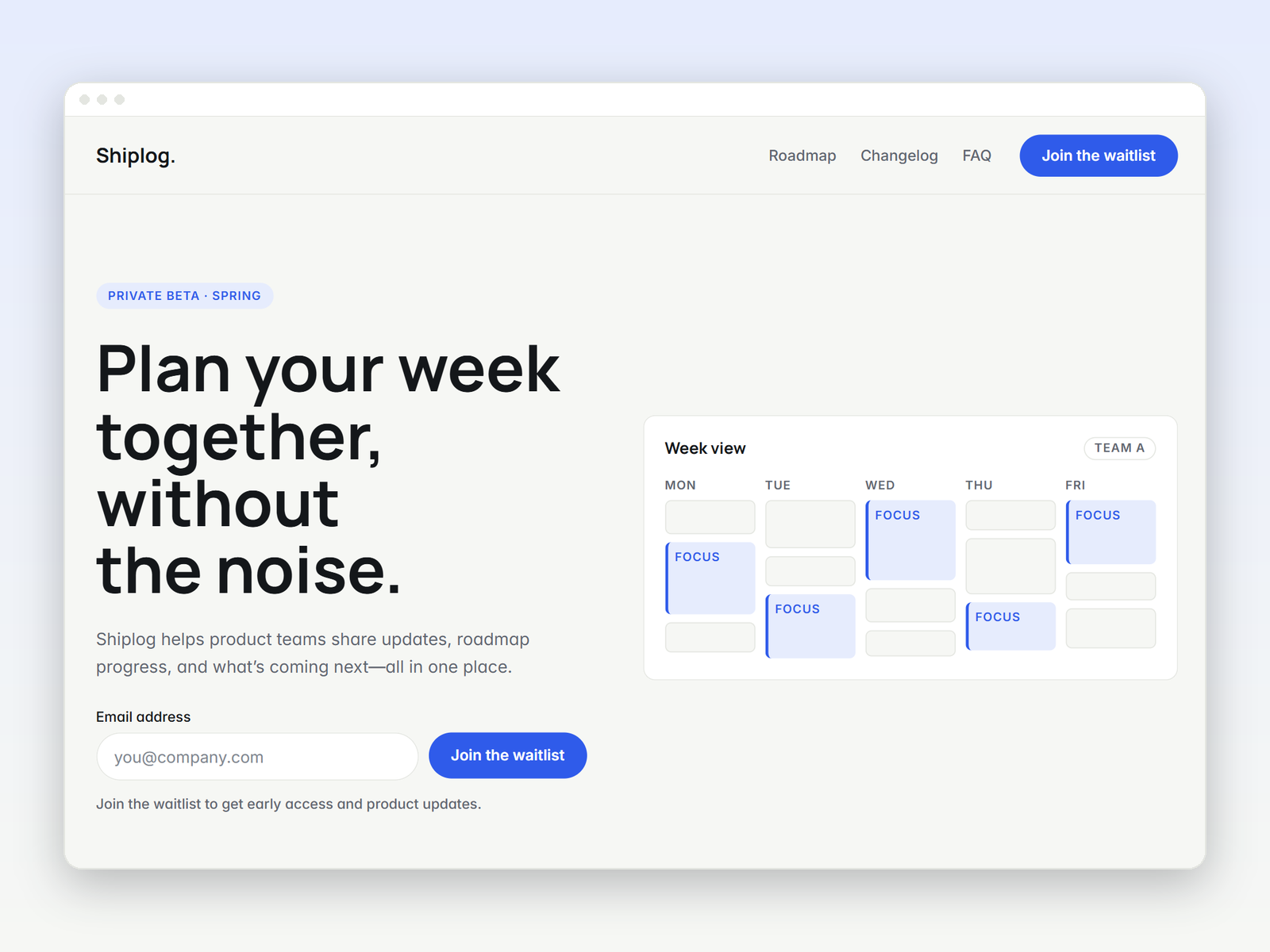
The page is calm and warm: an off-white background, near-black headline type, and a single orange-red button color used for each signup. The headline is big and centered, the form sits right beneath it, and a row of colored initials stands in for early members. Below that, a clean app window shows a meeting summary and action items with owners and dates. It feels closer to Notion or Linear’s marketing pages than to a neon AI launch site.
That plainness suits a waitlist, because visitors only need to understand one promise and one action. The honest fight is how tied the visuals are to meeting notes. The mock window, the benefit cards, and the FAQ about Zoom, Meet, and Teams all describe one product. A fintech or a fitness app will rebuild the mock from scratch, which is most of the work.
Pages included in Hatch
One page, named as Framer lists it:
- Home: everything. A private beta badge, the headline, an email form with a no-spam line, a signup count, a countdown, the product mock, three benefit cards, four FAQ items, and a repeat signup block above the footer.
The nav stays minimal, with a FAQ link and a Join waitlist button. There is no 404, no Contact page, and no thank-you route, so wire the form to your email tool and decide where confirmation should appear.
What is distinctive about Hatch
- A countdown tied to a launch date. Days, hours, minutes, and seconds sit under the form. It adds urgency to a private beta, and it is wrong the moment you forget to change the date.
- Social proof for a list that does not exist yet. Avatar initials and a “2,400+ on the list” line show momentum. Replace the number with something true.
- An app mock built from real UI. A recent meetings sidebar, a summary, and action items with owners show the product doing its job without a screenshot.
- FAQ written for a waitlist. Launch timing, supported tools, pricing, and what happens to an email. Those are the four things a cautious signup asks.
- Two signup points. One at the top, one at the bottom, so a visitor who scrolls to the end does not have to scroll back.
Framer’s own SEO and breakpoint tooling ship with the platform. They are not the reason to pick Hatch.
When to remix Hatch, and when to skip
Remix Hatch when you want one honest waitlist page, you can fill the mock with your own product, and you are fine with a single route. The file is published from the @nermin-sabanovic profile. Edit the beta date, the signup count, and every product claim before it goes live.
Skip it when you need a 404, a Contact page, or a thank-you screen. Prelist is the Home plus 404 version, and Hemon is the one with a Contact route. For other shapes, go back to the waitlist shortlist or the free Framer templates hub.
Frequently Asked Questions
Quick answers about Hatch, including pricing, CMS support, responsiveness, and who it is built for.
-
What kind of website is Hatch best for?
- Hatch is for Pre-launch SaaS founders collecting emails for a private beta with a launch date, a counter, and one product mock. It includes 1 page: Home.
-
Is Hatch free or paid?
- Hatch is a free Framer template. The listed price on yoframer is free.
-
Does Hatch support CMS and responsive design?
- Hatch does not include CMS support. It is fully responsive.
-
When should I skip Hatch?
- You need a 404, a Contact route, or a thank-you page. Prelist adds a 404. Hemon adds a separate Contact page. Start with Prelist .
Featured in our Landing Page roundup
15 Best Free Landing Page Framer Templates in 2026
A landing page template should ship a focused hero, proof, and CTA without dragging you into a twelve-page sitemap. These 15 free Framer builds do exactly that.