 Live Preview
← All Templates

SaaS
Lumora Workspace — Free SaaS Template for Framer
Lumora Workspace is a free 7-page SaaS Framer template with a CMS Changelog route for product teams. Skip it if you need Trust, Docs, and a thirteen-page map.
freeframerremixsaascmslumora
Lumora Workspace is a free seven-page SaaS template for Framer from an unknown marketplace author, shaped for workspace and productivity positioning with Product, Pricing, and a CMS-backed Changelog route. Collections power the changelog page name Framer lists as Changelog powered by CMS, so release notes can rotate without cloning frames. Skip it if you need Trust, Docs, Customers, and Blog as separate enterprise routes today. Plinth Stack ships that wider map. Browse more free Framer templates on the hub, or start with the CMS shortlist.
Who should remix Lumora Workspace?
Lumora Workspace fits solo founders and small product teams selling a focused SaaS or AI workspace who need credible Product and Pricing pages plus a changelog their PM can update from CMS. The seven-route footprint stays manageable on Framer Basic while still feeling like a real software company site, not a single landing section.
Walk away if you are selling infrastructure software to enterprises that expect Trust, documentation, and customer logo walls on day one. That buyer will ask for URLs Lumora Workspace does not include. Plinth Stack is the static thirteen-page option on yoframer for that shape. Skip Lumora when you need sixteen CMS-driven blog detail templates; Hubmini goes deeper on editorial collections.
What Lumora Workspace looks like
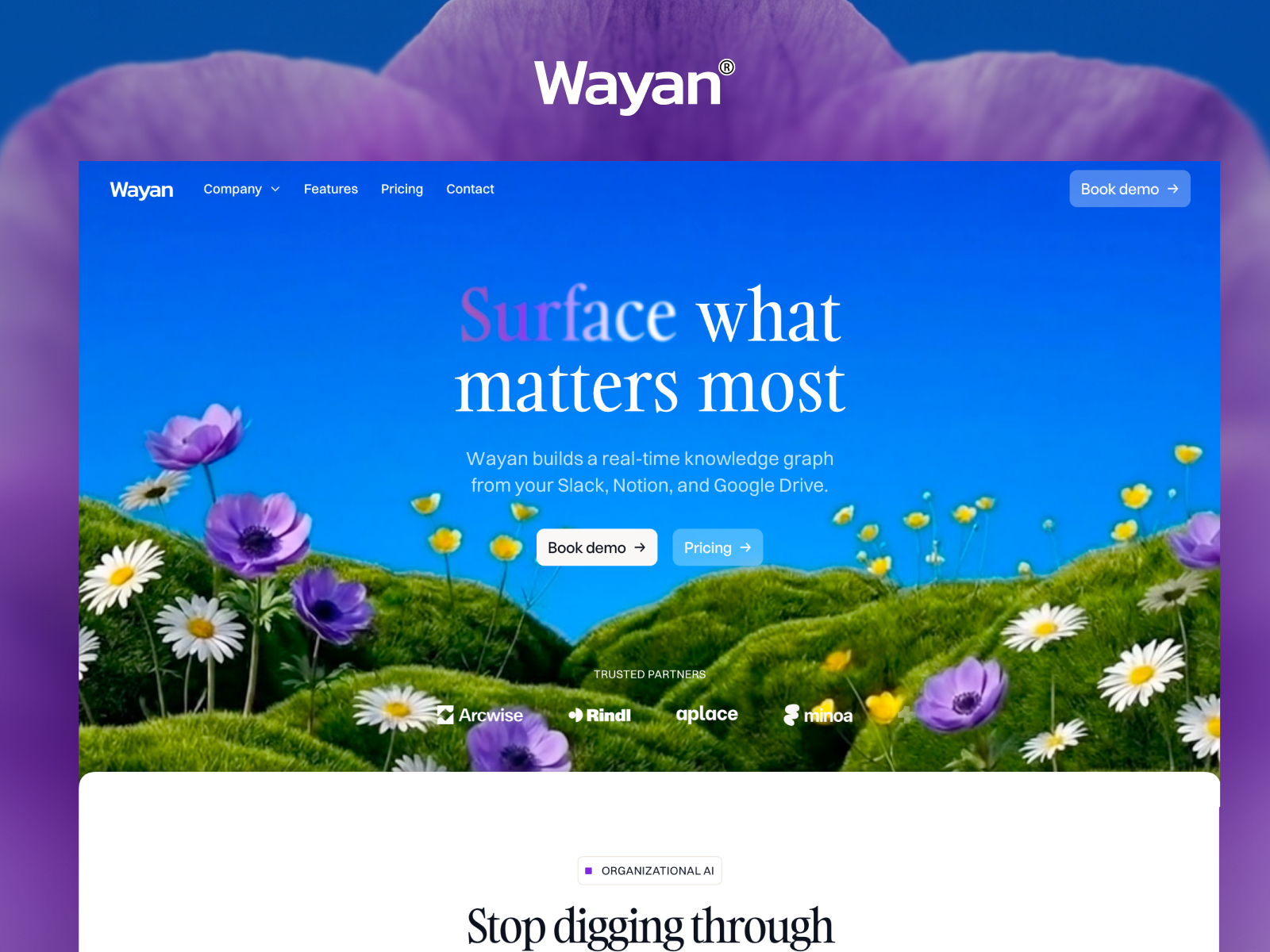
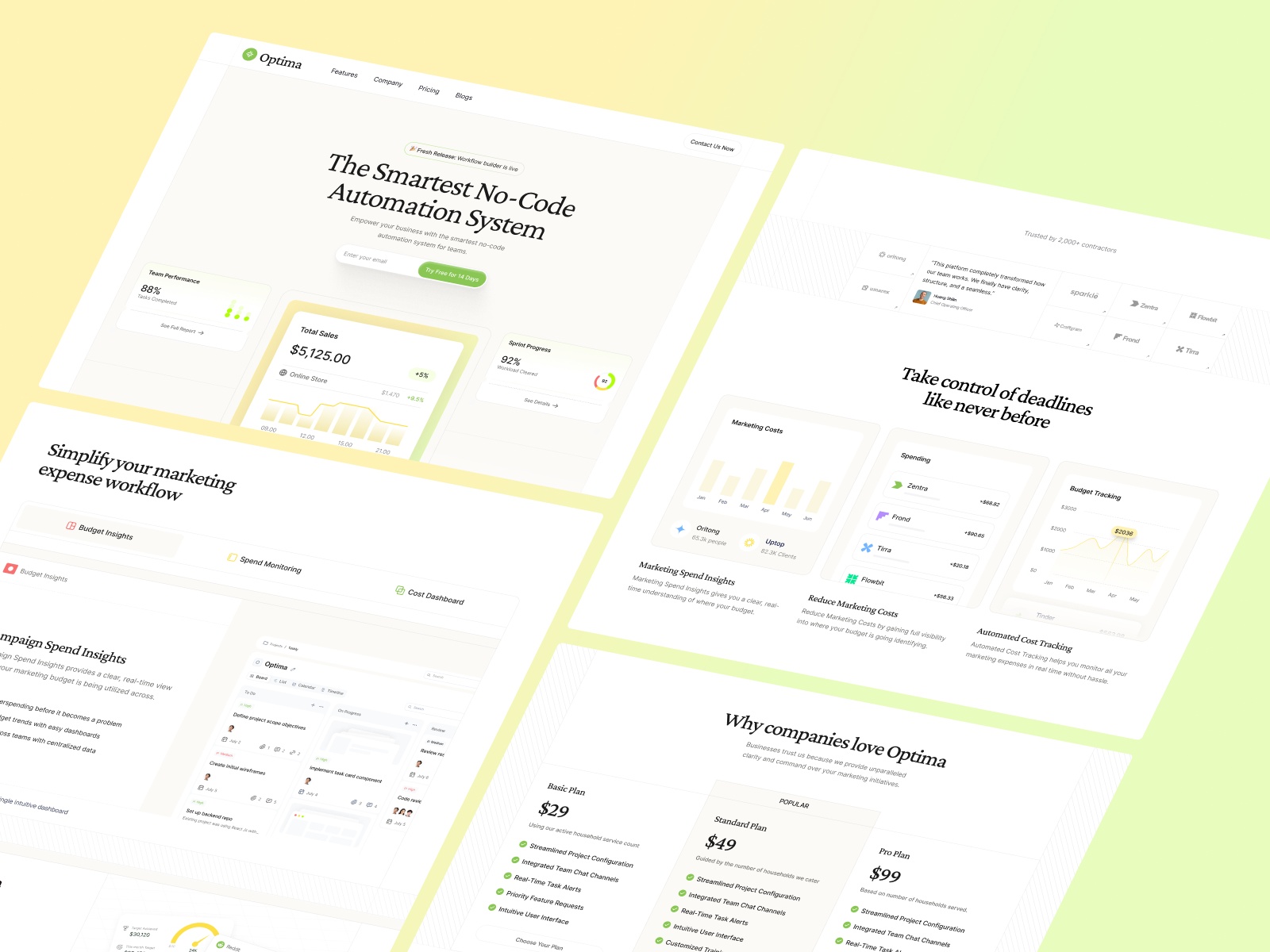
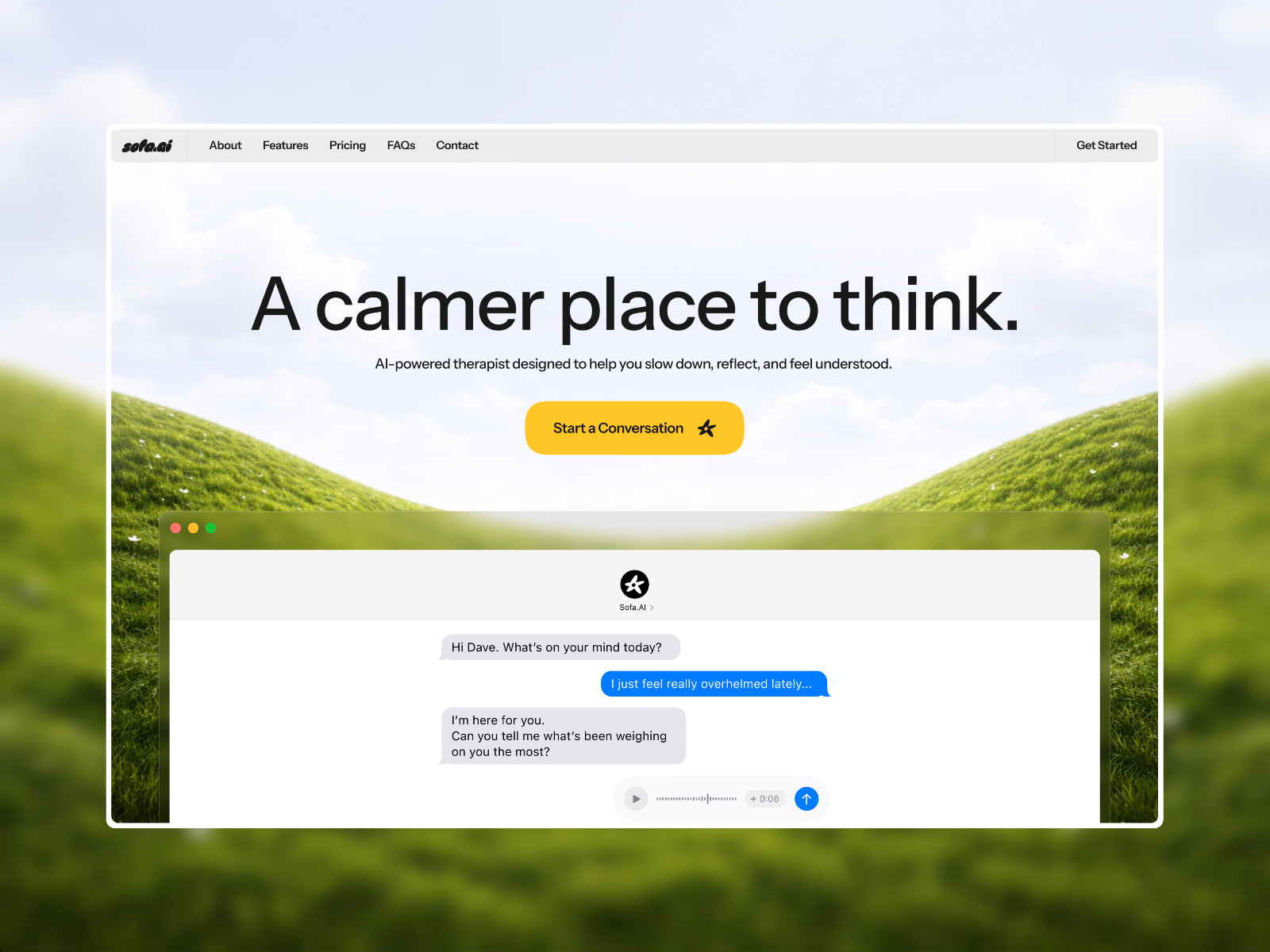
The lumora-template preview reads bright and product-led: airy whitespace, rounded UI motifs, and hero copy blocks that suit collaboration or productivity tools more than heavy finance chrome. Typography stays neutral so screenshots and interface mockups carry the story.
Animation is light, which keeps Pricing rows legible when a team lead opens the link from Slack on mobile. The honest fight is breadth. A security vendor or data platform will miss dark trust cues and doc-style pages, because Lumora Workspace assumes friendly workspace energy rather than audit-room seriousness.
Pages included in Lumora Workspace
Seven pages, named as Framer lists them:
- Home: workspace positioning, benefits, and calls to action into Product and Pricing
- Product: feature narrative, screenshots, and proof structured for evaluators comparing tools
- Pricing: plan tiers and packaging layout for self-serve or sales-assisted checkout stories
- About: team story, mission, and credibility for early customers checking who built the product
- Changelog powered by CMS: release notes fed from a CMS collection so shipping updates does not require frame duplication
- Privacy: privacy policy for accounts, analytics, and product data handling
- Terms: terms of service for subscriptions, trials, and acceptable use of the workspace
The CMS changelog route is the standout for teams that ship often but do not want a full blog yet.
What is distinctive about Lumora Workspace
- CMS changelog in a seven-page file. You get collection-driven release notes without adopting a massive SaaS sitemap.
- Product route separate from Home. Campaigns can target Product for feature comparisons instead of scrolling the homepage.
- Workspace-friendly visual register. Layout assumes software UI proof, not services paragraphs or portfolio grids.
- Lean legal pair. Privacy and Terms are dedicated routes, which helps when a small team still needs policy links in the footer.
- Seven pages on Basic-friendly footprint. Enough structure for credibility, not so many routes that every stub page needs copy on launch night.
Framer SEO, analytics, and breakpoint tooling ship with the platform. They are not reasons to pick Lumora Workspace over another SaaS file.
When to remix Lumora Workspace, and when to skip
Remix Lumora Workspace when you are a focused SaaS or workspace product that needs Product, Pricing, About, and a CMS changelog this week, and you will add Trust or Docs later if enterprise buyers ask. The unknown author prioritized editable release notes over a long static map.
Skip it when procurement expects Trust, Docs, Customers, and Blog routes immediately. That is Plinth Stack. Skip it when you need deep CMS blog singles and integration libraries. Compare Hubmini on the CMS shortlist or return to free Framer templates on the hub.
Frequently Asked Questions
Quick answers about Lumora Workspace, including pricing, CMS support, responsiveness, and who it is built for.
-
What kind of website is Lumora Workspace best for?
- Lumora Workspace is for Lean SaaS and workspace products that want Pricing and Product routes plus a CMS Changelog without a thirteen-page enterprise map. It includes 7 pages: Home, Product, Pricing, About, Changelog powered by CMS, Privacy, Terms.
-
Is Lumora Workspace free or paid?
- Lumora Workspace is a free Framer template. The listed price on yoframer is free.
-
Does Lumora Workspace support CMS and responsive design?
- Lumora Workspace includes CMS collections for Changelog powered by CMS. It is fully responsive.
-
When should I skip Lumora Workspace?
- You need Trust, Docs, Customers, and Blog on separate static routes out of the box. Plinth Stack ships that depth. Start with Plinth Stack .
Featured in our SaaS roundup
10 Best Free SaaS Framer Templates in 2026
Most free SaaS templates on Framer look great in the preview and fall apart the moment you customize them. These 10 don't.