 Live Preview
← All Templates
Portfolio
Milo Noir — Free Portfolio Template for Framer
Milo Noir is a free 2-page dark portfolio Framer template for mobile product designers who want résumé depth on one scroll. Skip it if you need CMS case studies.
freeframerremixportfoliocreativemilodark
Milo Noir is a free 2-page portfolio template for Framer with no CMS. The live preview reads like a senior mobile designer résumé: one long Home scroll with About, Tools, a project grid, and Work History, plus a branded 404. Skip it if you need CMS case studies or a dedicated Works route. JORGE covers that job with CMS project pages. More picks sit on the portfolio shortlist and the free Framer templates hub.
Who should remix Milo Noir?
Milo Noir fits product designers, especially mobile, who already have named clients and want LinkedIn-plus-Dribbble energy in one URL. The Home page carries location, languages, social links, a tools stack split by design and shipping, six project cards with outcomes, and a chronological job list with metrics. That is the brief for someone open to full-time, contract, or advisory work without building a twelve-page agency site.
Walk away if your proof lives in long case studies that need their own URLs. Photographers and brand designers who sell on image galleries will fight the résumé-shaped sections. For CMS-backed project pages and a Services collection, remix JORGE instead. If you only want one bold scroll with no work-history block, compare Ferio on the same portfolio shortlist before you commit here.
What Milo Noir looks like
The file is dark and quiet: near-black fields, white type, and minimal color so project titles and employer names carry the hierarchy. Sections stack in a single column with generous breaks, closer to Linear’s personal-site register than to a pastel Behance grid. Project cards mix client name, year, and a one-line outcome, which helps recruiters scan fast on a phone.
Motion stays restrained so the scroll feels professional, not promotional. The honest fight is structure. Everything is baked into Home, so adding a blog, pricing, or a team page means duplicating frames or splitting the scroll yourself. Warm, playful brands will also push back against the default noir mood unless you retheme early.
Pages included in Milo Noir
Two pages, named as Framer lists them:
- Home: the full story on one route. Hero with role and availability, About copy, a Tools grid grouped by design, prototyping, and shipping, a Portfolio grid of case-style cards, Work History with employers and bullet outcomes, and footer contact plus social links.
- 404: a branded dead end so shared links and typos do not dump visitors on a generic error screen.
There is no CMS and no separate Contact or Works page. Wire the email in the hero and footer, and treat each project card as static copy unless you add collections later.
What is distinctive about Milo Noir
- Résumé-shaped Home. Work History with dates and metrics sits beside a project grid, which is rare in two-page free portfolios.
- Tools section with categories. Design, prototyping, and building stacks are labeled, not one vague icon row.
- Mobile-designer voice in the demo copy. Native feel, App Store funnels, and platform tooling show up in the sample text, so you know what to replace.
- Dark typographic system. Confident for product designers; a retheme job if your brand is light and playful.
- Two pages only. Fast remix, but no CMS means every new project is a manual edit on Home.
Framer’s SEO, analytics, and breakpoint tooling ship with the platform. They are not a reason to pick Milo Noir over another portfolio file.
When to remix Milo Noir, and when to skip
Remix Milo Noir when you are a mobile or product designer who wants one credible URL with history, tools, and selected work on a dark scroll, and you are fine keeping case studies as cards instead of CMS entries. The preview is published from the @damir-cosic profile; swap every client name, metric, and employer before you go live.
Skip it when the site must grow into CMS case studies, services, or archives. That is JORGE. Still comparing portfolio shapes? Return to the portfolio shortlist or the free Framer templates hub before you remix.
Frequently Asked Questions
Quick answers about Milo Noir, including pricing, CMS support, responsiveness, and who it is built for.
-
What kind of website is Milo Noir best for?
- Milo Noir is for Mobile and product designers who want work history, a tool stack, and project cards on one dark scroll. It includes 2 pages: Home, 404.
-
Is Milo Noir free or paid?
- Milo Noir is a free Framer template. The listed price on yoframer is free.
-
Does Milo Noir support CMS and responsive design?
- Milo Noir does not include CMS support. It is fully responsive.
-
When should I skip Milo Noir?
- You need CMS case studies or a separate Works route. JORGE ships CMS project pages and a fuller sitemap. Start with JORGE .
Featured in our Portfolio roundup
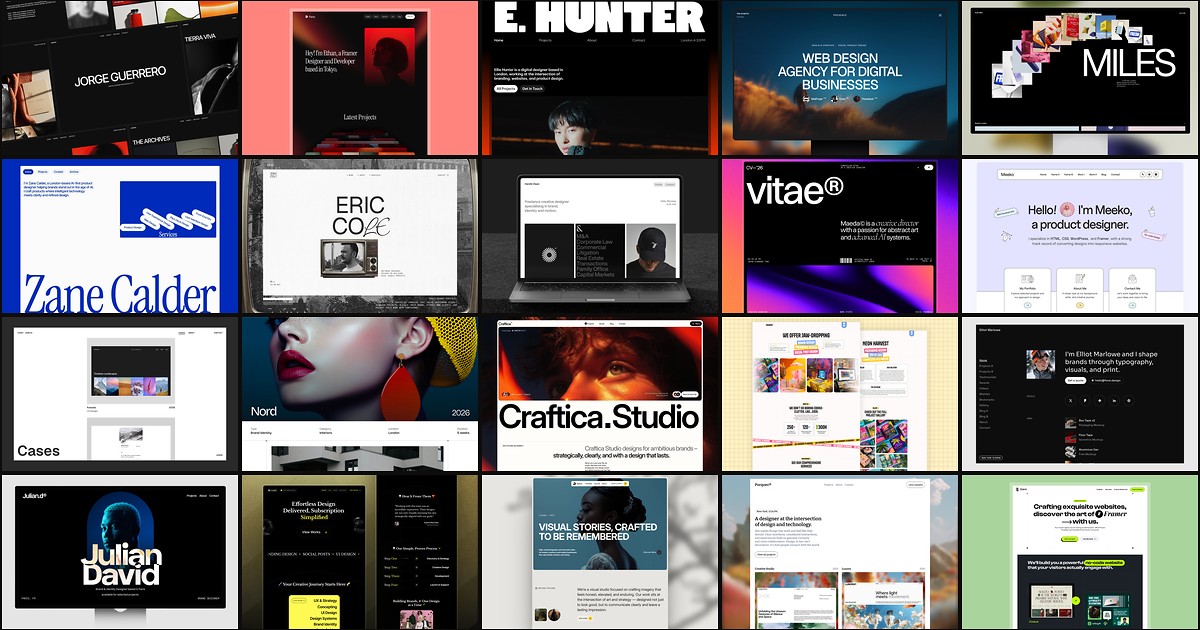
20 Best Portfolio Framer Templates in 2026 (Ranked)
A portfolio site should show work first and make contact inevitable. These 20 Framer templates cover minimal one-pagers to full CMS studios.