 Live Preview
← All Templates

SaaS
Dravix — Free SaaS Template for Framer
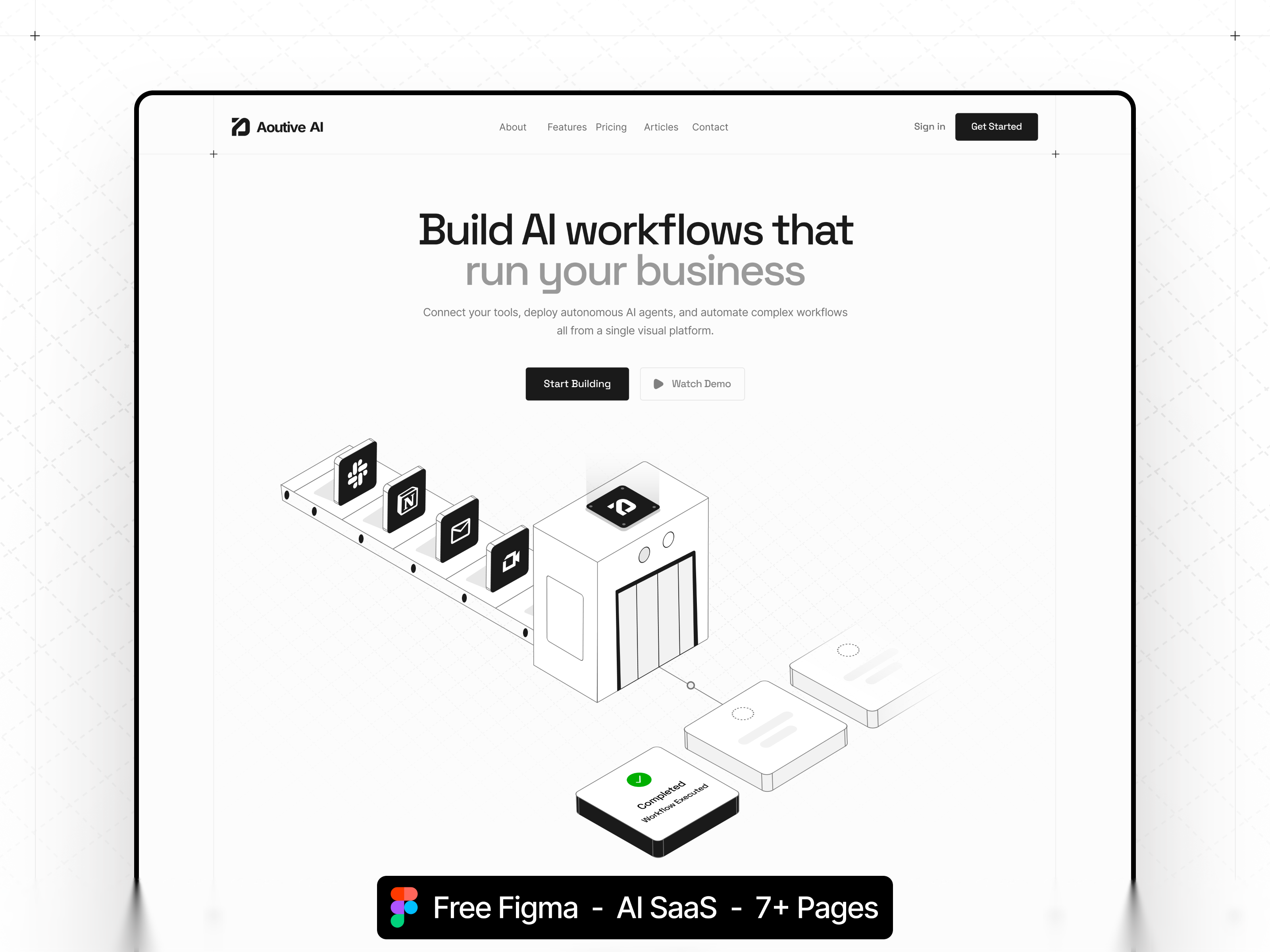
Dravix is a free 7-page SaaS Framer template with Integrations, Pricing, and Blog routes and no CMS. Skip it if you need CMS case studies, careers, or changelog pages.
freeframerremixsaasintegrationsdravix
Dravix is a free 7-page SaaS template for Framer from an unknown marketplace author. The dravix.framer.website preview covers Home, About, Contact, Blog, Pricing, Integrations, and 404, all static with no CMS collections in the marketplace list. Skip it if you need CMS-powered logos, careers, or changelog routes on launch day. SaaSleek is a fuller SaaS alternative on yoframer. Start from the SaaS shortlist or browse free Framer templates on the hub.
Who should remix Dravix?
Dravix fits seed-stage founders who must look enterprise-ready before engineering finishes the app shell. Integrations answers the “does it connect?” objection, Pricing publishes tiers for self-serve research, and Blog holds launch notes until you wire a real CMS. About and Contact humanize a small team selling B2B software.
Look elsewhere if your GTM depends on fifty customer logos fed by collections, or if you must ship Careers and Security pages on day one. Static Blog posts mean duplicating frames or adding CMS later. If you want a more complete free SaaS sitemap without inventing routes, remix SaaSleek first and compare layouts side by side.
What Dravix looks like
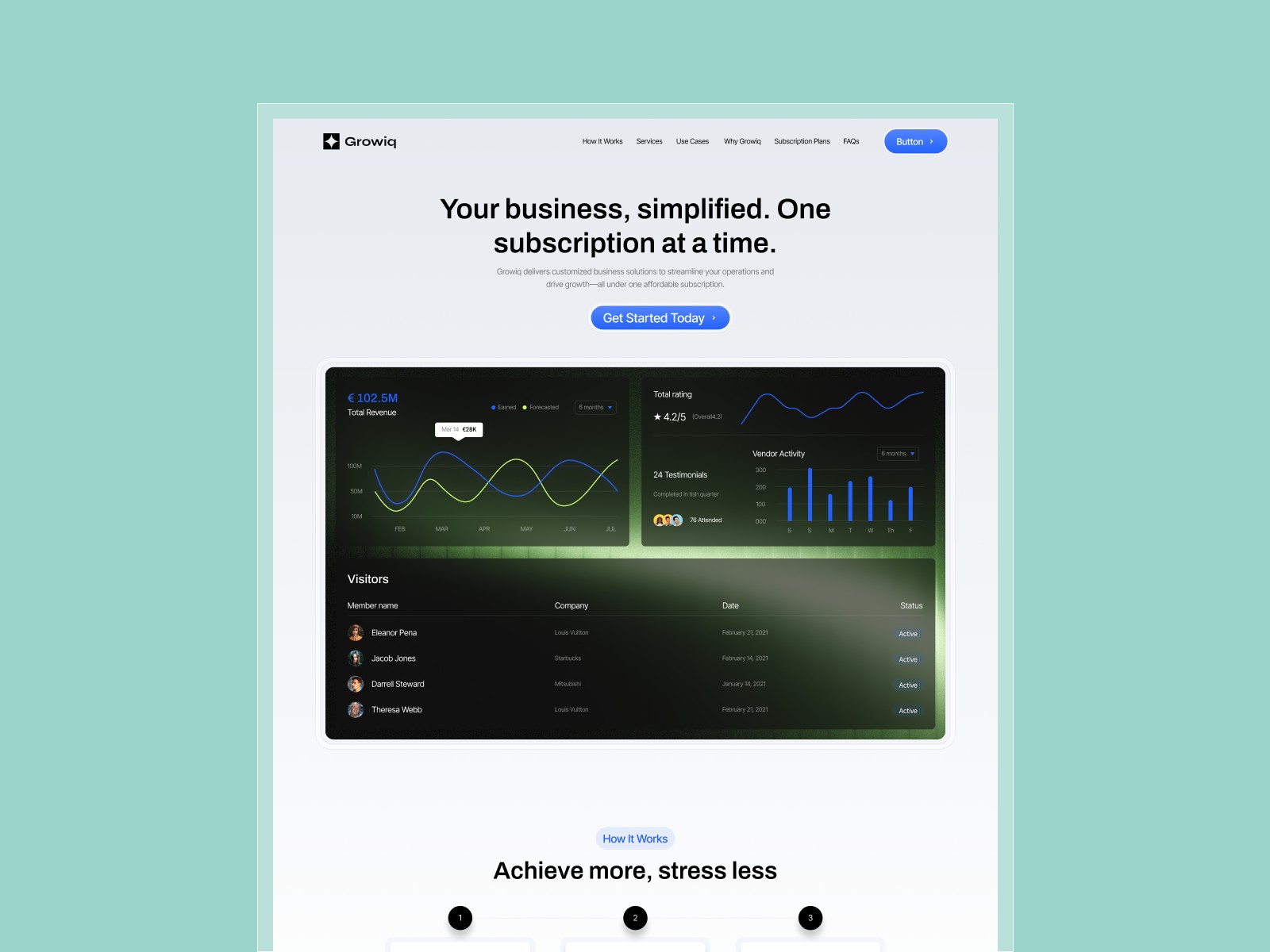
The demo follows familiar SaaS marketing grammar: bright accents on light backgrounds, product UI in hero and feature rows, and icon grids on Integrations that read like Stripe or Notion partner pages. Typography stays readable at small sizes, which helps when buyers forward Pricing links internally. Spacing is airy enough for screenshot swaps without rebuilding components.
The default mood is friendly B2B, not dark devtools chic. Developer tools companies may re-skin heavily. Motion stays in the polite range: hover states and section reveals rather than scroll experiments that fight comprehension on Pricing tables.
Pages included in Dravix
Seven static routes, spelled as Framer lists them:
- Home: primary value prop, product shots, and funnels into Pricing and Integrations
- About: team story and mission copy for buyers who check humans before budget
- Contact: demo request or support form path after self-serve research stalls
- Blog: editorial index layout for announcements; posts are manual unless you add CMS
- Pricing: tier cards and feature comparison blocks for public plans
- 404: branded dead end so mistyped campaign links do not feel broken
- Integrations: partner or connector grid that answers integration questions early
No CMS appears in pageNames, so repeating blog entries or integration cards means duplicate frames or post-remix collections.
What is distinctive about Dravix
- Integrations as a named route. Many free SaaS templates bury connectors on Home; Dravix gives them a dedicated page.
- Pricing plus Blog on a seven-page map. Enough depth for a credible marketing site without a fifteen-page agency sprawl.
- 404 included. Small but useful when ads and launch emails send imperfect URLs.
- Static-first setup. Fast remix for MVP positioning before you invest in CMS modeling.
- Balanced SaaS sitemap. About and Contact sit alongside product story, not replaced by it.
Automated SEO labels and analytics hooks from Framer are shared infrastructure. They should not drive your choice between Dravix and another SaaS file.
When to remix Dravix, and when to skip
Remix Dravix when Integrations and Pricing must exist as real URLs this week, and you accept static editing until CMS is ready. The @saha-sajib marketplace link points to an author who ships SaaS-shaped kits; treat Dravix as a marketing wrapper, not the logged-in product.
Skip it when you need richer SaaS furniture out of the box. SaaSleek is the yoframer pick to compare first. Skip it when case studies must be collection-driven. Add CMS after remix or choose a heavier template from the SaaS shortlist, then return to free Framer templates for the full grid.
Frequently Asked Questions
Quick answers about Dravix, including pricing, CMS support, responsiveness, and who it is built for.
-
What kind of website is Dravix best for?
- Dravix is for Early-stage SaaS teams that need Integrations and Pricing pages on a static marketing site before CMS is configured. It includes 7 pages: Home, About, Contact, Blog, Pricing, 404, Integrations.
-
Is Dravix free or paid?
- Dravix is a free Framer template. The listed price on yoframer is free.
-
Does Dravix support CMS and responsive design?
- Dravix does not include CMS support. It is fully responsive.
-
When should I skip Dravix?
- You want collection-driven customer stories and deeper SaaS furniture. SaaSleek is a richer free SaaS remix on yoframer. Start with Saasleek .
Featured in our SaaS roundup
10 Best Free SaaS Framer Templates in 2026
Most free SaaS templates on Framer look great in the preview and fall apart the moment you customize them. These 10 don't.