
TL;DR — On October 1, 2026, Framer shipped Firewall so you can block or redirect published traffic using country, URL path, or both. Use it to hide staging paths, steer localized visitors, or deny regions where a product is not licensed. Rules live under Site Settings → Hosting → Firewall; Framer bundles the feature with Advanced Hosting and Enterprise.
Most Framer teams already think about hosting as “fast CDN and custom domain.” Firewall adds edge policy without standing up a separate reverse proxy. Framer’s official post is the source of truth for availability; this yoframer guide focuses on when the feature earns a rule, how it interacts with localization, and what to verify before you block real buyers.
Framer Firewall at a glance
| Area | Before | Firewall (October 1, 2026) |
|---|---|---|
| Geo control | Redirect logic often lived outside Framer | Country-based block or redirect on publish |
| Path control | Obscure URLs or noindex only | Path-based block or redirect at the edge |
| Localization | Manual locale links in nav | Locale redirect when localization is enabled |
| Configuration | External DNS or worker scripts | Site Settings → Hosting → Firewall |
| Availability | N/A | Advanced Hosting add-on and Enterprise |
What’s new in Framer Firewall
1. Country rules for block or redirect
Framer evaluates the visitor’s country and applies your rule: block the request or redirect it elsewhere. That is the straightforward compliance story (services not offered in a region) and the marketing story (send EU visitors to an EU-specific funnel you already maintain).
2. Path rules for surgical page control
Path matching lets you restrict specific routes without walling off the entire site. Think /internal-review, legacy campaign slugs, or a PDF landing page that should never see organic traffic. Combined with country logic, you can express “only US visitors may hit /beta” or “everyone outside Canada gets sent home.”
3. Locale-aware redirects on multilingual sites
If the project already uses localization, Firewall can send visitors to a locale instead of a generic 404 or a single-language homepage. That pairs naturally with Auto Translate and manual locale work: Firewall handles routing, localization handles content.
4. Publish-bound rules on Framer hosting
Rules ship with your normal publish flow. There is no separate deploy pipeline, which keeps small teams honest: every rule change should go through the same review → publish habit you use for CMS content.
How to add Firewall rules in Framer
- Open the Framer project tied to the live domain you want to protect.
- Go to Site Settings → Hosting → Firewall.
- Add a rule and choose block or redirect (and locale target when localization applies).
- Define country, path, or combined conditions Framer exposes in the UI (mirror the labels on the release page).
- Publish the site and verify from more than one network (office Wi‑Fi alone is not enough for geo rules).
- Document the rule in your client runbook: owner, rationale, and rollback steps.
Plan note: Firewall is not on every base tier. Treat it as part of Advanced Hosting or Enterprise when you scope client work, and link stakeholders to Framer pricing instead of guessing.
Three workflow recipes to try this week
Locale steering for a global marketing site
You run three locales and keep catching support tickets from visitors who land on the wrong language homepage.
- Enable localization and confirm each locale slug loads the correct CMS and Canvas content.
- Add a Firewall redirect that sends known country clusters to their default locale path.
- Spot-check with VPN exit nodes and fix nav links that hard-code the wrong locale prefix.
Hide a staging path on a shared domain
Marketing published `/spring-campaign-preview` for stakeholders, but the URL leaked in an email footer.
- Add a path rule that blocks or redirects `/spring-campaign-preview` for all countries except your office IP range if Framer supports your intended pattern.
- Replace the public CTA with a clean production slug and unpublish obsolete CMS items tied to the preview.
- Archive the rule once the campaign ships so you do not accumulate mystery blocks six months later.
Regulated offer with a hard geo block
Legal approved copy for the United States only; paid ads accidentally broadened to additional regions.
- Block countries outside the approved list before the next ad optimization pass.
- Redirect blocked visitors to a neutral explainer page that sets expectations (not a blank error).
- Log the rule in compliance docs and revisit when contracts expand; remove blocks the same day counsel signs new markets.
Framer templates for localized or regional sites
Firewall matters most when your published routes already reflect real locale or regional segmentation. Remix a localization-ready starter, turn on locales, then stress-test redirects. Start from the free Framer templates hub or open /templates/ for the full grid.
 Live Preview
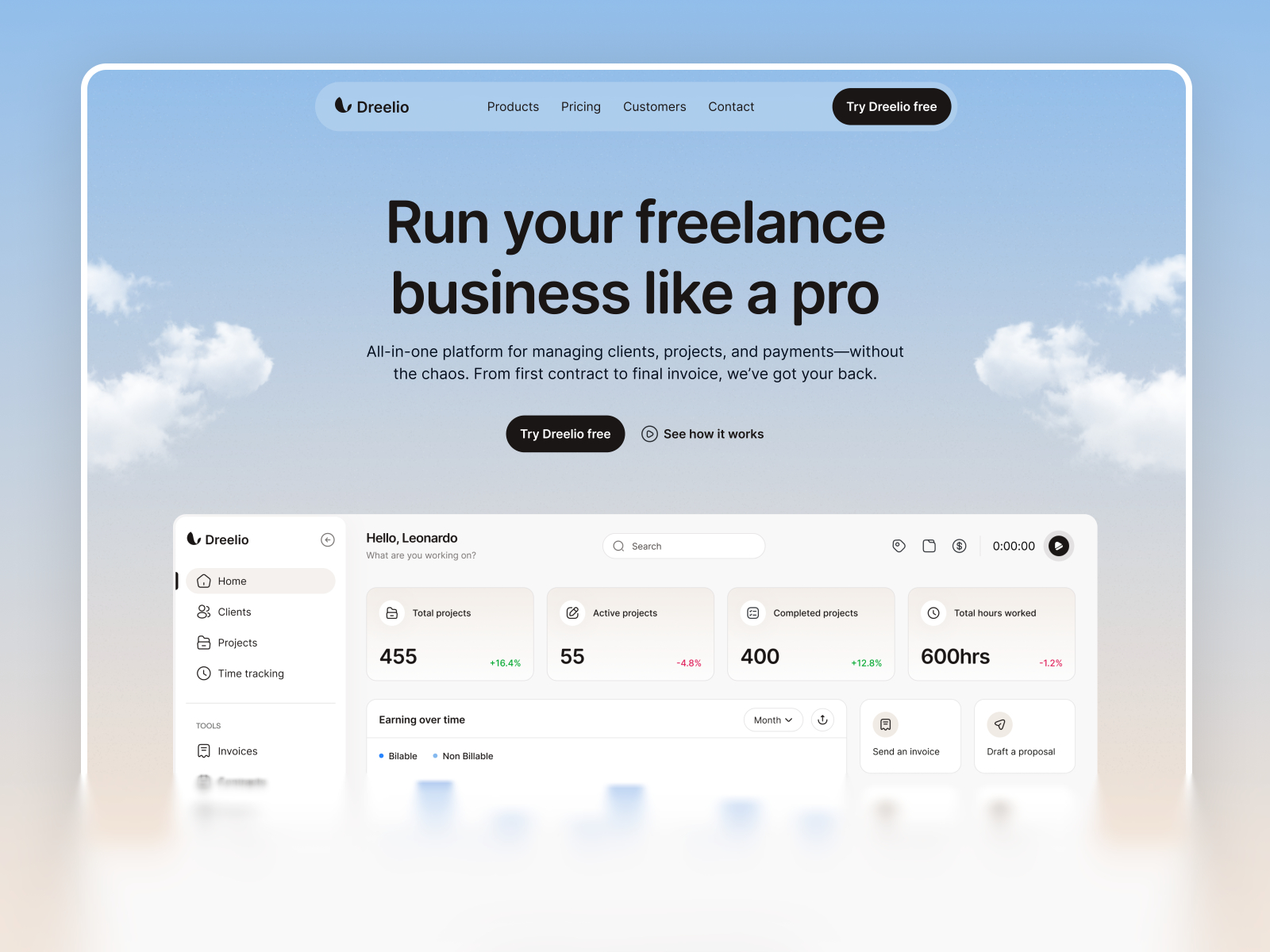
Dreelio · Localization-ready marketing shell for multi-region experiments.
by Leonardo Chike
Dreelio ships with localization called out in marketplace metadata, which makes it a practical sandbox for Firewall plus locale behavior. Remix, enable your locales, publish a test domain, and add one conservative redirect rule before you touch production client files. Weak spot: the visual identity is strong; budget time to re-skin so the demo does not look like every other Dreelio fork.
- Best for
- Teams validating locale redirects plus translated hero copy before client launch.
 Live Preview
Saata · SaaS landing rhythm when you need separate paths per region.
by Tanjim
Saasta gives you a credible product marketing skeleton for path-based rules: pricing, features, and signup flows you can duplicate per region without rebuilding layout from scratch. Pin Firewall rules to those paths once legal approves copy. Weak spot: lighter than enterprise SaaS megasites; add CMS collections if your regional blogs outgrow static sections.
- Best for
- Founders splitting `/eu` and `/us` offers while keeping one Framer project.
 Live Preview
EcoStream · Compact site map when you want obvious paths to lock down.
by Unknown
Ecostream keeps the sitemap tight, which helps when you are learning Firewall without dozens of accidental slugs. Publish, add a block on a single sensitive path, and confirm normal pages still load worldwide. Weak spot: English-first defaults mean you will still plan localization work outside the template if Firewall should steer non-English visitors.
- Best for
- Small teams testing block rules on a handful of public routes.
 Live Preview
Denver · Boutique marketing depth for region-specific case studies.
by Aryan
Denver’s case-study rhythm fits agencies that want path rules on draft client stories while the main homepage stays global. Remix, publish protected paths, and pair with workspace permissions so editors are not confused by edge blocks. Weak spot: not a mega-agency page count; skip if the client expects twenty service cities on day one.
- Best for
- Studios showcasing clients in one country while blocking preview case-study paths elsewhere.
Official resources and where to go next
- Firewall release notes — canonical feature description (October 1, 2026).
- All Framer updates — adjacent releases including Pinned Projects and CMS List fields.
- Framer Auto Translate on yoframer — keep locales filled in while Firewall steers traffic.
- More yoframer Framer Updates — practical write-ups when Framer ships editor, CMS, hosting, or Agent changes.
- Full template directory — filter thousands of free remixes when you need a fresh localization sandbox.
The bottom line
Firewall turns Framer hosting into something closer to policy-aware publishing: you can finally say “this path” and “this country” in the same breath, then ship the rule with a normal publish. Start with redirects before blocks, test from real regions, and document every rule like you document DNS. When you need a remix that matches your locale map, browse free Framer templates and open Framer to add Hosting rules on the site you already maintain.