
TL;DR — On September 8, 2026, Framer shipped the CMS List field so repeating content (FAQs, features, tutorial steps, case study bullets) lives in one ordered list instead of
Title 1,Title 2duplicates. Wire lists from the Insert panel, repeat a designed card with the newRepeatproperty, or ask the Agent to migrate legacy duplicated fields and reconnect Canvas bindings. The same release adds rich-text video inserts, multi-item duplicate, CMS field search in Insert, and a long Added / Fixed / Improved batch across the CMS.
Framer’s announcement is the source of truth for every changelog line below. This yoframer guide adds when to refactor schemas, how Repeat differs from hand-duplicated Frames, and which free Framer templates give you realistic FAQ and feature bands to test List fields before client handoff.
Framer CMS List field at a glance
| Area | Before (duplicated fields) | List field (September 8, 2026) |
|---|---|---|
| Repeating groups | Title 1, Description 1, Title 2, … | One List field with add, remove, reorder rows |
| Canvas output | Manual copy or brittle bindings | Repeat on a card Frame or Insert panel wiring |
| Legacy cleanup | Rebuild schema by hand | Agent conversion from repeated fields + Canvas reconnect |
| Editor UX | Field sprawl in overlay | Table-like list editing inside the item |
| Platform | CMS-only | API + Agent support for List fields |
What’s new in Framer CMS List fields
1. List field type in collections
The List field behaves like a mini spreadsheet inside one CMS item: each row can carry sub-fields (question + answer, icon + title + body, step number + copy). Editors add rows, drag order, and delete without opening a separate collection for every FAQ pair.
2. Repeat property on designed cards
Design one FAQ or feature card on Canvas, bind inner text and icons to List sub-fields, then turn on Repeat so Framer clones the card per list row. That keeps typography and spacing consistent when marketing adds a fifth FAQ without asking a designer to duplicate Frames.
3. Insert panel discovery for CMS fields
Framer added finding CMS fields in the Insert panel, which matters when a List exists in the schema but is not yet visible on the page. Pull the field onto Canvas instead of hunting through the variables panel during a late-night content push.
4. Agent migration from duplicated fields
If a remix still uses Feature title 3 patterns from an older template, prompt the Agent to convert repeated fields into a List and reconnect bindings. Run on a branch first, publish staging, and spot-check mobile stacks after migration.
5. Broader CMS additions in the same release
Framer bundled practical editor upgrades with List fields:
- Video component inside CMS rich text (embed vertical clips without the old crop glitch)
- Reorder Status in the panel
- Inline editing for content editors on more surfaces
- Duplicate multiple CMS items at once
Treat the official changelog tables as authoritative if you are chasing a specific fix ID during QA.
Watch Framer’s CMS List field walkthrough
Framer links a dedicated video from the release notes. The embed below matches their update page.
Changelog annotated
Added (why it matters)
| Framer line | Practical note |
|---|---|
| List field in CMS, including API and Agent support | Plugins and Agents can create or fill lists, not just humans in the overlay |
| Video component in CMS rich text fields | Long-form posts and changelog entries can embed walkthrough clips inline |
| Reorder Status field in the panel | Editorial teams that lean on draft / scheduled / published get faster status hygiene |
| Inline editing for content editors | Fewer round trips between table and overlay for simple text fixes |
| Duplicate multiple CMS items at once | Seasonal promos and repeated case study shells copy faster |
| Find CMS fields in Insert panel | Lists and new fields surface on Canvas without deep variable hunting |
Fixed (spot-check these on staging)
| Framer line | Practical note |
|---|---|
| Vertical video cropping in rich text | Release notes and help centers with portrait clips look correct |
| Managed collections duplicate items in branches | Branch merges stay trustworthy for plugin-fed collections |
| Monochrome and duotone icons in CMS tables | Icon columns in the spreadsheet view render as designed |
| Paginated CMS page refresh errors | High-traffic blogs with pagination survive hard refreshes |
| Agent date changes drifting | Scheduled posts stay on the intended calendar day |
| Duplicate titles → conflicting slugs | Bulk imports and Agent batches produce cleaner URLs |
| Undo after links and pasted images in rich text | Editors trust keyboard undo during long writing sessions |
| Detail page previews after reload | QA on CMS templates fails less often after browser refresh |
| Case-sensitive slug filtering on published sites | Locale and campaign filters behave predictably on live sites |
Improved (feel these during daily edits)
Scrolling performance in large collections, block selection for images and embeds in rich text, Agent selection and context in the CMS, breadcrumb opens from Canvas, invalid field handling when adding items, and polish on formatted text toolbars, field warnings, link popouts, and the filter menu.
How to model and display List fields
- Open a collection that already powers FAQs, features, or steps (or create one on a branch).
- Replace duplicated field groups with a List field; define sub-fields once (e.g. question, answer, optional icon).
- On Canvas, design one repeating unit (accordion row, feature tile, timeline step).
- Bind text and media inside that unit to List sub-fields, then enable
Repeaton the parent Frame or insert the List from the Insert panel if Framer exposes that path for your layout. - For legacy remixes, ask the Agent to convert
Title 1/Title 2patterns into a List and verify bindings on desktop and mobile breakpoints. - If your team documents CMS rules, capture the List schema in Agent Skills so future page adds stay on-model.
Three workflow recipes to try this week
Refactor an FAQ band from duplicated fields
A SaaS pricing page still uses twelve paired question and answer fields from a 2024 remix.
- Branch the project and export a screenshot of the current CMS field list for rollback notes.
- Ask the Agent to convert repeated FAQ fields into one List with question and answer sub-fields.
- Enable Repeat on the existing FAQ card, publish staging, and compare accordion spacing on mobile.
Feature grid from one designed card
Marketing wants six product features but design only approved one tile layout.
- Model a List with title, body, and optional icon sub-fields in the Features collection item.
- Bind the hero feature card layers to List sub-fields and turn on Repeat inside the features section.
- Add two rows in the CMS table, refresh staging, and confirm order changes reorder the grid without Canvas edits.
Plugin + List field smoke test
You ship a CMS plugin that syncs external bullets into Framer collections.
- Read Framer developer changelog entries for List field API support alongside this release.
- Create a test collection with a List field and run your plugin sync on a branch.
- Validate duplicate-many-items and managed-collection branch fixes before promoting to production clients.
Who benefits most
- Content editors maintaining FAQs, pricing bullets, and help centers without filing design tickets for every new row
- Agencies cleaning up legacy remix schemas before handoff
- Template authors pairing List fields with Skills that survive remix
- Plugin makers extending CMS sync now that List fields have API support
Framer templates built for List-heavy CMS
These free Framer templates ship enough CMS structure to stress-test List fields and Repeat without inventing a sitemap from scratch.
 Live Preview
Revior · Dark SaaS marketing with pricing and feature hierarchy
by OneFramer
Revior’s SaaS-shaped sections mirror the pages where List fields pay off first: repeating proof points under pricing, feature grids, and changelog-friendly typography. Weakness: five routes, not a full docs wiki, so keep long help centers in a dedicated collection.
- Best for
- Teams modeling feature lists and FAQ bands that should repeat from one card layout
 Live Preview
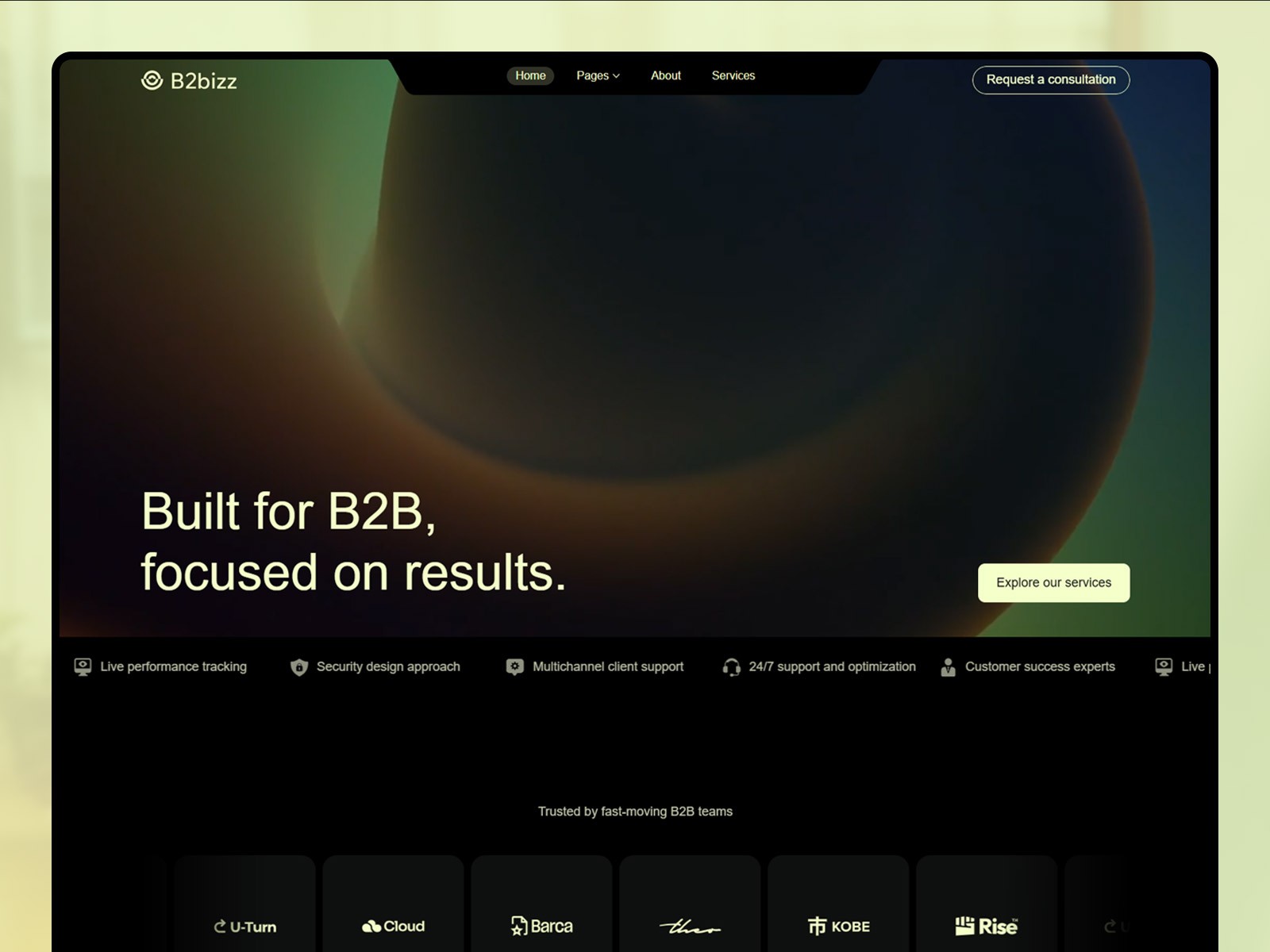
B2bizz · B2B landing system with CMS-friendly marketing blocks
by Salim
B2bizz reads like a pipeline marketing site, which makes it a believable sandbox for feature List migration before you touch a paid client remix. Weakness: you may still retune industry copy and logos after schema refactors.
- Best for
- B2B teams converting duplicated benefit fields into ordered List rows for sales-led sites
 Live Preview
Cumix · Multi-section SaaS home with room for repeating content bands
by Pentaclay
Cumix gives you enough vertical sections to see Repeat spacing when row count changes from four items to eight. Weakness: dense hero motion can distract from CMS QA, so test List wiring on a calmer inner page first.
- Best for
- Founders testing Repeat on a single card across six or more CMS-driven bullets
 Live Preview
Fincare · Finance marketing template with trust and FAQ-shaped sections
by Elements Library
Fincare suits FAQ List experiments where compliance wants a clear question and answer column in the CMS export. Weakness: finance-specific copy needs replacement for other verticals even when the List schema stays.
- Best for
- Regulated niches where FAQ lists must stay ordered and auditable in the CMS table
Browse the full grid on /templates/ or start from the free Framer templates hub when you want a different niche baseline.
Official Framer resources worth bookmarking
- CMS List field release notes: canonical September 8, 2026 announcement and full changelog.
- Framer CMS product page: positioning for collections, localization, and plugins.
- CMS 3.1 quick-add row: faster row creation in the table (pairs with List editing).
- Agent Skills: reusable CMS instructions after you stabilize List schemas.
- All Framer updates: adjacent releases including Pinned Projects and Agents 3D Transforms.
More reading on yoframer
- Framer updates hub: editorial coverage of each major Framer release.
- CMS 3.0 deep dive: table workflow List fields extend.
- CMS Plugins in the sidebar: where integrations meet the same CMS chrome.
The bottom line
Framer CMS List fields (September 8, 2026) replace Title 1, Title 2 sprawl with ordered rows inside one field, Repeat on designed cards, Insert panel discovery, and Agent-led migration for legacy remixes. Ship on a branch, watch Framer’s walkthrough on this page, then merge when staging FAQs and feature grids survive add, reorder, and delete passes.