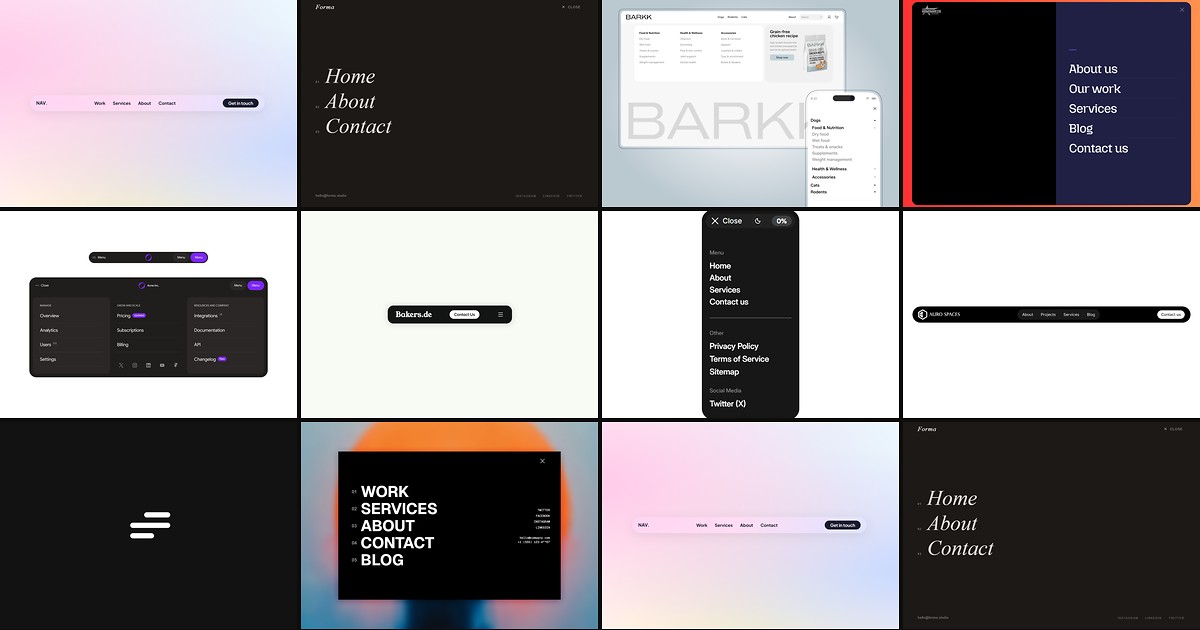
Site navigation is the frame every page hangs on. Framer’s built-in nav stacks handle basic link rows, but agency and SaaS builds routinely need scroll-reactive glass bars, structured mega menus with category columns, and full-screen overlay takeovers that collapse cleanly on mobile. Wiring that behavior with stacks, variants, and overrides burns hours on every project — and breaks when a client adds three more product links mid-build.
Purpose-built framer navigation components from the marketplace ship those patterns with property controls: link arrays, scroll thresholds, overlay animations, and responsive hamburger toggles you configure from the panel. This list ranks ten navbar, mega menu, and overlay components you can install today. Every pick works with current Framer in 2026, has a live marketplace listing with preview, and comes from an identifiable creator — four free and six paid.
Floating Navbar Pro — Frosted-glass floating bar with scroll entrance, elastic link indicator, and progress ring
by Thomas Peter
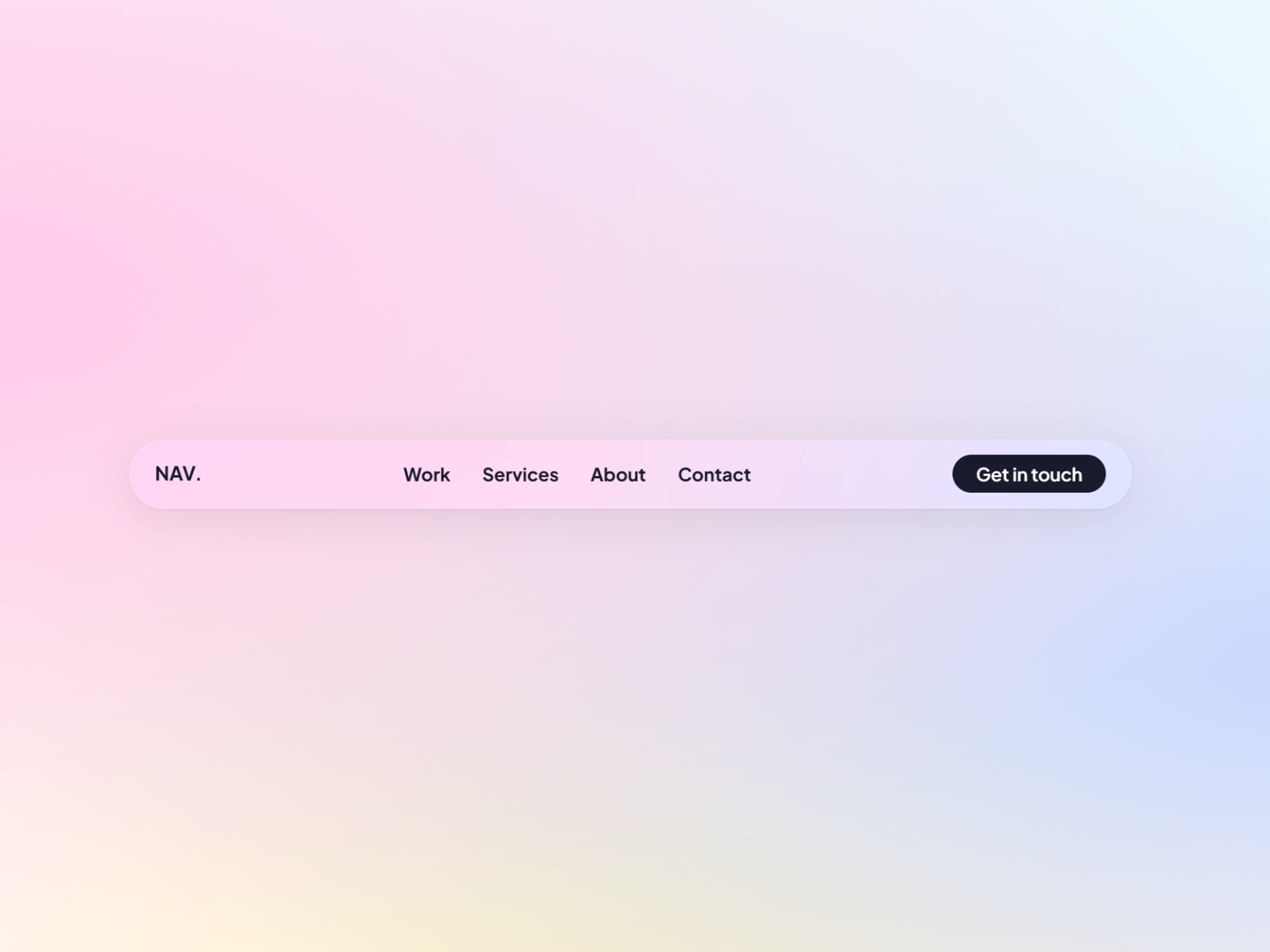
Floating Navbar Pro is the strongest all-around paid navbar when polish matters more than price. A frosted-glass pill bar animates in on scroll, links get an elastic active indicator, and a magnetic CTA button draws attention without leaving the nav row. A live scroll progress ring, animated hamburger collapse below a configurable breakpoint, and full color, blur, and typography controls from the panel make it the default install for launches that need Apple-tier navigation motion at 15 USD.
- Best for
- Premium SaaS and agency sites that need a scroll-reactive glass navbar with magnetic CTA and mobile hamburger without building motion from scratch
Affiliate link — we may earn a commission at no extra cost to you.
Overlay Menu — Scroll-aware bar plus full-screen editorial overlay with staggered link animations
by Kunal Sharma
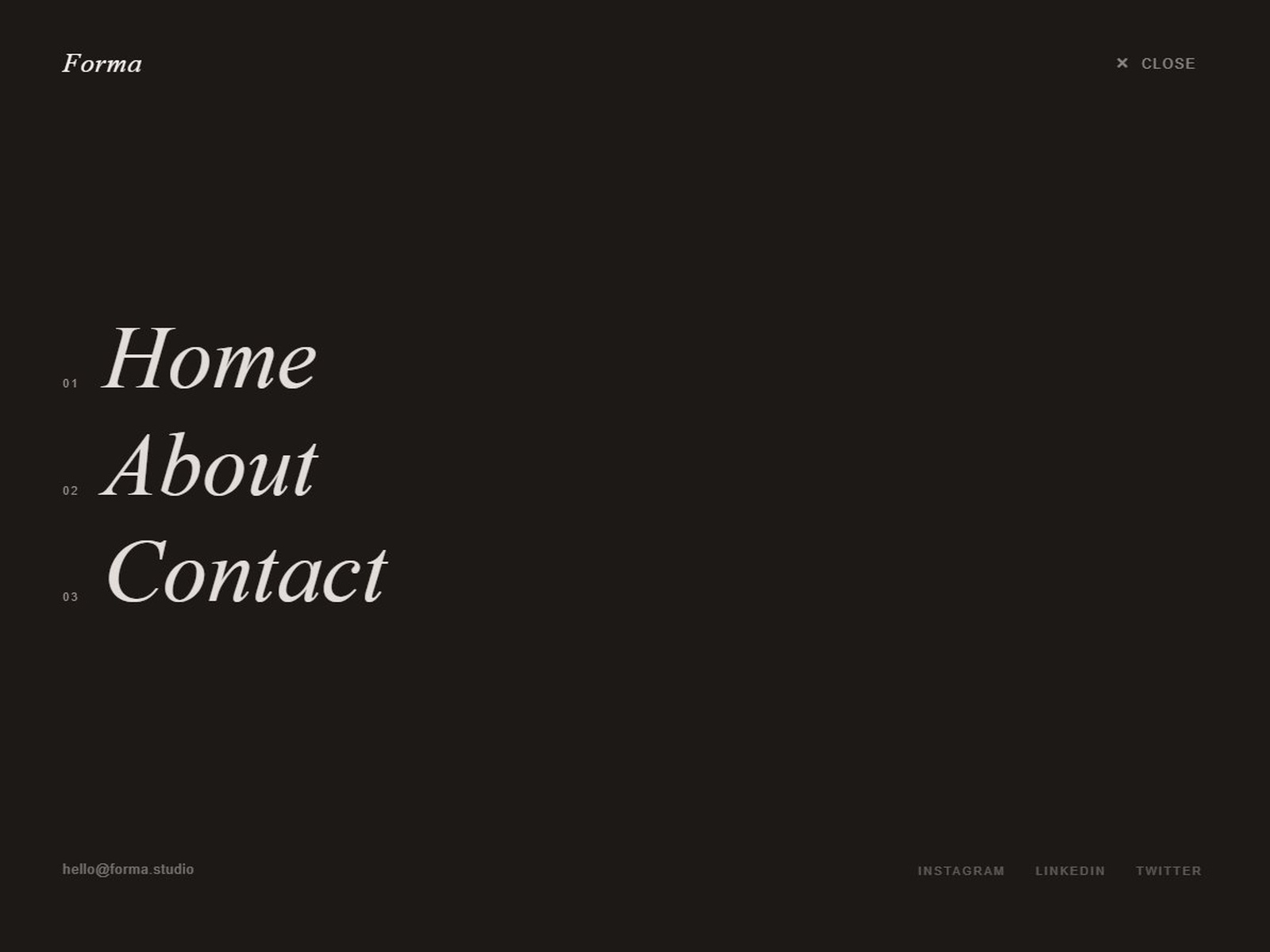
Overlay Menu pairs a scroll-aware top bar — transparent at rest, frosted on scroll — with a full-screen overlay that staggers links into view with editorial typography. Up to five nav links, index numbers, an email row, and four social slots are all configurable from the property panel without touching code. At 5 USD it is the best value overlay nav when you want agency-grade menu choreography on a single-component budget.
- Best for
- Portfolio and editorial sites that want a cinematic menu takeover with email and social footer rows
Affiliate link — we may earn a commission at no extra cost to you.
Mega Menu — Production mega menu with category columns, sub-navigation, and featured product spotlight
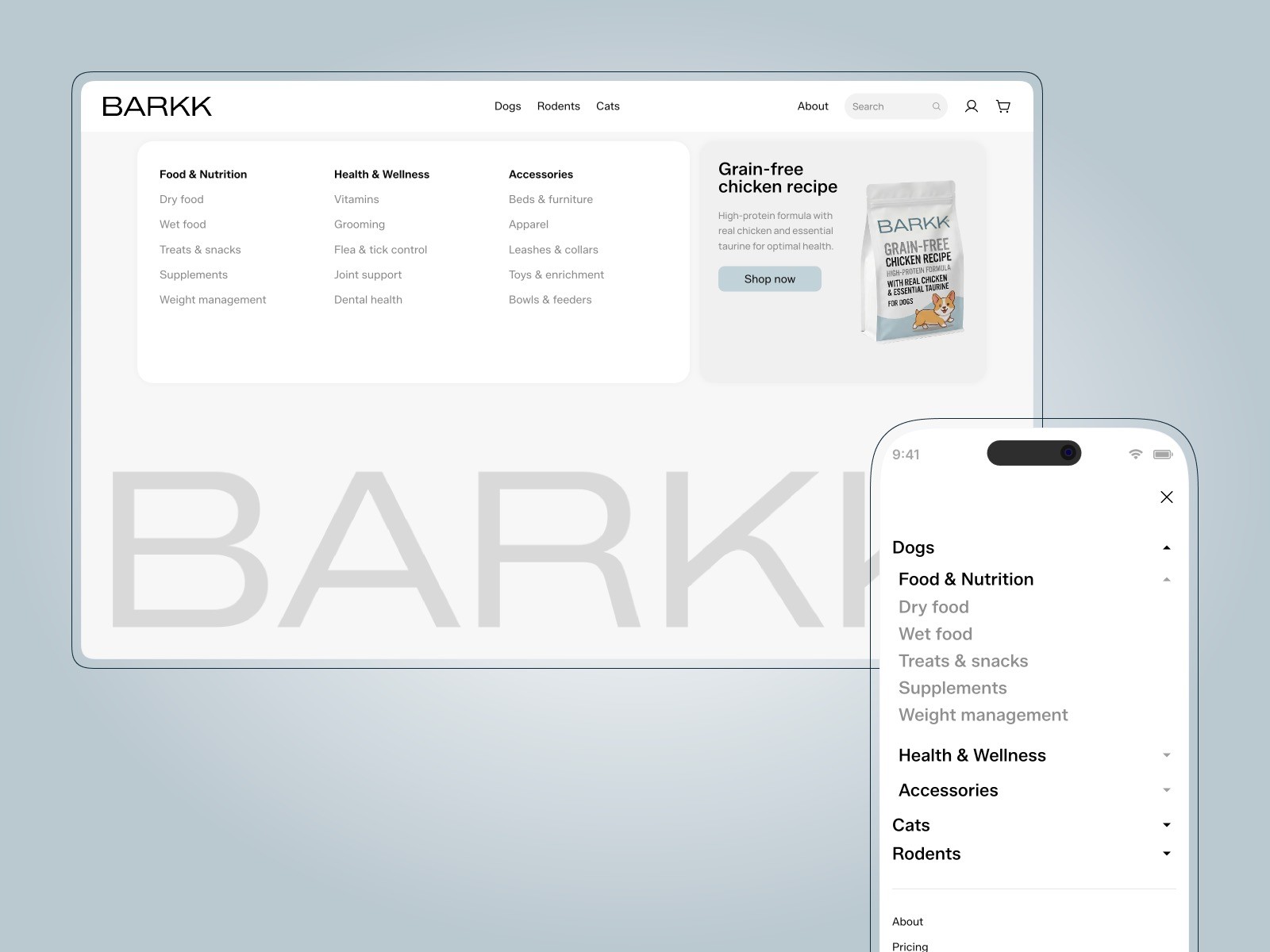
Mega Menu is the strongest free option when your IA outgrows a flat link row. Three main categories each support subcategory groups with up to five items per group, plus a built-in featured product spotlight per category. Desktop dropdowns collapse into a tap-friendly mobile menu through a nested variable architecture — populate category items once and the responsive behavior follows. Start here when a client handoff includes a sitemap spreadsheet, not a six-link header mockup.
- Best for
- Content-heavy SaaS and ecommerce sites that need structured dropdown navigation without paying for a premium overlay
Affiliate link — we may earn a commission at no extra cost to you.
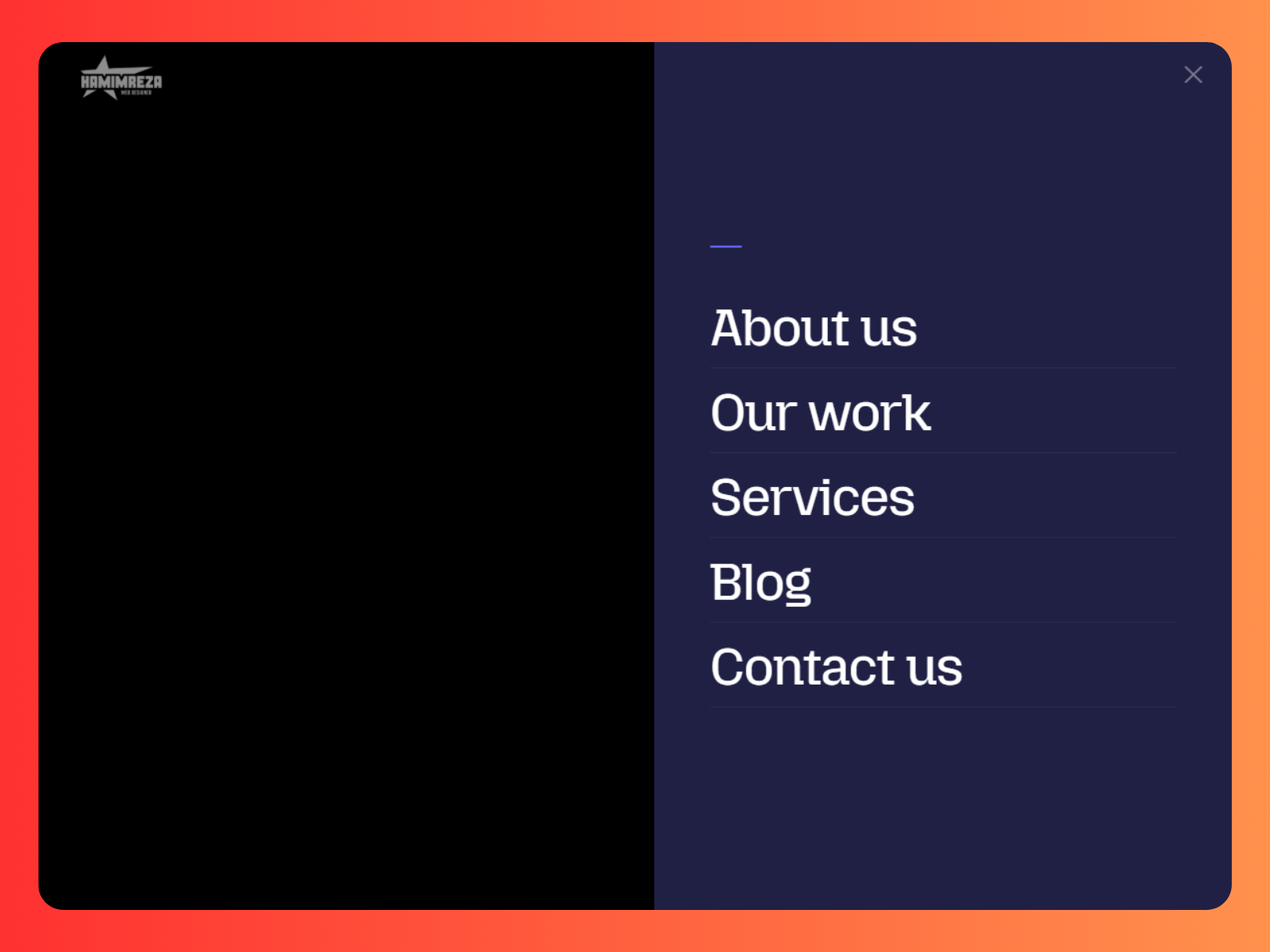
Mega Menu X — Cinematic full-screen overlay menu with unlimited links and deep theme controls
by Hamim Reza
Mega Menu X trades dropdown panels for a cinematic full-screen slide-out with adjustable overlay opacity, accent colors, and separate typography controls for the trigger button and nav items. Unlimited links connect to Framer pages or external URLs, and image or text logo support keeps brand identity intact inside the takeover. At 10 USD it is the premium alternative when Mega Menu’s column structure feels too corporate for a portfolio or fashion launch.
- Best for
- High-end brand and agency sites that want a bold full-screen nav signature instead of a traditional dropdown
Affiliate link — we may earn a commission at no extra cost to you.
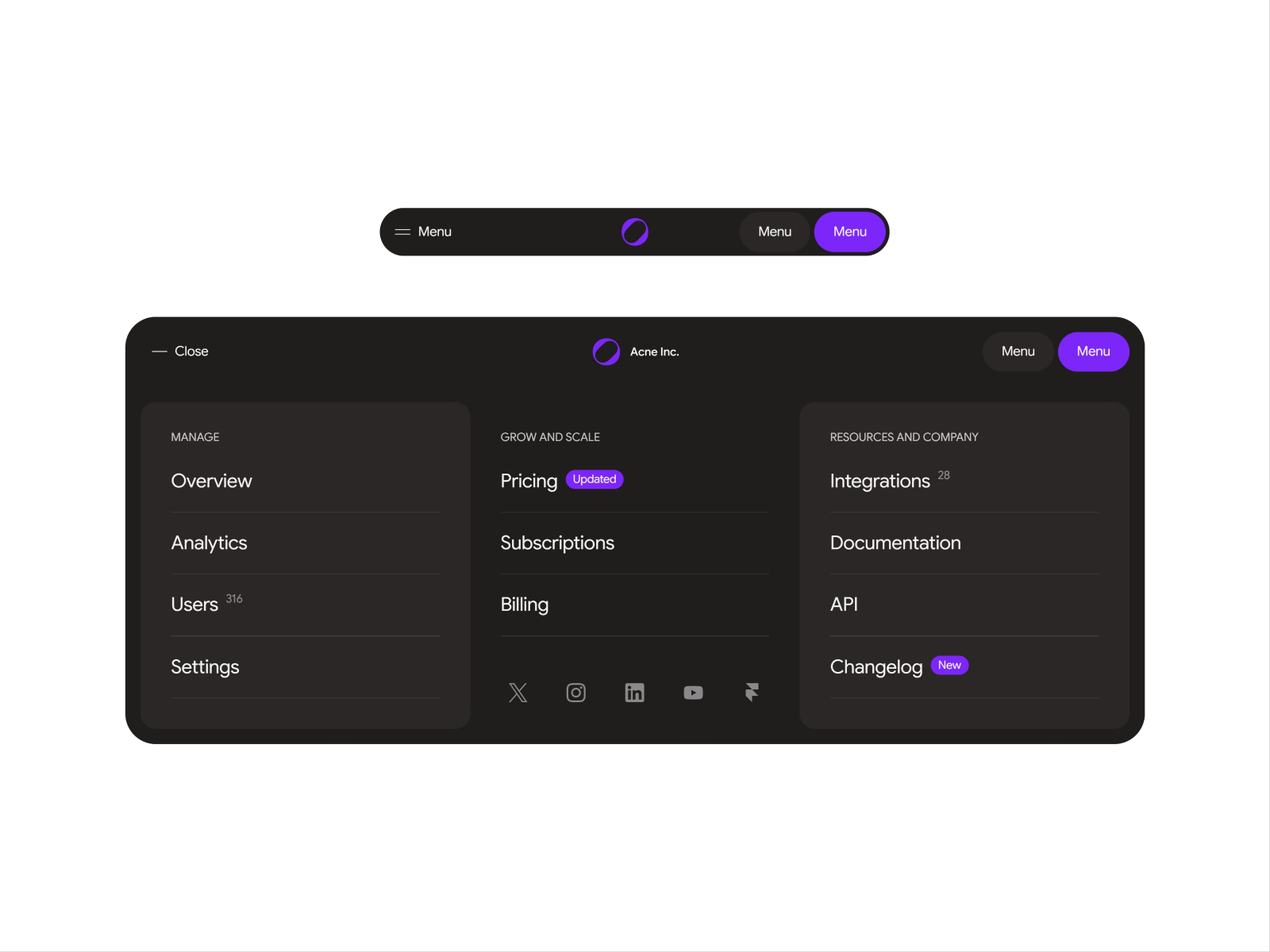
Two-step Mega Menu — Osmo-inspired SaaS nav that expands horizontally then drops a grouped mega menu
by Till Janek
Two-step Mega Menu mimics the Osmo Supply navigation pattern: the bar expands horizontally first, then reveals a structured mega menu with up to fourteen links across three grouped sections. Each group carries its own tagline, optional number values, and badge tags — social links for Instagram, LinkedIn, YouTube, X, and Framer are built in. Pin it fixed at the top on desktop and switch to the dedicated mobile variant for a free SaaS nav that scales beyond six top-level links.
- Best for
- SaaS product sites with grouped link sections, optional badges, and social footer rows
Affiliate link — we may earn a commission at no extra cost to you.
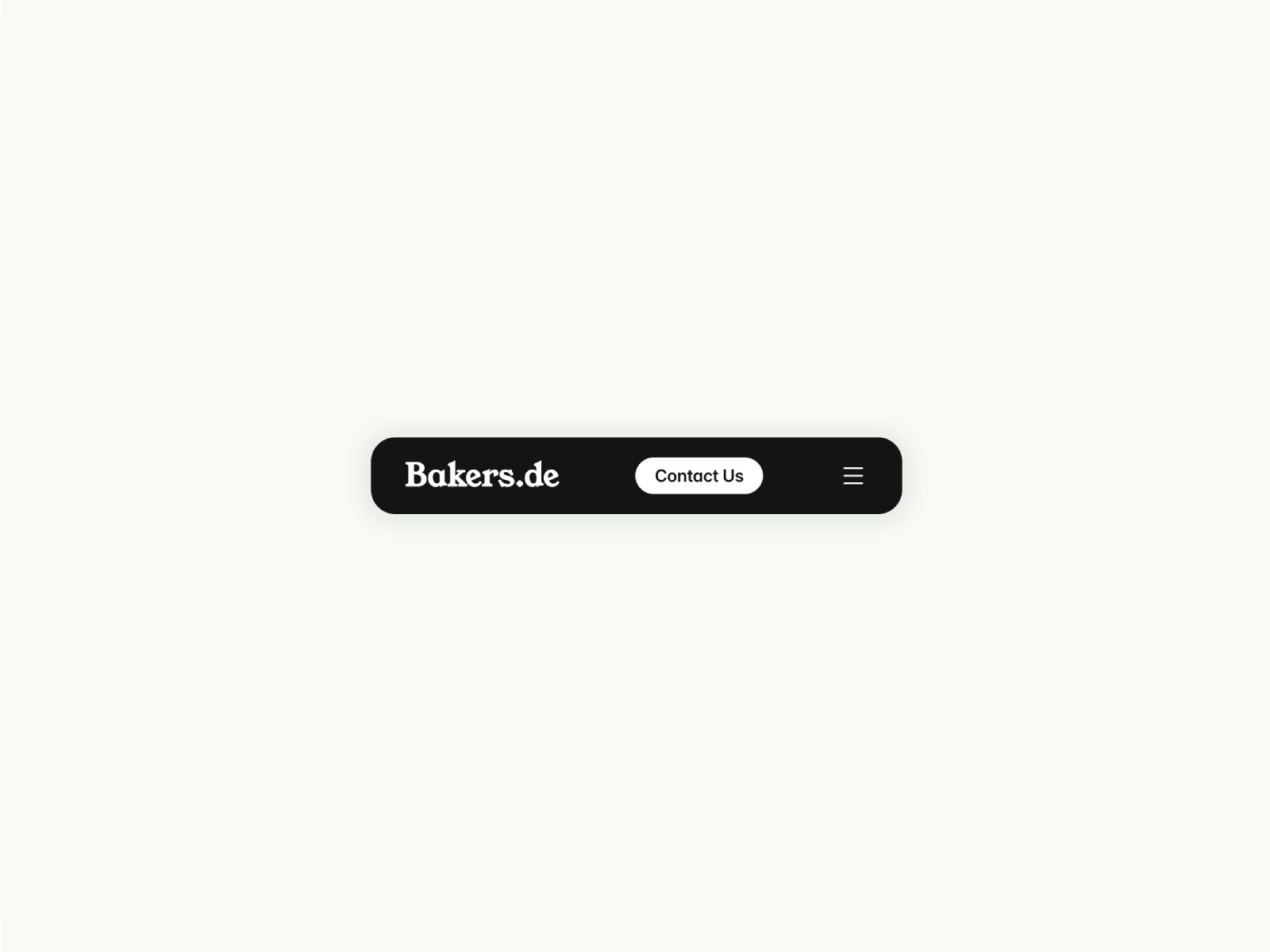
Floating Header — Dynamic floating header with automatic light-to-dark mode switch on scroll
Floating Header from Sandra Párraga adds scroll-driven contrast switching — the bar shifts between light and dark visual modes as visitors move past hero sections. Configure up to six menu items with text, links, and optional images, plus a customizable CTA button with open and closed variants for both color modes. Override hooks for logos and button styling give developers an escape hatch without rebuilding the scroll logic on every client site.
- Best for
- Agency portfolios and corporate sites with hero sections that need a nav bar that adapts to background contrast
Affiliate link — we may earn a commission at no extra cost to you.
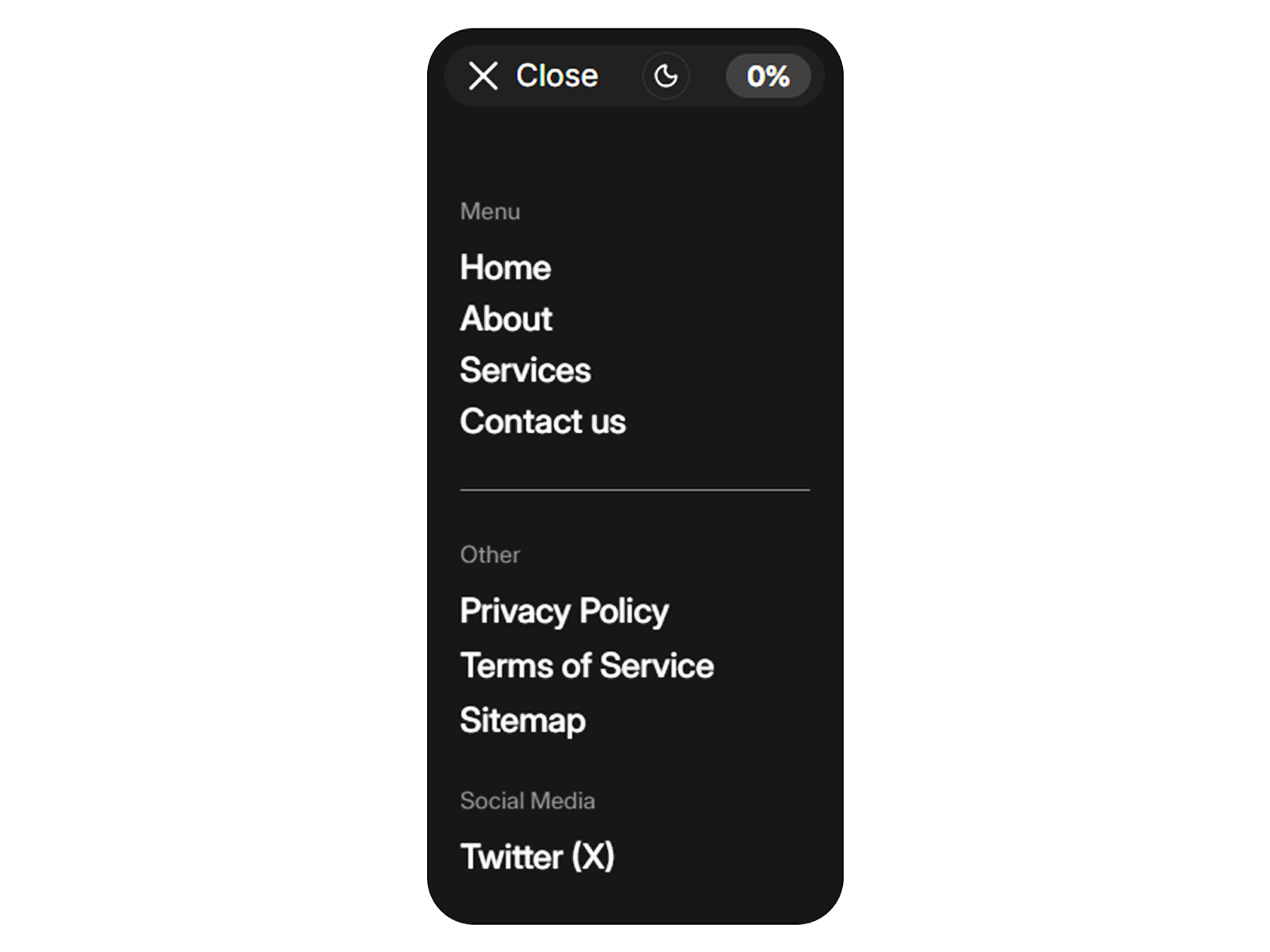
Navigation Menu Bar — Animated blur nav with multi-section layout and social link slots
by Sillyweb
Navigation Menu Bar by Sillyweb focuses on motion and layering rather than mega-menu depth. Soft blur effects, animated transitions, and a multi-section layout support primary navigation, secondary links, and social rows from Framer variables. Spacing, sizing, typography, and alignment controls stay in the panel — ideal when the brief calls for a refined animated nav on a creative site without the complexity of category columns.
- Best for
- Creative portfolios and studio sites that want soft blur layering and smooth open-close transitions
Affiliate link — we may earn a commission at no extra cost to you.
Modern Navbar — Pill-style navbar with rolling hover text and logo plus CTA support
by Kumar SK
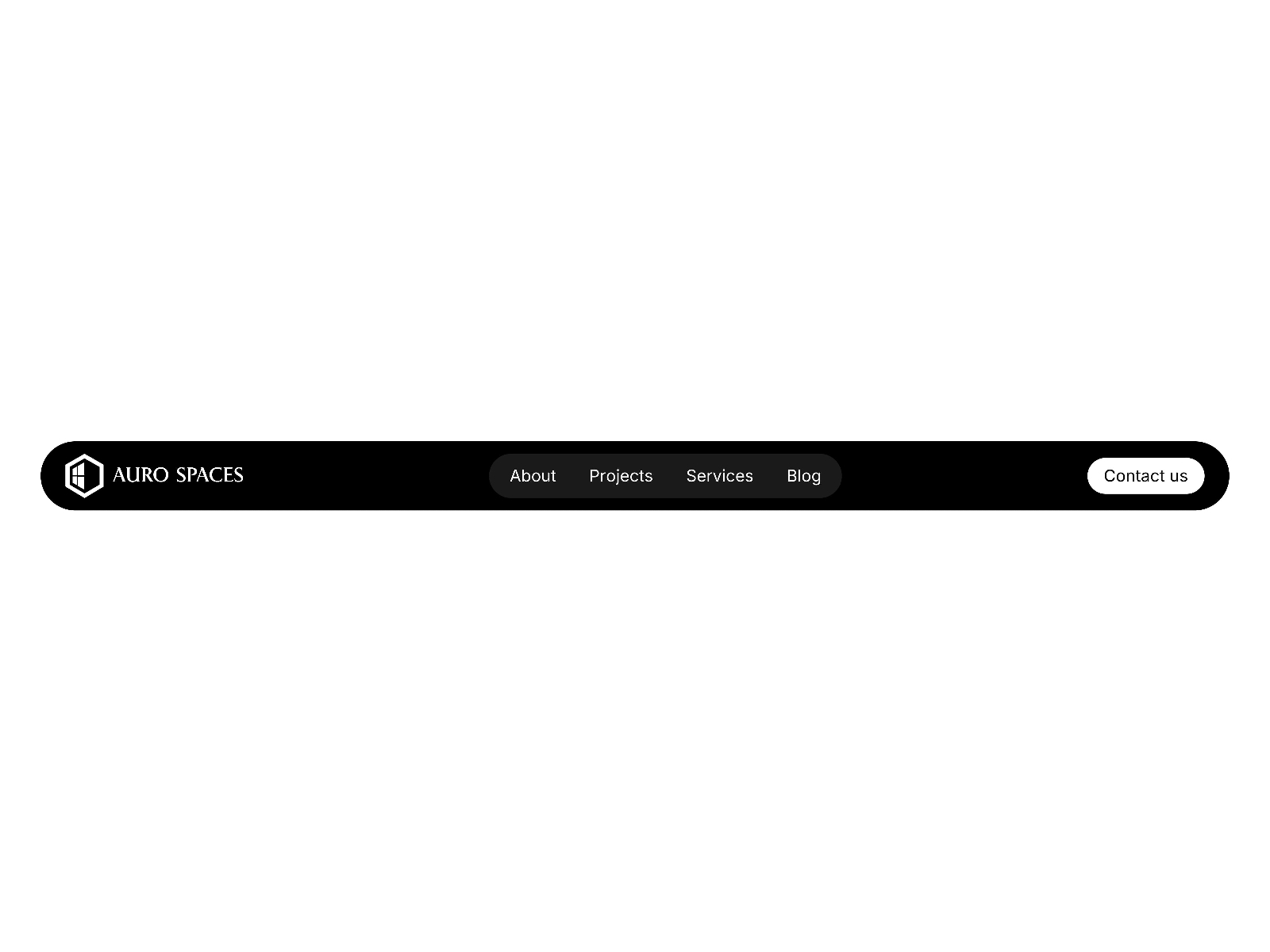
Modern Navbar delivers rolling hover text — each link label animates on hover using the Framer University Rolling Text pattern — inside a clean pill layout with logo and CTA slots. Navigation labels, colors, hover backgrounds, and link targets all edit from the property panel with no overrides required. It is the best free pick when the design direction is minimal and modern but still needs tactile link feedback on a product or portfolio homepage.
- Best for
- SaaS landing pages and studio sites that want premium hover micro-interactions without a paid install
Affiliate link — we may earn a commission at no extra cost to you.
FullScreenMenu — Premium full-screen menu overlay with deep animation and layout controls
by Himan
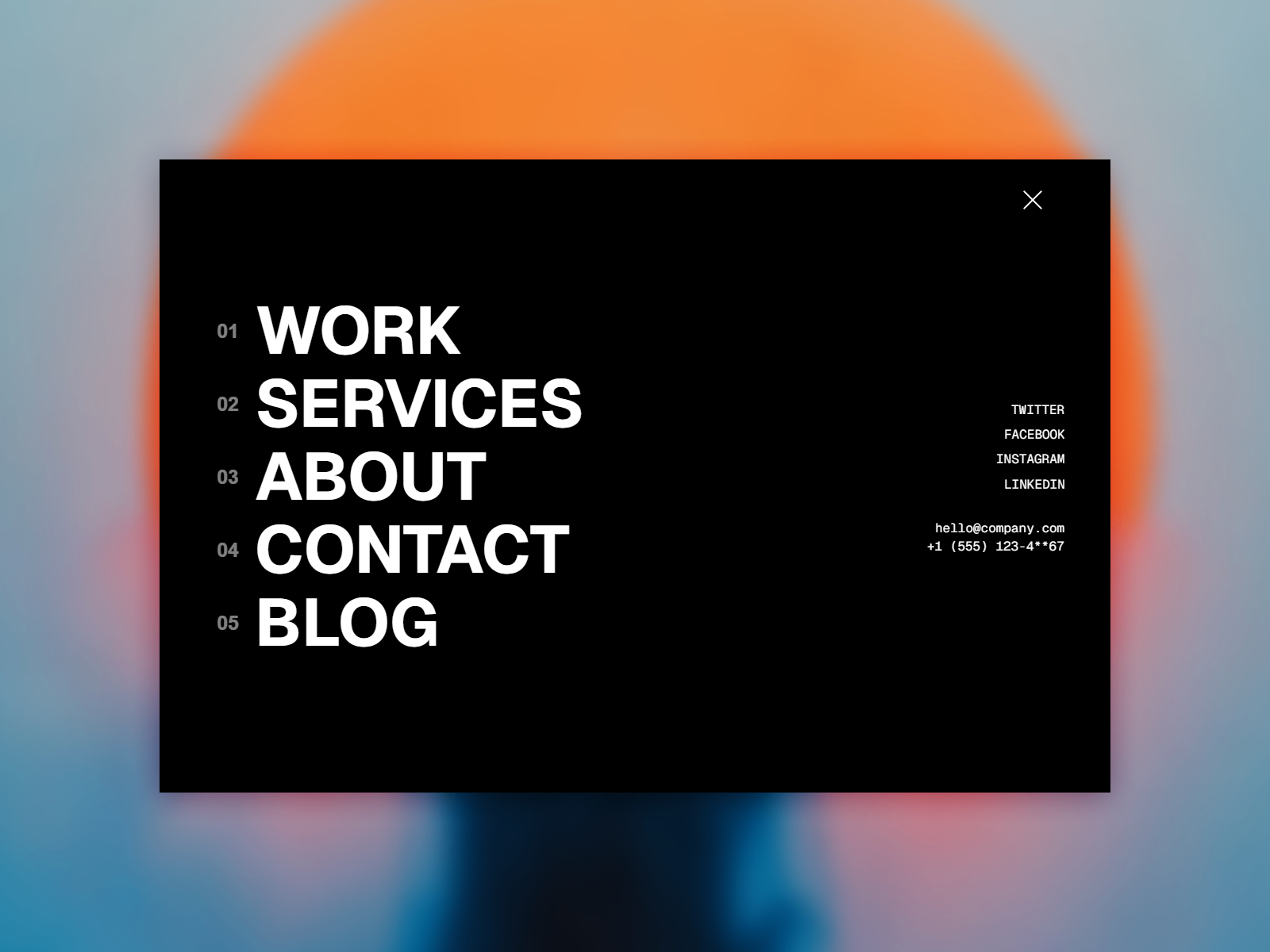
FullScreenMenu by Himan is a standalone full-screen takeover tuned for agency and brand builds that treat navigation as a moment, not a utility row. Deep animation controls, responsive layout variants, and panel-driven color and typography settings ship a polished overlay without stacking variants manually. Pair it with a minimal top bar or use it as the primary mobile nav when desktop keeps a compact header and mobile needs a dramatic reveal at 10 USD.
- Best for
- Agency relaunches and brand sites that need a dedicated fullscreen menu experience separate from the top bar
Affiliate link — we may earn a commission at no extra cost to you.

Hamburger Menu — Classic expandable hamburger menu with animated open and close states
by Danyal Asif
Hamburger Menu by Danyal Asif covers the baseline pattern every Framer builder eventually needs: a compact toggle that expands into a full navigation panel with smooth animated transitions. Background overlay, link rows, and color controls stay accessible from the panel — no custom code for open and close states. When the project budget is zero and the requirement is simply “make the mobile menu work,” this is the dependable free fallback before upgrading to overlay or mega-menu components.
- Best for
- Mobile-first sites and campaign pages that need a reliable overlay menu on zero budget
Affiliate link — we may earn a commission at no extra cost to you.
Quick comparison
| Resource | Price | Type | Best for |
|---|---|---|---|
| Floating Navbar Pro | 15 USD | Component | Scroll-reactive glass navbar with progress ring |
| Overlay Menu | 5 USD | Component | Editorial full-screen overlay with social footer |
| Mega Menu | Free | Component | Structured category dropdowns and product spotlight |
| Mega Menu X | 10 USD | Component | Cinematic full-screen nav takeover |
| Two-step Mega Menu | Free | Component | SaaS grouped mega menu with badges |
| Floating Header | Free | Component | Light/dark scroll contrast switching |
| Navigation Menu Bar | Free | Component | Blur-layer animated multi-section nav |
| Modern Navbar | Free | Component | Rolling hover text in a pill layout |
| FullScreenMenu | 10 USD | Component | Standalone premium fullscreen overlay |
| Hamburger Menu | Free | Component | Zero-budget mobile overlay menu |
How to choose the right Framer navigation component
Match nav depth to your information architecture. Flat sites with five or fewer links do fine with Modern Navbar or Navigation Menu Bar. Product catalogs, docs hubs, and multi-service agencies need Mega Menu or Two-step Mega Menu so grouped links stay scannable instead of cramming everything into a single row.
Scroll behavior vs overlay takeover. Floating Navbar Pro and Floating Header solve contrast and visibility as visitors scroll — pick them when the hero is full-bleed and the bar must adapt. Overlay Menu, Mega Menu X, and FullScreenMenu prioritize the menu-open moment; use them when navigation is a brand statement, not just wayfinding.
Free first, paid when motion justifies cost. Modern Navbar, Mega Menu, and Hamburger Menu cover most MVP launches at no cost. Upgrade to Floating Navbar Pro or Overlay Menu when a client pays for scroll-reactive glass, staggered overlay animations, or elastic link indicators that would take a day to replicate with stacks.
Fixed positioning on publish. Several components — especially floating and overlay navs — require fixed positioning on the published site. Check each creator’s setup notes after inserting; a relative-position nav on a long-scroll page will scroll away and break the intended UX.
Our top pick for most Framer builders
For a single paid install that covers scroll behavior, responsive collapse, and premium motion, Floating Navbar Pro at 15 USD is the default. On a tight budget with a complex sitemap, start with free Mega Menu for structured dropdowns or Two-step Mega Menu for SaaS-style grouped links. When the brief is editorial and cinematic, Overlay Menu at 5 USD delivers the strongest overlay choreography per dollar.
Browse Framer templates on yoframer for launch-ready site starting points, or read our agency template roundup for nav layouts you can pair with these components. More resource roundups live on the Resources hub.
Updated July 2026. We refresh this list as notable navigation components ship, reprice, or go stale.


