 Live Preview
← All Templates
Portfolio
Mila Stone — Free 3D Artist Portfolio Template for Framer by Nurmukhammad
Mila Stone is a free 3-page dark portfolio Framer template for 3D artists and art directors. Skip it if you need case study pages, a blog, or a contact page.
portfolio3dart directioncgidarkanimatedfree
Mila Stone is a free 3-page dark portfolio template for Framer by Nurmukhammad, built for a 3D artist or art director whose renders carry the pitch. You get Home, a Work page that toggles between grid and list view, and About. The preview feeds its project bubbles from Projects and Disciplines collections, but there is no per-project case study page. Skip it if you need long write-ups, a blog, or a contact form. JORGE handles case studies. Or compare it on the portfolio shortlist.
Who should remix Mila Stone?
Picture a freelance CGI artist in a studio flat who just shipped a run of product stills for a water brand, a jewellery label, and an audio company. They have twelve strong images, four disciplines (CGI, still life, campaign, art direction), and zero appetite for writing a 1,500-word process post per job. Mila Stone suits that person. The work is the argument, the index sorts it, and a short About closes the loop.
Walk away if your clients buy process. UX designers, brand strategists, and anyone whose value lives in the reasoning will feel boxed in by three pages. That crowd should start from JORGE, which gives every project a CMS case study page, or from a studio file with services and team.
What Mila Stone looks like
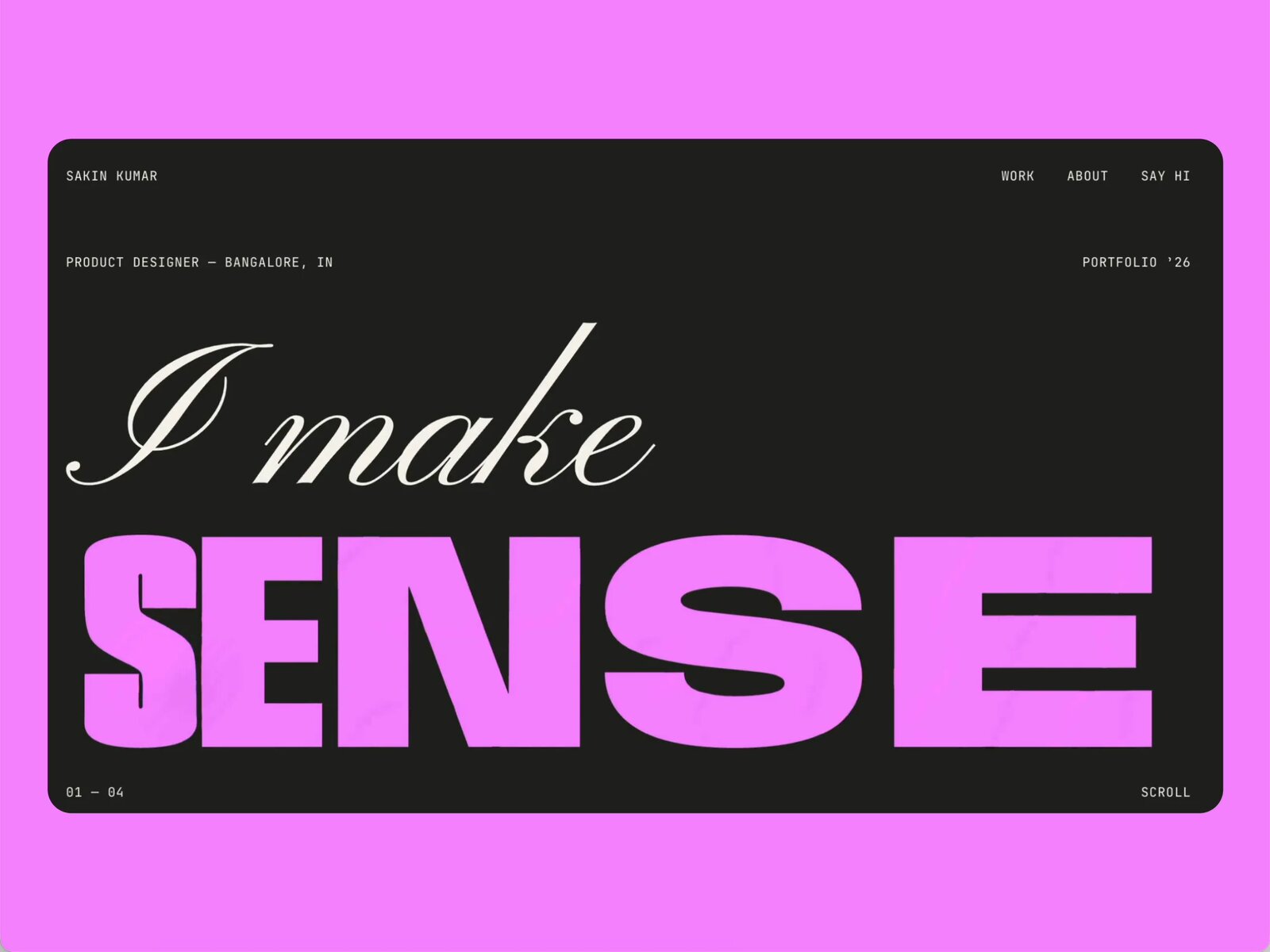
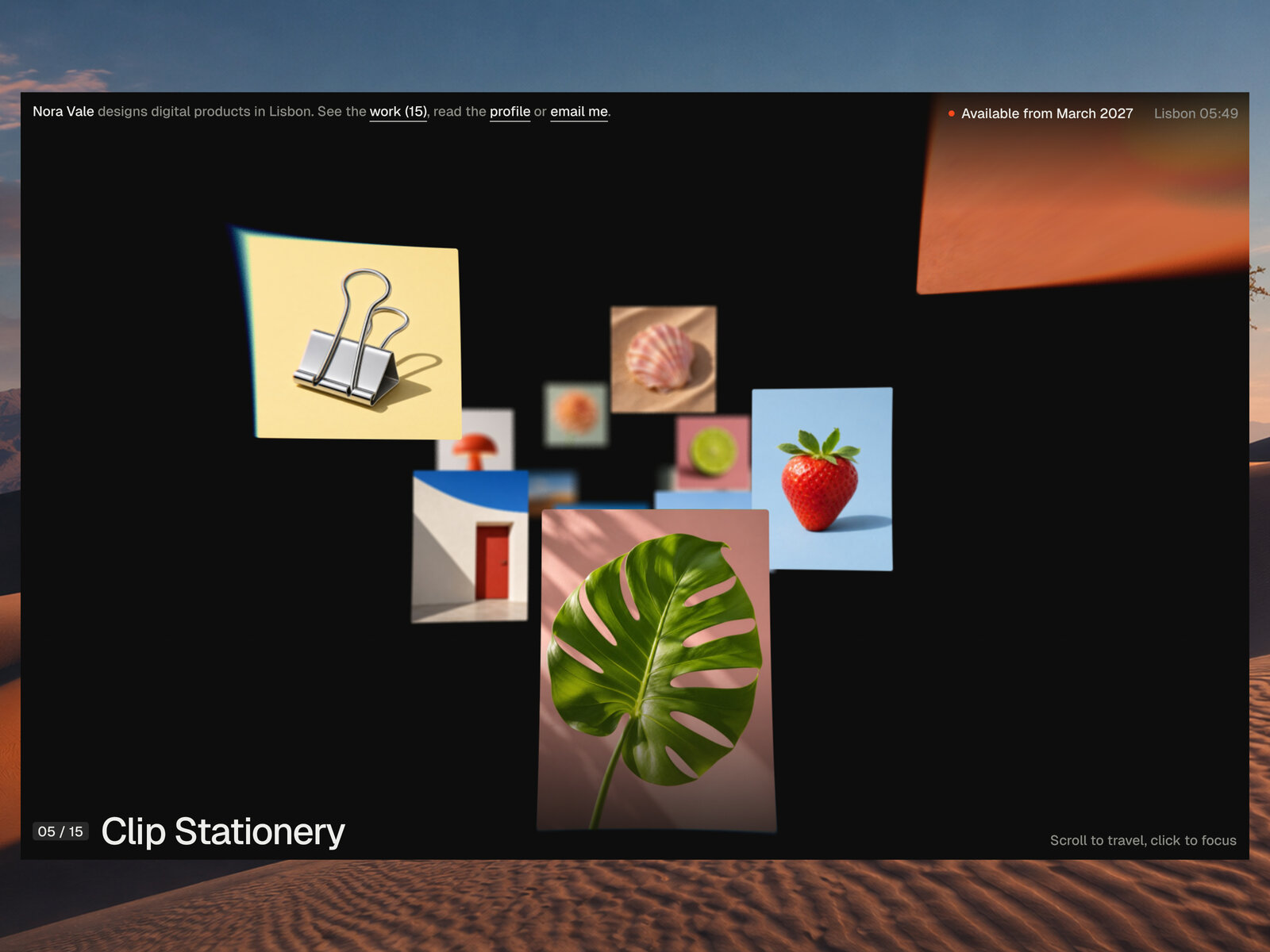
Near-black background, white Geist type, tiny uppercase labels, and thin corner brackets framing the viewport like a camera monitor. The header carries a location line with live coordinates and a ticking local clock, which reads as a working artist rather than a template. Renders float on the dark field so chrome, glass, and soft-light materials pop without fighting a coloured UI.
Motion is the centrepiece. The home view loads into a cluster of project bubbles, and hovering a title in the index previews the image in a “Now showing” panel before you click through. That is the right energy for 3D work, where clients want to see surfaces move. The fight is load time and restraint: heavy renders plus an intro sequence can feel slow on a phone, so compress your images and keep the bubble count honest.
Pages included in Mila Stone
Three pages, as listed on Framer:
- Home: the floating gallery plus a discipline index with counts per category and a short About blurb
- Work (grid and list view): the full archive with a view switch, so a client can scan thumbnails or read a dated list of titles and brands
- About: the bio, background, and the place to say who you work with
The grid and list toggle on one page is the useful detail. Most three-page portfolios force one layout.
What is distinctive about Mila Stone
- Discipline index with live counts. CGI, still life, campaign, and art direction filters show how deep each lane runs. Good for artists who sell more than one service.
- Hover-to-preview list. Titles act as triggers, so the page stays calm until a visitor shows interest.
- Location and clock in the header. A small signal of a real, reachable person in a named city. Swap the coordinates or delete the strip.
- Collection-driven home cluster. The preview notes that the bubbles pull from Projects and Disciplines, so you edit content, not layers.
- No contact page. Inquiry lives in the menu and About. Lean, but you will want a mailto that is easy to find.
Framer’s SEO and analytics tooling comes with the platform and is not a reason to choose this file.
When to remix Mila Stone, and when to skip
Remix Mila Stone when your strongest asset is a folder of finished renders and you want visitors filtering and hovering inside thirty seconds. Nurmukhammad also published Nora Vale Folio in the same dark, quiet register, so the craft here is consistent rather than a one-off.
Skip it when projects need context, outcomes, and process. That job belongs to JORGE. If you are still deciding between dark and light portfolios, scan the portfolio shortlist, then bounce back to the free Framer templates hub for the full grid.
Frequently Asked Questions
Quick answers about Mila Stone, including pricing, CMS support, responsiveness, and who it is built for.
-
What kind of website is Mila Stone best for?
- Mila Stone is for A 3D artist or CGI art director with a dozen finished renders and no need to write long case studies. It includes 3 pages: Home, Work (grid and list view), About.
-
Is Mila Stone free or paid?
- Mila Stone is a free Framer template. The listed price on yoframer is free.
-
Does Mila Stone support CMS and responsive design?
- Mila Stone does not include CMS support. It is fully responsive.
-
When should I skip Mila Stone?
- You need a case study page per project, a blog, or a real contact page. JORGE gives each project its own CMS page. Start with JORGE .
Featured in our Portfolio roundup
10 Best Free Portfolio Framer Templates in 2027
The 2026 portfolio list still leads with JORGE. These ten are different files, and each one has a reason to walk away.