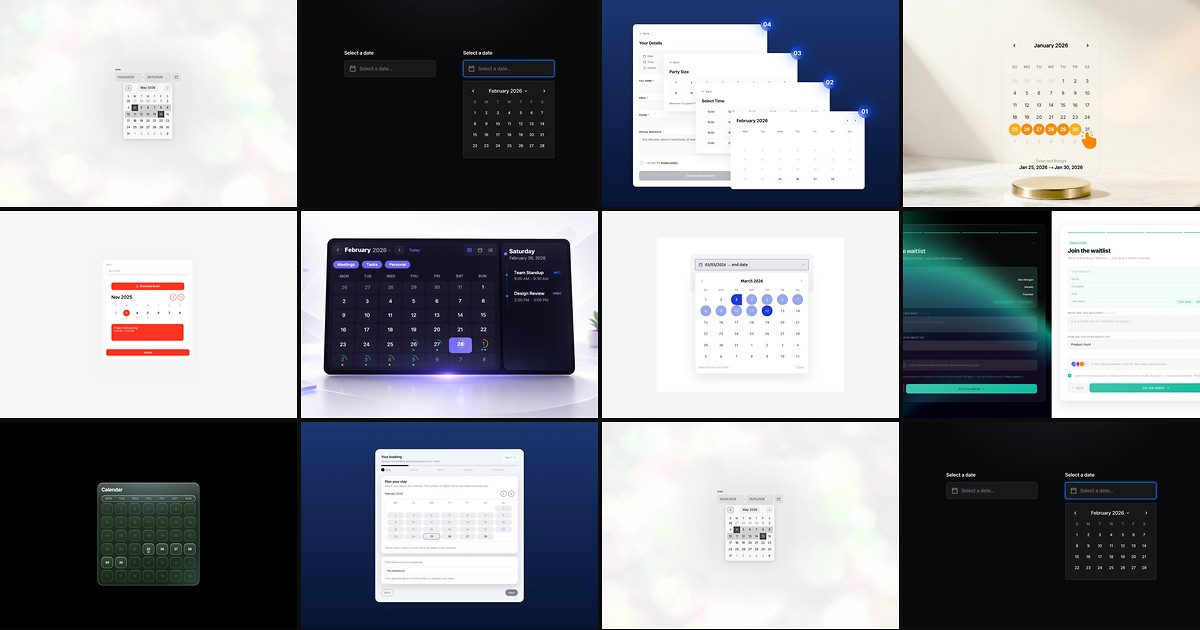
Every service site eventually needs a date — check-in ranges for a hotel, a consultation slot for a coach, or a single field on a lead form. Framer’s native form stack ships a free Date input, but it stops at basic single-date capture. When the brief calls for locale-aware formatting, blocked unavailable days, multi-step reservation logic, or a polished calendar UI that matches your brand, you need a dedicated framer date picker component from the marketplace.
This list ranks ten date picker, calendar, and booking components available on the Framer marketplace in August 2026. Every pick has a live listing, working preview, and identifiable creator. All ten are paid installs — the lowest tier starts at 5 USD — because the marketplace has not yet produced a maintained free date picker that matches the quality bar for production forms. Rankings favor accessibility, form integration depth, and how completely each component handles real booking edge cases.

Date Picker Form — Multi-language accessible picker with single, multiple, and range modes
by Netoum
Date Picker Form is the most complete standalone date input on this list. Netoum handles opening, navigating, hovering, and selecting through fully native Framer elements with accessibility baked in — screen readers get proper labels and keyboard paths without custom overrides. Single-date, multi-date, and range selection modes cover everything from event registration to travel booking, while locale and timezone controls adapt formats for global audiences. Week-number display, weekend rules, configurable start-of-week, and min/max view depth (day, month, year) give you fine-grained calendar behavior from the property panel. At 19 USD it is the default when the date field is mission-critical and must work on every device without hand-tuning.
- Best for
- International forms and SaaS checkout flows that need WCAG-friendly date capture with locale and timezone support
Affiliate link — we may earn a commission at no extra cost to you.
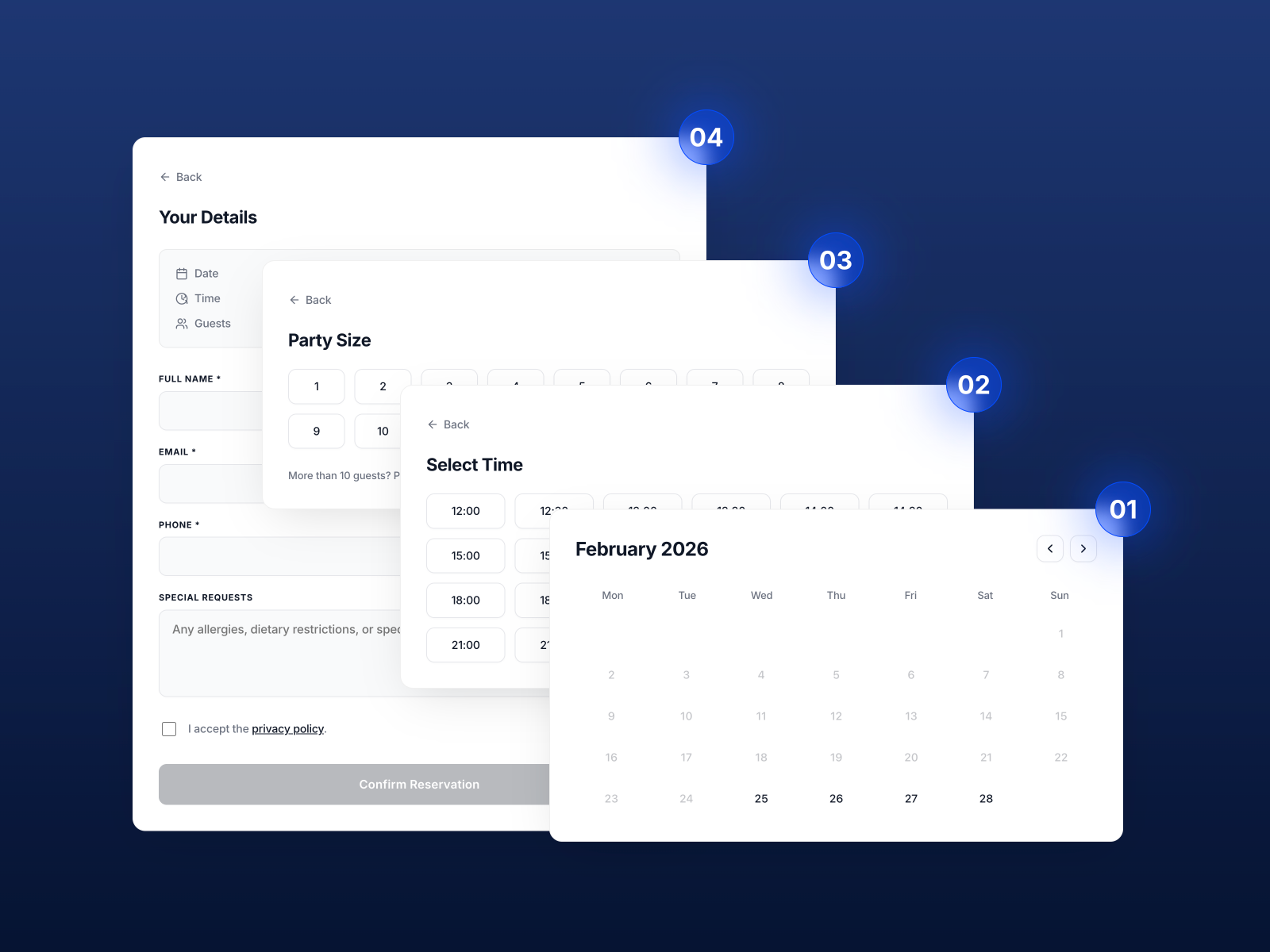
Reservation Form Pro — Four-step reservation flow with calendar, time slots, and guest count
by levindbr
Reservation Form Pro turns a contact form into a structured booking pipeline. levindbr walks visitors through four steps — pick a date, choose a time slot filtered by opening hours, set guest count, then confirm contact details — all wired to Framer’s native form submission. Closed days, blocked times, bookable-days-in-advance limits, and earliest-booking windows prevent impossible reservations without a backend. At 5 USD it is the strongest value on this list when the client runs a venue and needs time-of-day selection, not just a calendar widget dropped into a generic form.
- Best for
- Restaurants, bars, and venues that need opening-hours logic and time-slot selection inside a native Framer Form
Affiliate link — we may earn a commission at no extra cost to you.
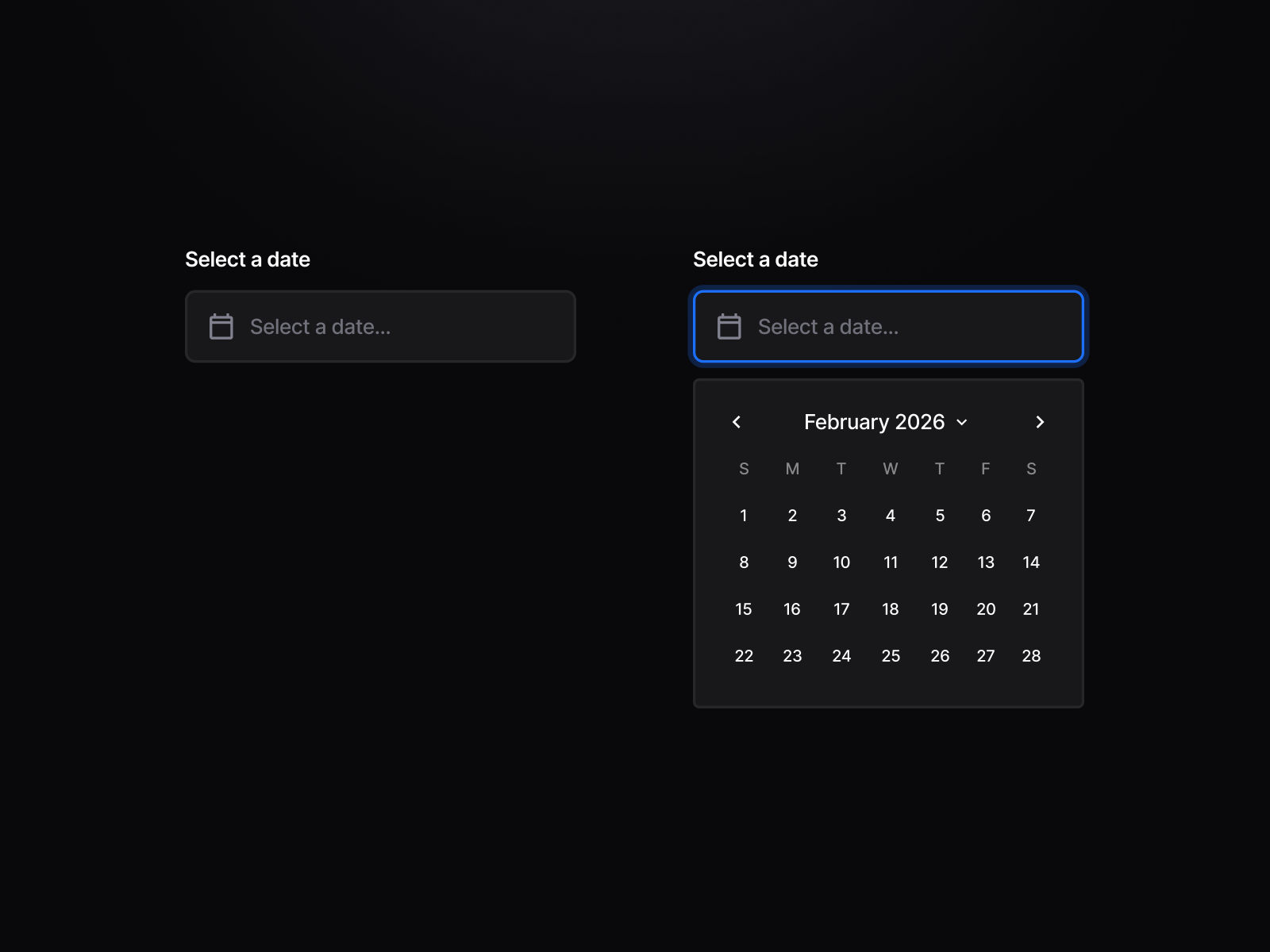
Date Picker Pro — Auto-locale detection with decade-jump navigation and cinematic motion
by Madrepunk™ Studio
Date Picker Pro from Madrepunk™ Studio prioritizes perceived quality over feature breadth. Auto-locale detection adapts date format to the visitor’s language, decade-jump navigation eliminates endless month-clicking for birthdate or historical selections, and customizable hover, focus, and invalid states add cinematic motion without leaving the property panel. Modal calendar preview lets you style the dropdown before publishing. At 5 USD it fits agency builds where the date picker sits in a hero booking section and must feel as refined as the rest of the layout — pair it with a simple single-date form rather than a multi-step wizard.
- Best for
- Premium service brands that want a motion-polished date input with intelligent MM/DD versus DD/MM formatting
Affiliate link — we may earn a commission at no extra cost to you.
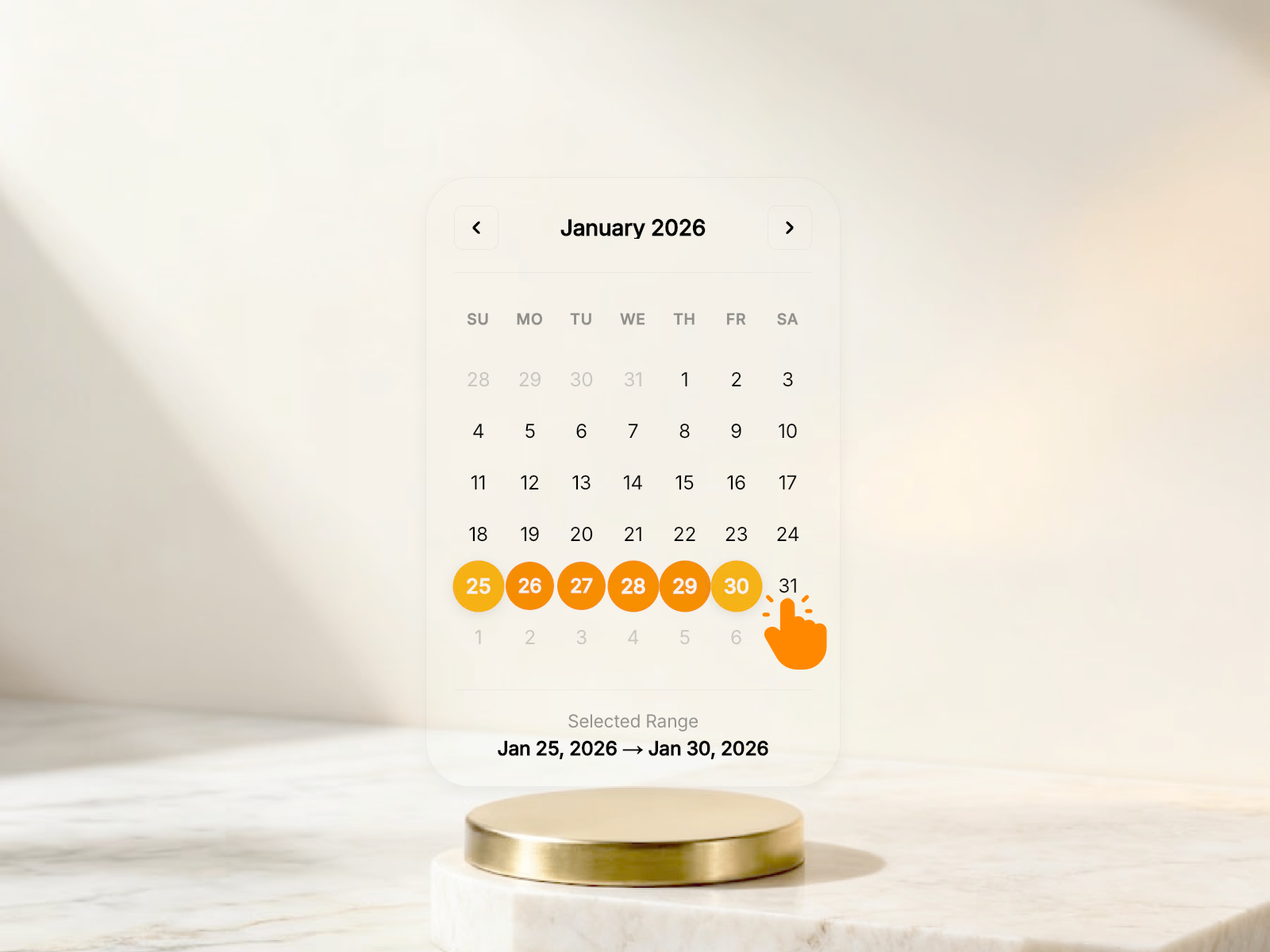
DateBookingCalender — Native date-range picker with blocked dates for stay bookings
by Chris Lacorte
DateBookingCalender targets accommodation booking specifically. Chris Lacorte connects a multi-date and date-range picker directly to Framer’s native form stack — visitors select start and end dates, blocked and unavailable days prevent double bookings, and styling routes through typography and color controls in the sidebar. No external booking API or subscription is required; submissions land in your configured form action like any other lead. At 9 USD it is the right install when the brief says “booking request form” for a property site rather than a full restaurant reservation with time slots.
- Best for
- Hotels, hostels, and Airbnb-style landing pages that need check-in and check-out range selection through Framer Forms
Affiliate link — we may earn a commission at no extra cost to you.
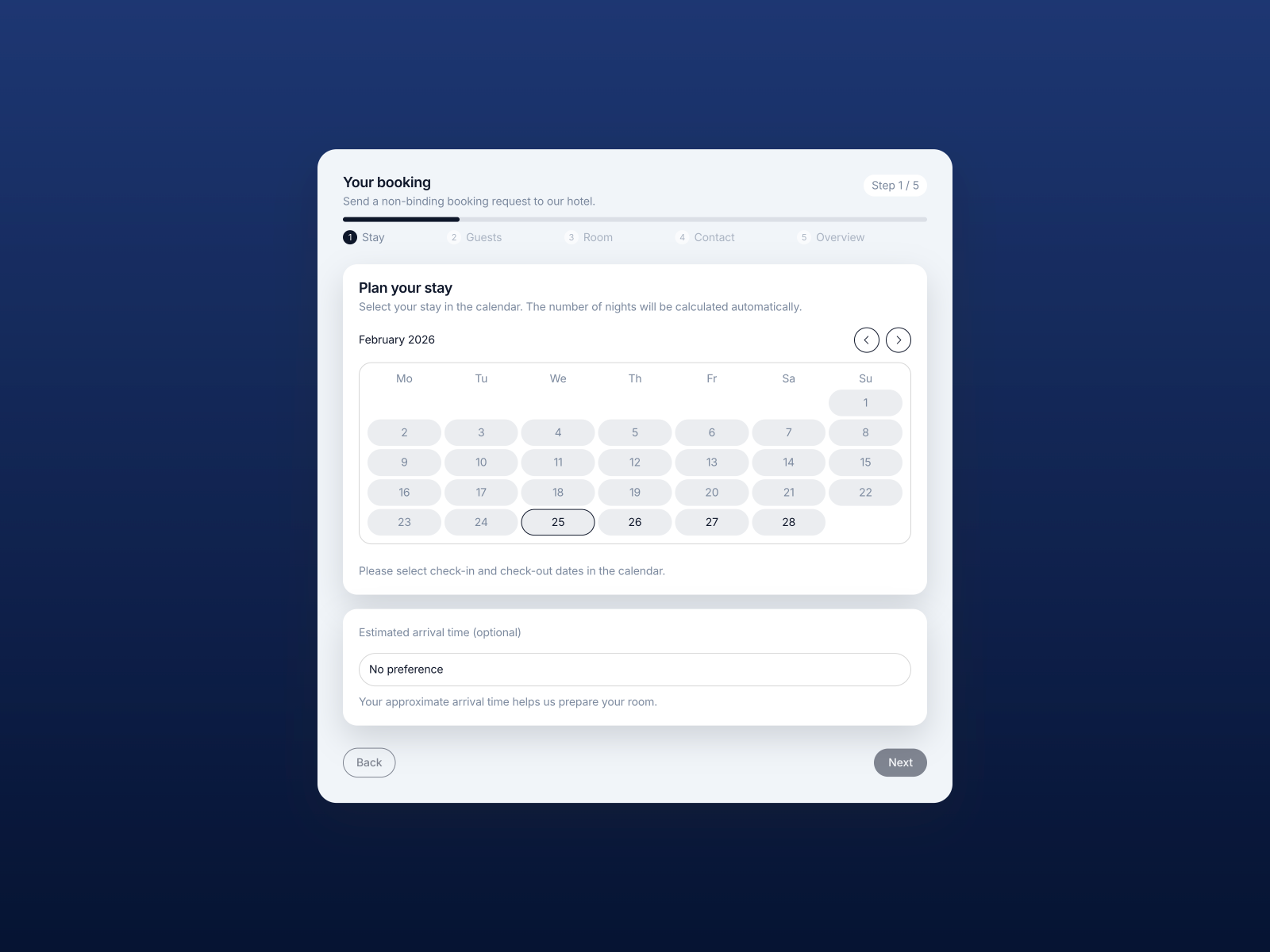
Hotel Booking Wizard — Multi-step hotel wizard with room pricing, VAT, and stay-length rules
by levindbr
Hotel Booking Wizard goes further than a date-range picker by wrapping the calendar inside a full reservation wizard. levindbr supports unlimited room types with per-night pricing, max-guest limits, amenity flags, and built-in VAT plus city-tax calculations that update the total in real time. Minimum and maximum stay rules constrain the date selection experience so guests cannot book invalid ranges. Drop it into an empty native Form Stack, connect the email action, and submissions include the complete booking breakdown. At 5 USD it is the pick when the client needs pricing logic behind the calendar, not just date capture.
- Best for
- Hospitality sites that need room selection, real-time price totals, and minimum/maximum stay validation
Affiliate link — we may earn a commission at no extra cost to you.
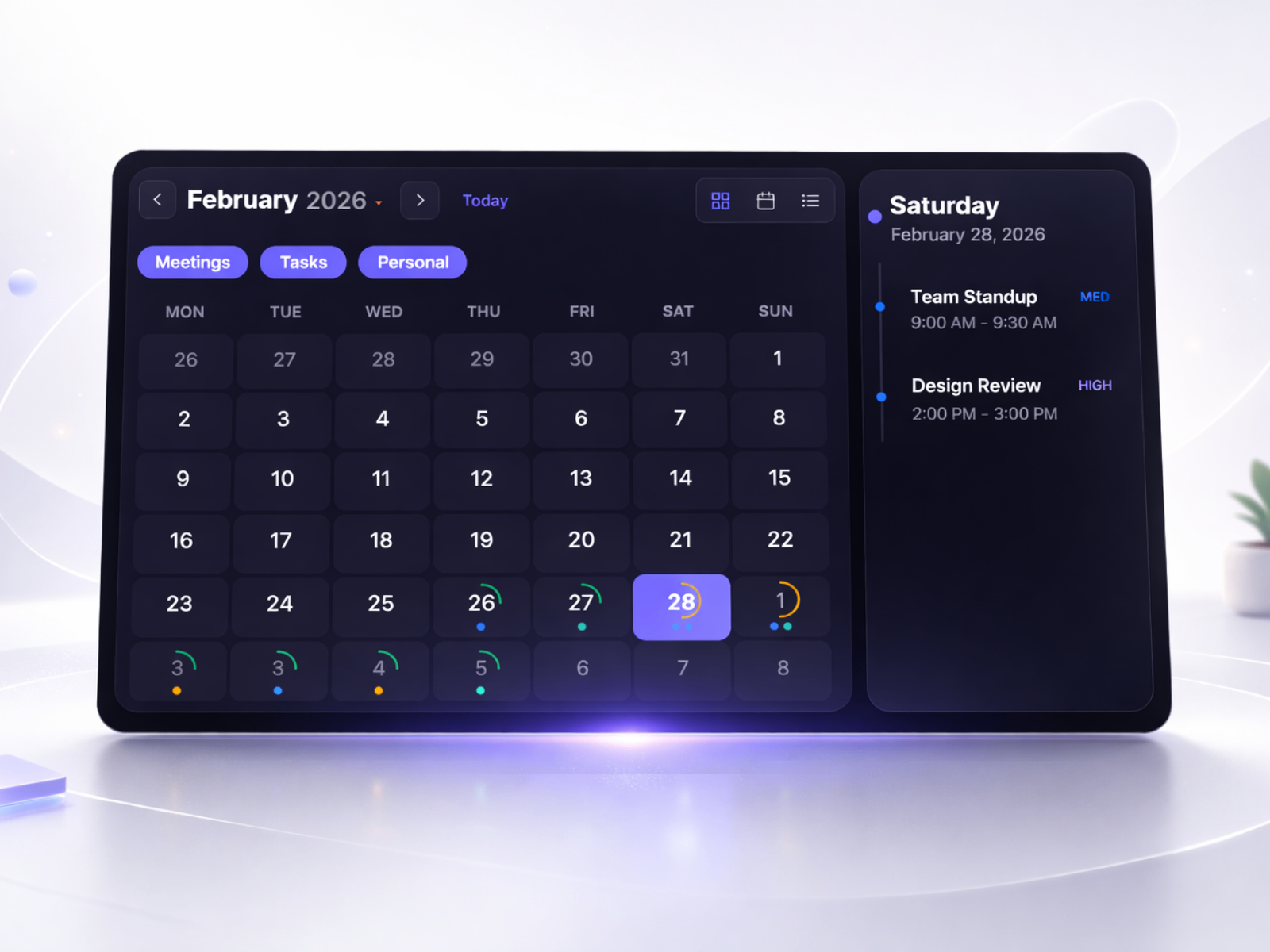
Calendar Planner — Month, week, and agenda views with capacity rings and event filters
by Aidan Looker
Calendar Planner is the display-first calendar on this list — built for showing schedules rather than collecting them. Aidan Looker ships month grid, weekly timeline, and agenda list views with animated transitions, a detail panel for selected dates, capacity rings that visualize event density, and filter chips for Meetings, Tasks, and Personal categories. Dark and Modern themes, ten color tokens, and layout toggles (horizontal or vertical) make it drop into dashboard mockups or product landing pages on day one. At 14 USD choose it when the calendar is informational — team availability, launch timelines, or event showcases — not a form submission field.
- Best for
- SaaS dashboards and portfolio pieces that need a display calendar with up to 50 configurable events
Affiliate link — we may earn a commission at no extra cost to you.
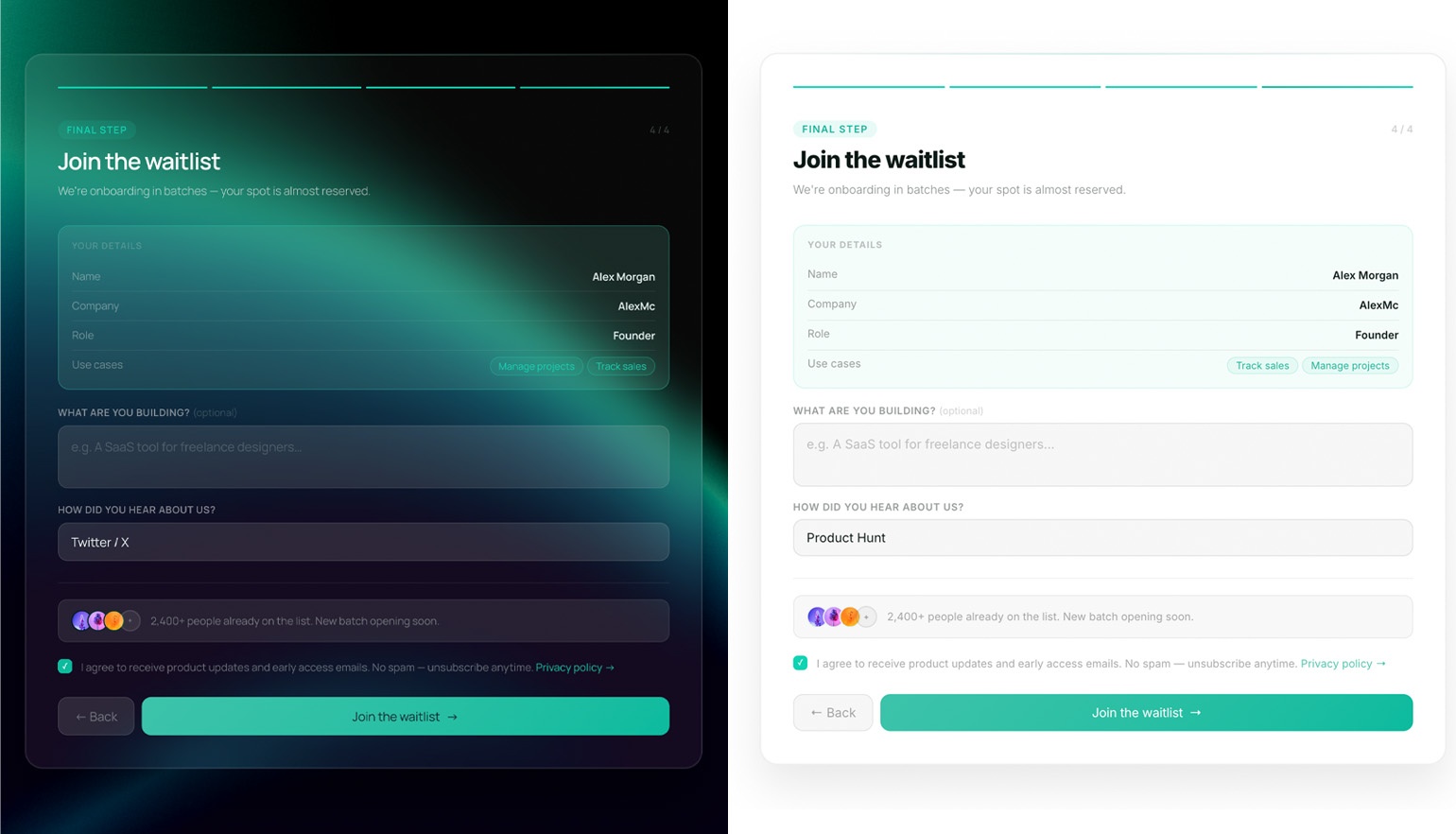
Date Range Picker — Focused start-and-end date range selector for forms and filters
by Cyris
Date Range Picker from Cyris strips the hotel-booking extras down to a clean start-and-end selector. The component focuses on range selection UX — highlight states, responsive layout, and property-panel styling — without multi-step flows or room pricing. That makes it lighter to embed inside filter bars, search modules, or simple inquiry forms where visitors pick a date window and move on. At 10 USD it sits between Date Picker Form’s feature depth and DateBookingCalender’s stay-specific logic — ideal when you need range selection without accommodation-specific blocked-date management.
- Best for
- Rental marketplaces and analytics dashboards that need a compact range picker without full booking wizard overhead
Affiliate link — we may earn a commission at no extra cost to you.
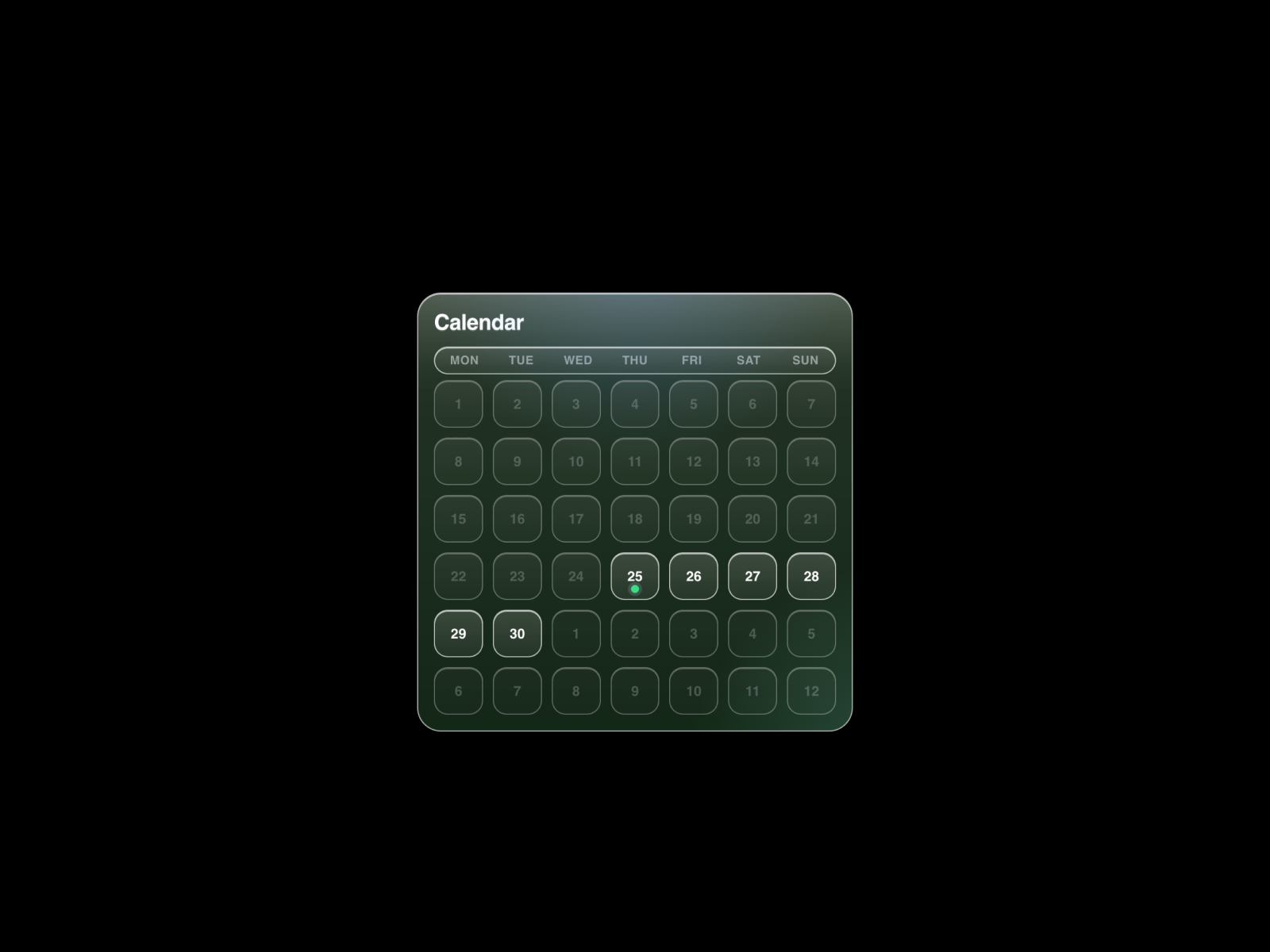
Cal Overlay Pro — Branded calendar grid that opens Cal.com or Calendly in an animated overlay
by Mridul Joshi
Cal Overlay Pro bridges custom Framer design with external scheduling backends. Mridul Joshi renders a branded month grid with today indicators and Monday-first layout; clicking a date builds a URL with the selected day and opens a resizable animated overlay embedding your Cal.com or Calendly page — with automatic fallback to a new tab if embedding is blocked. No API keys required: paste a base booking link and date format, then style heading colors and cell sizes from the panel. At 14 USD it is the hybrid pick when native form submission is not enough but the client refuses to embed a generic Calendly iframe without a designed calendar step first.
- Best for
- Freelancers and agencies who already use Cal.com or Calendly and want on-brand date selection before the booking modal opens
Affiliate link — we may earn a commission at no extra cost to you.
Booking Date Picker — Customizable booking calendar with form integration
by Kai Studio
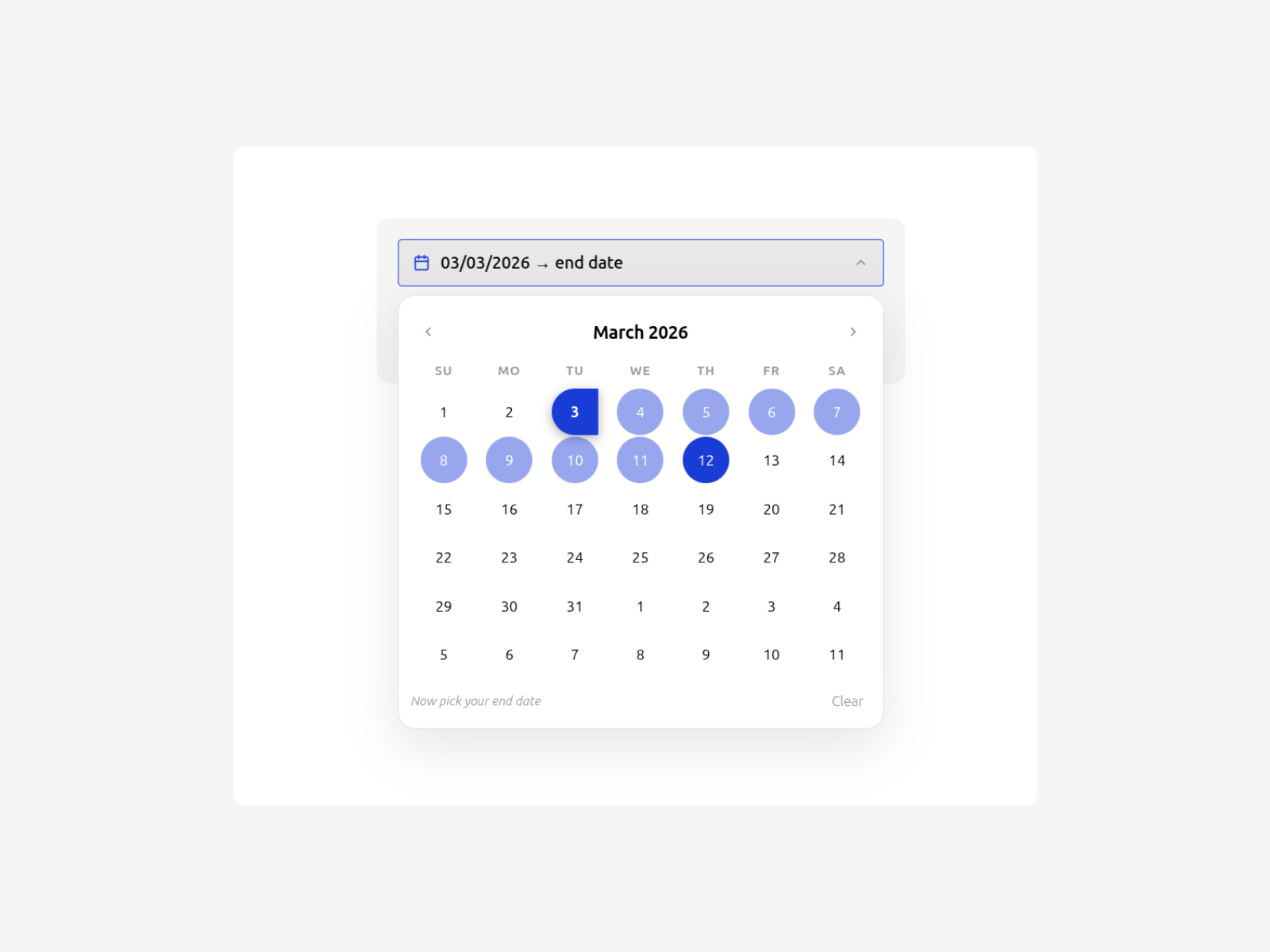
Booking Date Picker from Kai Studio delivers a middle-ground booking calendar — more polished than Framer’s native Date field, simpler than Reservation Form Pro’s four-step flow. Colors, fonts, and layout controls route through the property panel, and the component integrates with Framer’s form stack for straightforward date submission. Use it on consultation landing pages, event sign-ups, or portfolio contact sections where a single date selection drives the inquiry. At 9 USD it fits builds that outgrew the native input but do not yet need blocked-date logic or time-slot grids.
- Best for
- General service booking pages that need a styled calendar input without multi-step reservation complexity
Affiliate link — we may earn a commission at no extra cost to you.
BookingCalendar Form — Interactive calendar form for appointments, events, and class reservations
by Chris Lacorte
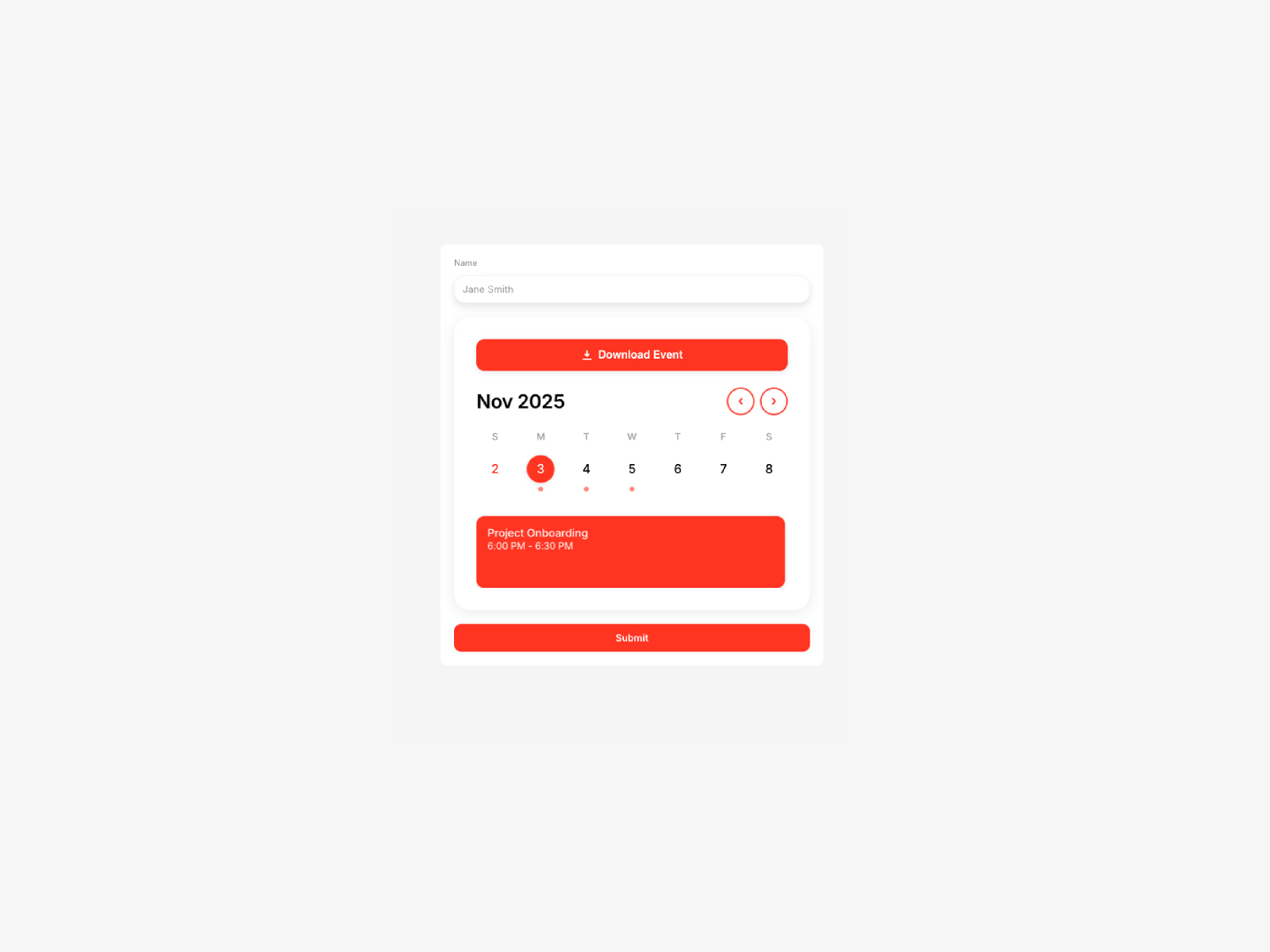
BookingCalendar Form is Chris Lacorte’s general-purpose scheduling calendar — distinct from DateBookingCalender’s stay-focused range picker. It supports single-day and event-range selections with smooth interactions, responsive behavior, and full color and typography customization from the panel. Service booking, event registration, team planners, and class reservations are the documented use cases. At 8 USD it closes the list as a versatile calendar form when you want Lacorte’s interaction polish without committing to accommodation-specific blocked-date features.
- Best for
- Coaches and event organizers who want a visual calendar form for single-day or range selections
Affiliate link — we may earn a commission at no extra cost to you.
Quick comparison
| Resource | Price | Type | Best for |
|---|---|---|---|
| Date Picker Form | 19 USD | Component | Accessible multi-mode picker with locale support |
| Reservation Form Pro | 5 USD | Component | Multi-step venue booking with time slots |
| Date Picker Pro | 5 USD | Component | Motion-polished input with auto-locale |
| DateBookingCalender | 9 USD | Component | Hotel and stay date-range booking |
| Hotel Booking Wizard | 5 USD | Component | Room pricing and tax calculation wizard |
| Calendar Planner | 14 USD | Component | Display calendar with month/week/agenda views |
| Date Range Picker | 10 USD | Component | Compact start-end range selector |
| Cal Overlay Pro | 14 USD | Component | Cal.com/Calendly overlay from branded grid |
| Booking Date Picker | 9 USD | Component | Simple styled booking calendar input |
| BookingCalendar Form | 8 USD | Component | General appointment and event calendar form |
How to choose the right Framer date picker component
Start with Framer’s native Date field when a single date suffices. The built-in form input costs nothing and submits through your existing email or webhook action. Move to a marketplace component when you need range selection, blocked dates, time slots, locale formatting, or a calendar UI that matches a premium brand system.
Separate form pickers from display calendars. Date Picker Form, Date Picker Pro, Booking Date Picker, and Date Range Picker capture user input for submission. Calendar Planner shows up to fifty events across month, week, and agenda views — choose it for dashboards and schedules, not lead forms. Mixing the two on one page is fine; just do not install Calendar Planner expecting form field behavior.
Match booking depth to business type. Hotel Booking Wizard and DateBookingCalender target accommodation with stay ranges and blocked dates. Reservation Form Pro adds time-slot grids and guest counts for restaurants. Cal Overlay Pro delegates availability to Cal.com or Calendly when the client already pays for external scheduling. Pick the shallowest component that covers the workflow — a 5 USD Date Picker Pro beats a 19 USD Date Picker Form when you only need single-date capture with locale detection.
Budget the 5 USD tier against feature gaps. Date Picker Pro, Reservation Form Pro, and Hotel Booking Wizard all land at 5 USD but solve different problems. Read the comparison table before defaulting to the cheapest install — swapping the wrong picker mid-build costs more time than the 14 USD upgrade to Date Picker Form or Cal Overlay Pro.
Our top pick for most Framer builders
For production forms that need accessibility, range modes, and international locale support, Date Picker Form at 19 USD from Netoum is the most complete standalone input. When the project is a restaurant or venue with time-of-day booking, Reservation Form Pro at 5 USD delivers the deepest reservation logic at the lowest price. For hospitality sites with room pricing behind the calendar, Hotel Booking Wizard at 5 USD bundles date selection with VAT and stay rules in one wizard.
Browse Framer templates on yoframer for landing pages that pair naturally with booking sections, or read our booking and scheduling tools roundup for Calendly embeds and full booking backends. More resource roundups live on the Resources hub.
Updated August 2026. We refresh this list as notable date picker and calendar components ship, reprice, or go stale.


