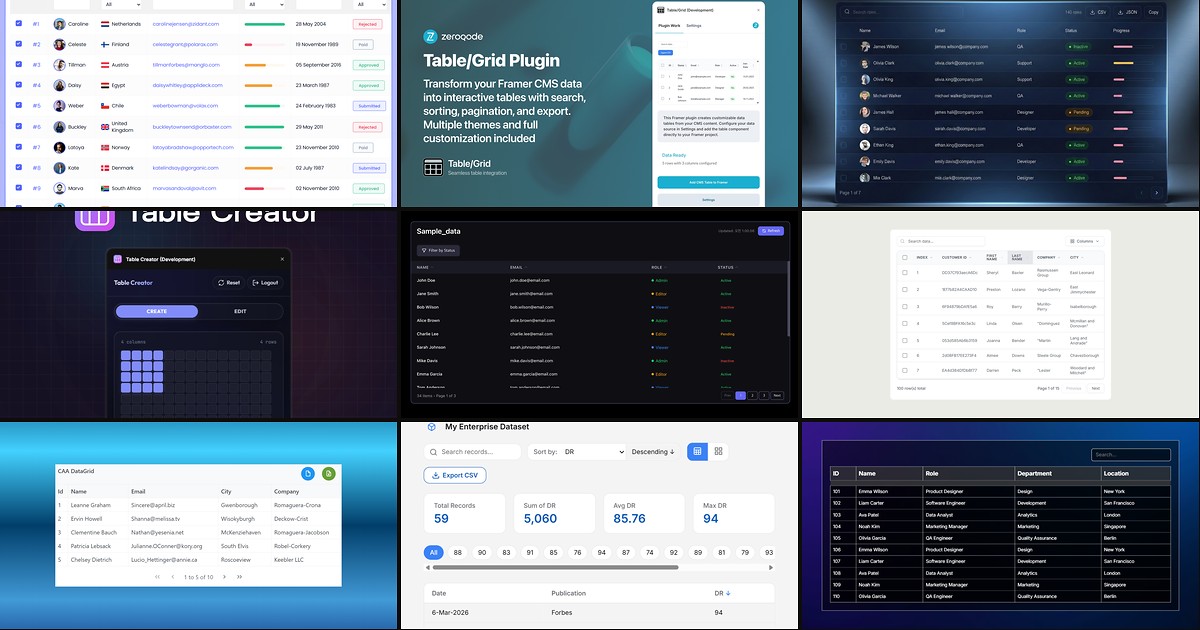
Product specs, pricing matrices, and admin dashboards do not belong in card grids. When stakeholders expect column headers, row search, and CSV export, you need a framer datatable component (or plugin) that turns structured data into an interactive table on the published site, not a screenshot pasted into a Rich Text field.
Framer now ships native CMS Tables inside Rich Text, which covers static comparison tables inside blog posts. Directories, internal tools, and live dashboards still need marketplace plugins and code components that bind to CMS collections, REST APIs, Google Sheets, or hosted CSV files with sorting, filtering, and pagination. This list ranks ten table and DataGrid tools verified live in August 2026 with working install links, identifiable creators, and clear pricing.
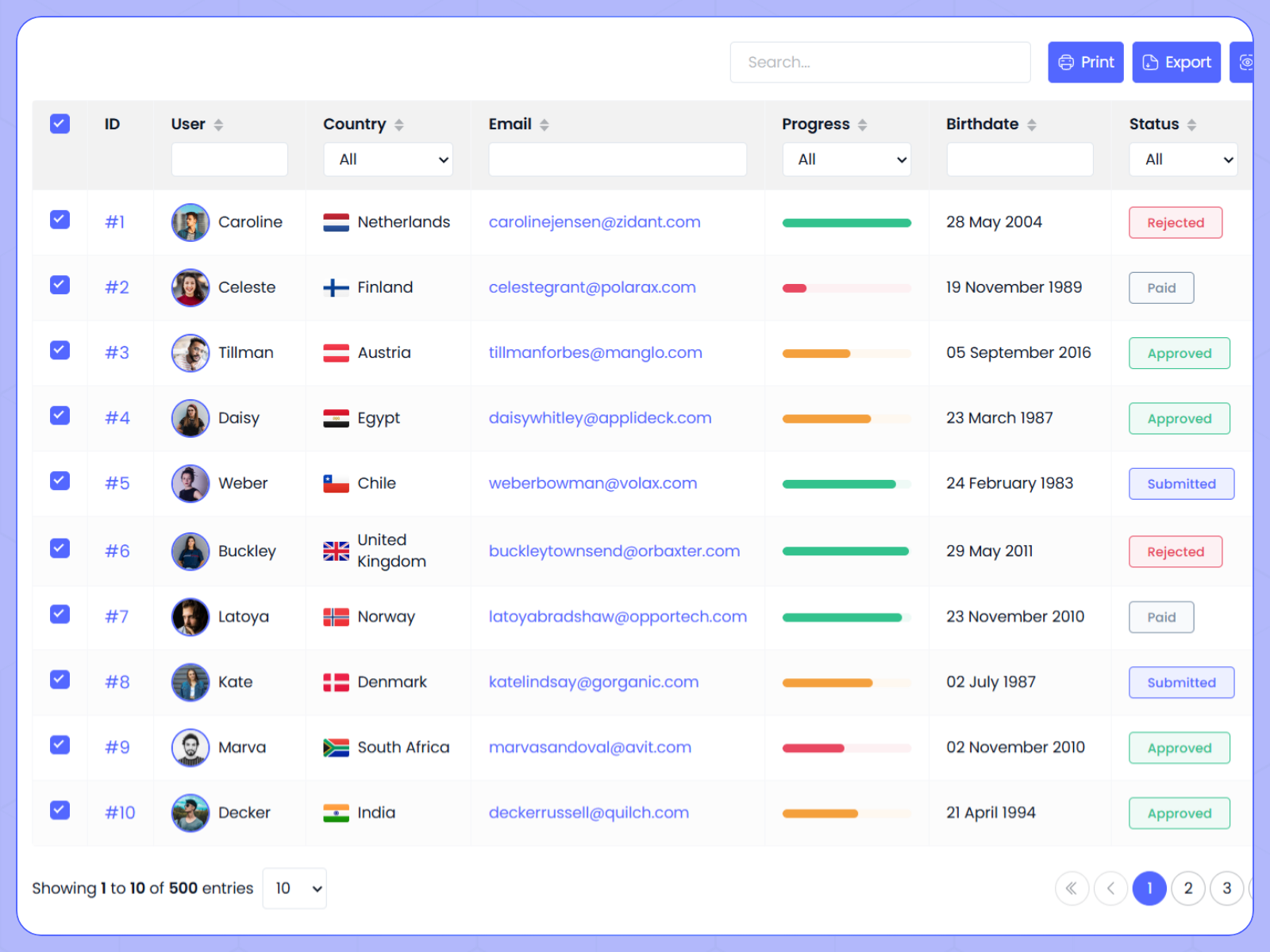
Dynamic Datatable — REST API, CSV, and JSON DataGrid with server-side pagination and column filters
Dynamic Datatable is the most complete DataGrid on the Framer marketplace. Connect REST APIs with GET or POST, static JSON, or CSV files, then enable global search, per-column text and number filters, multi-column sorting, row selection, column chooser, and CSV, JSON, or print export from a configurable toolbar. Server-side mode maps filter and sort state into query parameters for backend pagination, while client-side mode slices large datasets locally. Nine column types cover badges, ratings, progress bars, and currency cells so API rows read like production dashboard UI. At 11 USD it is the default pick when the brief says datagrid, not decorative table.
- Best for
- SaaS admin panels, CRM dashboards, and pricing comparison pages that need spreadsheet-grade filter and sort UX
Affiliate link — we may earn a commission at no extra cost to you.
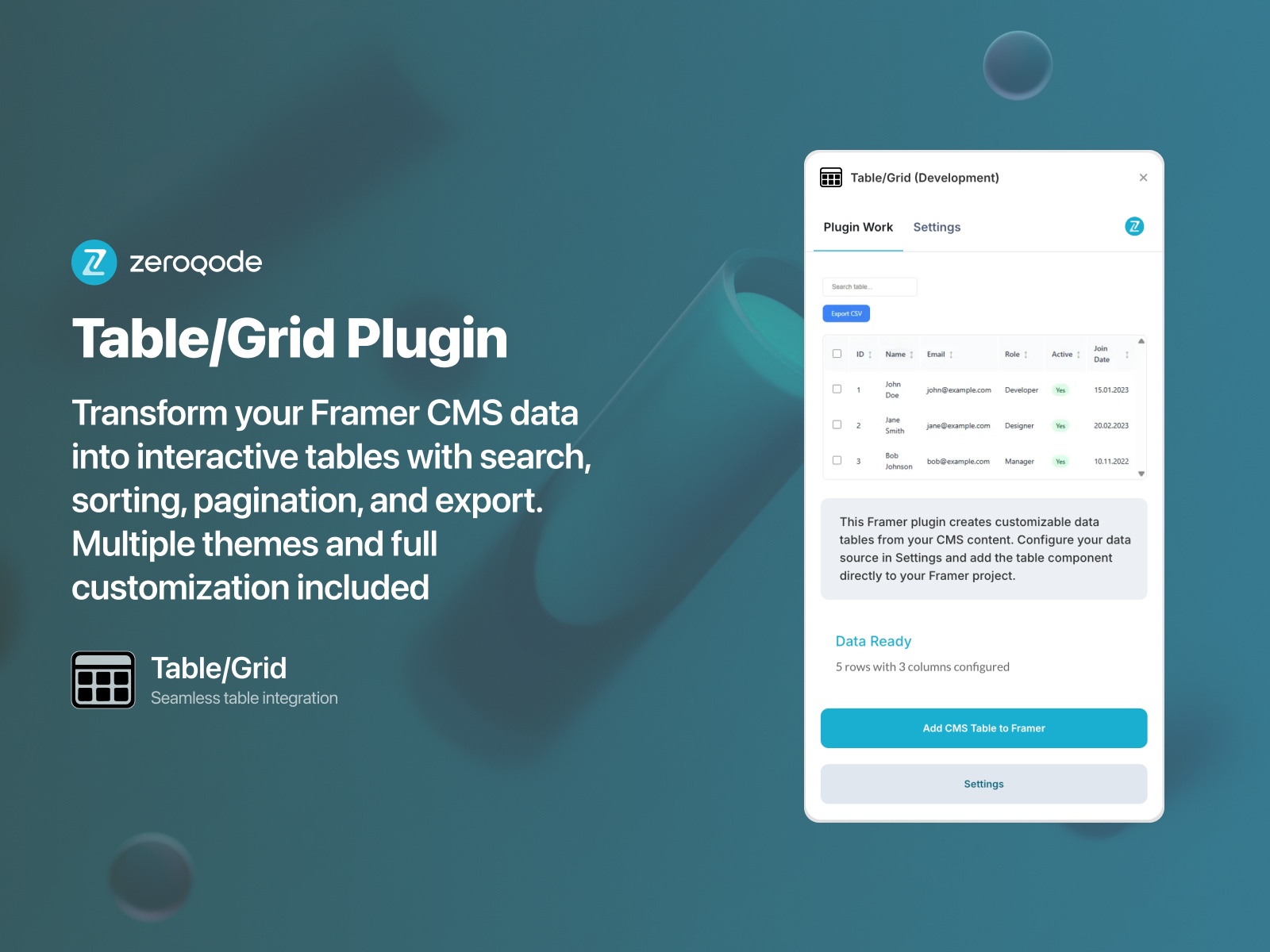
Table/Grid — CMS-mapped tables with search, column sorting, pagination, and CSV export
by Zeroqode
Table/Grid from Zeroqode turns Framer CMS collections into interactive tables without writing overrides. Map up to fifteen fields per row, including text, numbers, dates, booleans, and images, then toggle global search, click-to-sort columns, row selection, pagination, and CSV export for stakeholders who want spreadsheets out of the CMS. Thirteen theme presets plus typography, spacing, and shadow controls keep the grid on-brand. Zeroqode bundles the plugin into a subscription alongside other utilities, so budget for recurring cost if you only need one table. Reach for it when the data already lives in Framer CMS and visitors expect Excel-like browsing.
- Best for
- Framer CMS directories and product catalogs where editors already maintain structured collection data
Affiliate link — we may earn a commission at no extra cost to you.

MultiBase Pro — Table, Gallery, Board, and List views from one JSON, CSV, or remote data source
by Can Girgin
MultiBase Pro from Can Girgin is a multi-view database component, not a single-purpose table. Feed manual rows, pasted JSON, pasted CSV, or remote JSON and CSV URLs, then let visitors toggle between virtualized Table view, card Gallery, Kanban Board, and dense List layouts without duplicating data wiring. Table mode ships sortable columns, sticky headers, zebra striping, row selection, and rich cell types including avatars, status badges, progress bars, and star ratings. Export to CSV, JSON, or clipboard when stakeholders need offline copies. At 15 USD it beats buying separate table and board components when the UX brief includes both spreadsheet and pipeline views.
- Best for
- Team directories and project trackers where visitors switch between table rows and Kanban boards on the same dataset
Affiliate link — we may earn a commission at no extra cost to you.
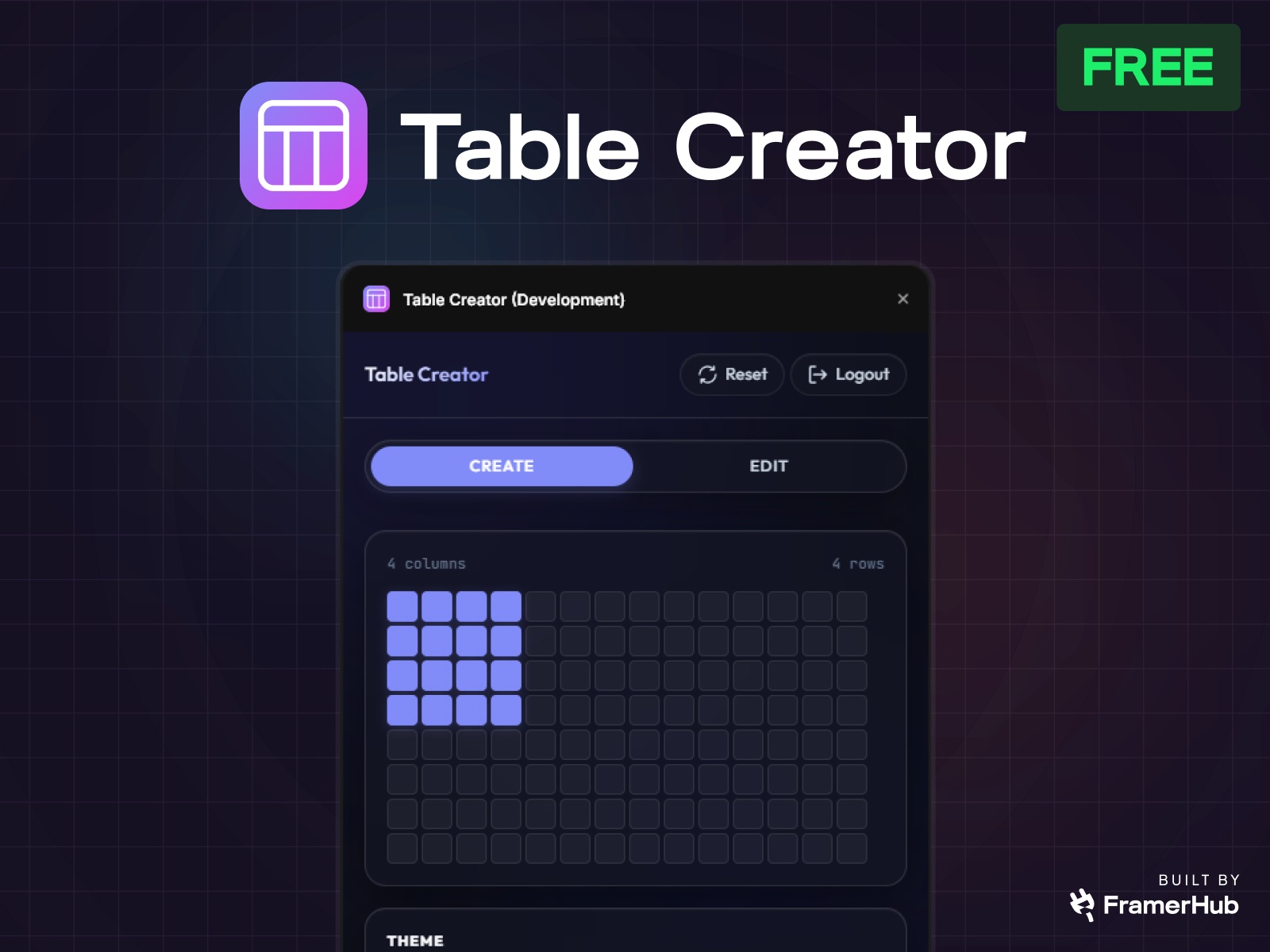
Table Creator — Canvas tables anywhere with manual entry, CSV import, sorting, and pagination
by FramerHub.io
Table Creator from FramerHub.io solves a Framer gap native CMS Tables cannot: interactive tables on any canvas page. Open the plugin, set row and column counts, pick Minimal Light, Soft Grid, or Dark Pro themes, then type cells, paste from spreadsheets, or import CSV. Toggle sorting, filtering, and pagination independently so visitors can narrow product spec tables or pricing matrices on publish. Full typography and padding controls align headers and body text with your design system. FramerHub sells individual plugins from 9 USD or bundles them into All Access. Install when the table is a designed page section, not a field inside a CMS article.
- Best for
- Landing pages and documentation sites that need styled tables outside CMS Rich Text fields
Affiliate link — we may earn a commission at no extra cost to you.
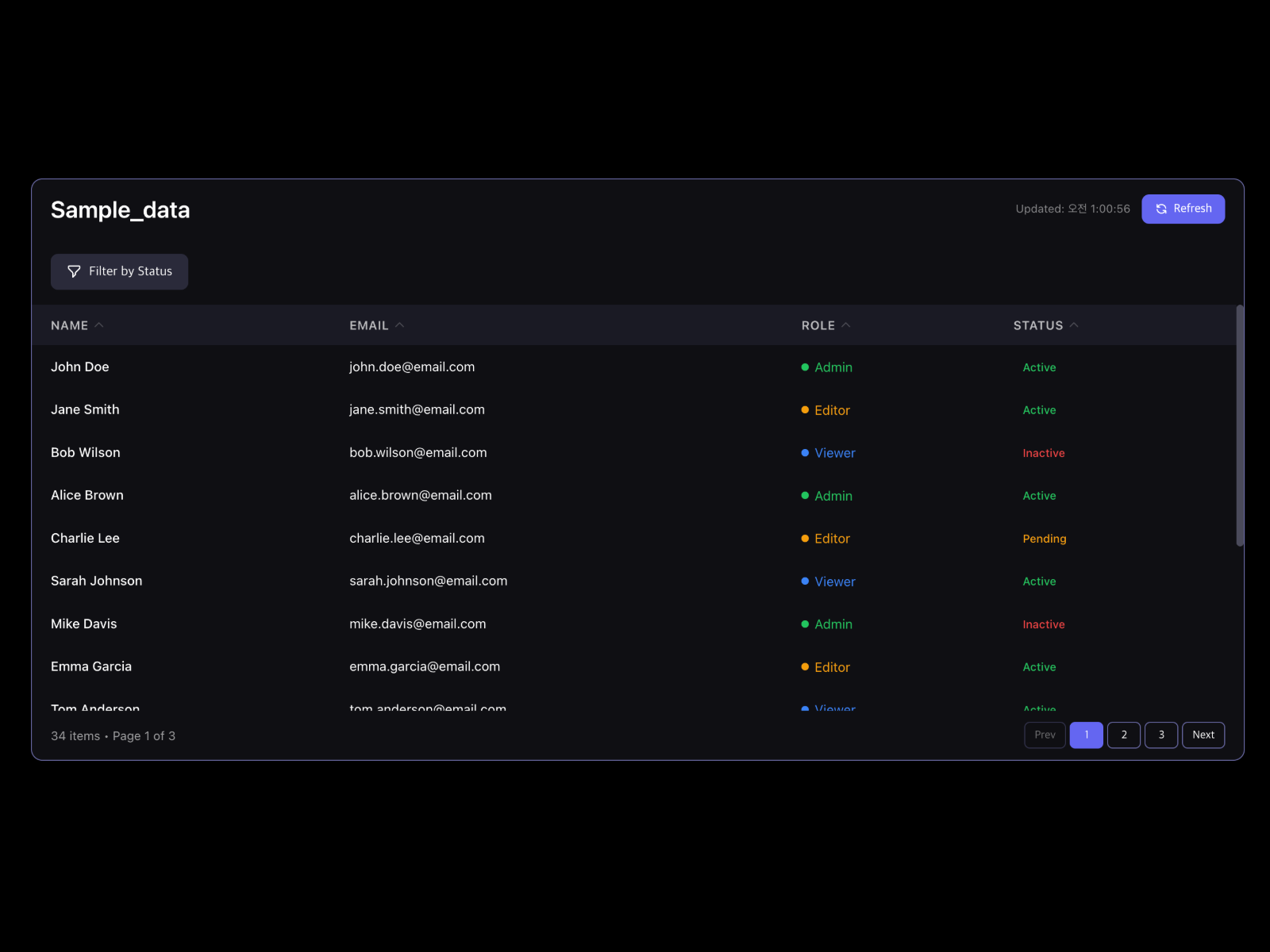
DataTable CSV+Sheets — Google Sheets or pasted CSV with search, filter, sort, and status badges
by MJ Jung
DataTable CSV+Sheets connects live Google Sheets or pasted CSV text to a styled Framer table with search, column sorting, column-specific filters, pagination, and pill or dot status badges per column. Choose minimal, striped, bordered, or modern presets, then tune header, search bar, and cell colors from the property panel. Manual refresh reloads Sheet data without republishing the whole site. At 10 USD it is the fastest spreadsheet-sync path when Dynamic Datatable’s REST API wiring would slow a marketing launch. Skip it if your data must stay inside Framer CMS rather than an external Sheet.
- Best for
- Ops dashboards where non-designers update rows in Google Sheets and the Framer site should follow
Affiliate link — we may earn a commission at no extra cost to you.
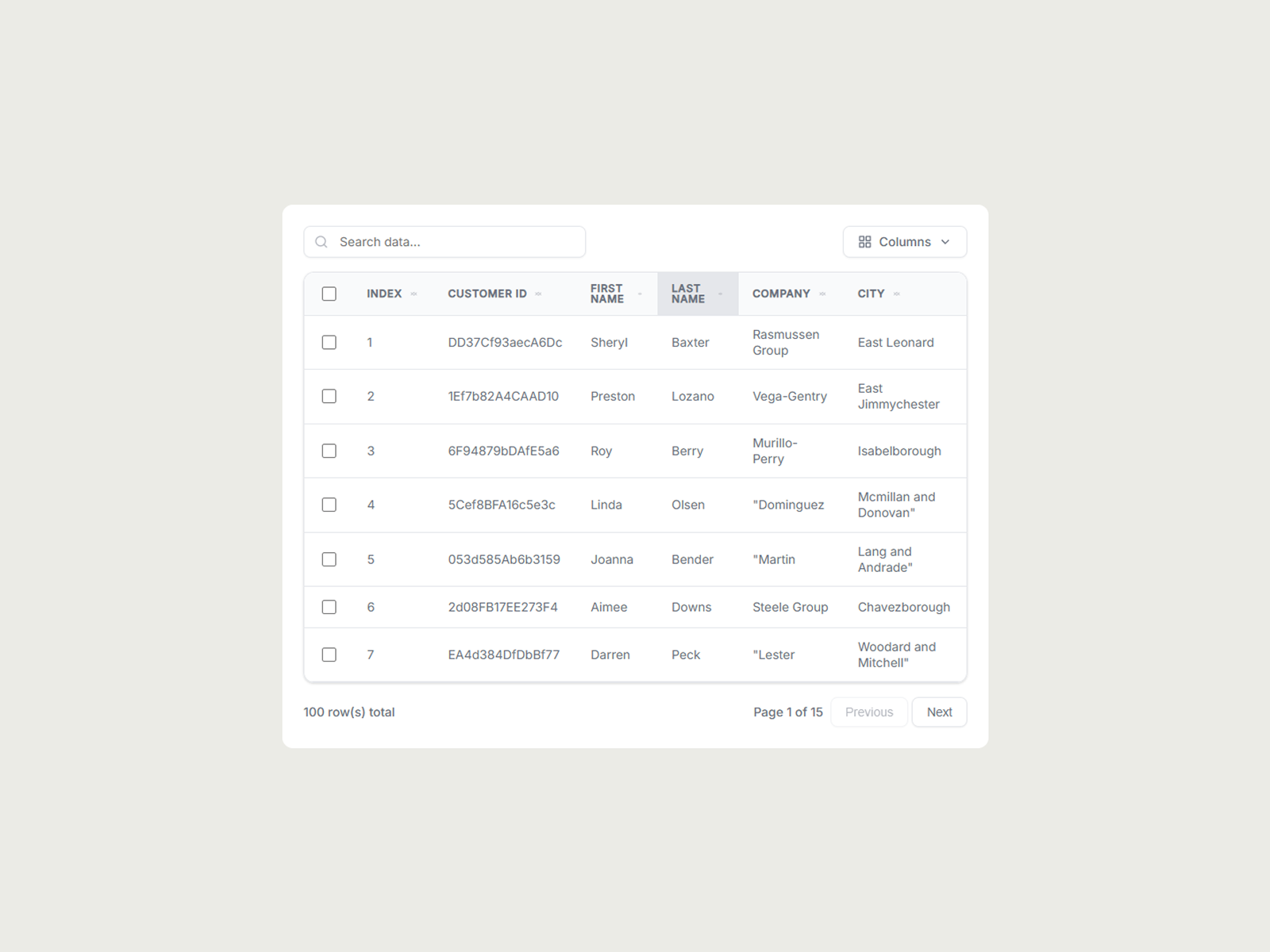
CSV DataTable — Hosted CSV tables with search, sort, pagination, row select, and column visibility
by Syauqizaidan Khairan Khalaf
CSV DataTable targets the simplest reliable pipeline: point the component at a hosted CSV URL, and it parses headers, renders rows, and adds global search, click-to-sort headers with numeric awareness, pagination, multi-row selection, and a column visibility menu. Light and dark theme controls cover typography and hover states without custom overrides. At 5 USD it is the budget pick for one-off datasets that will not change hourly. Upgrade to DataTable CSV+Sheets when editors need Google Sheets refresh, or Dynamic Datatable when the source is a REST API with server-side pagination.
- Best for
- Report pages and directory exports where data ships as a static CSV file URL
Affiliate link — we may earn a commission at no extra cost to you.
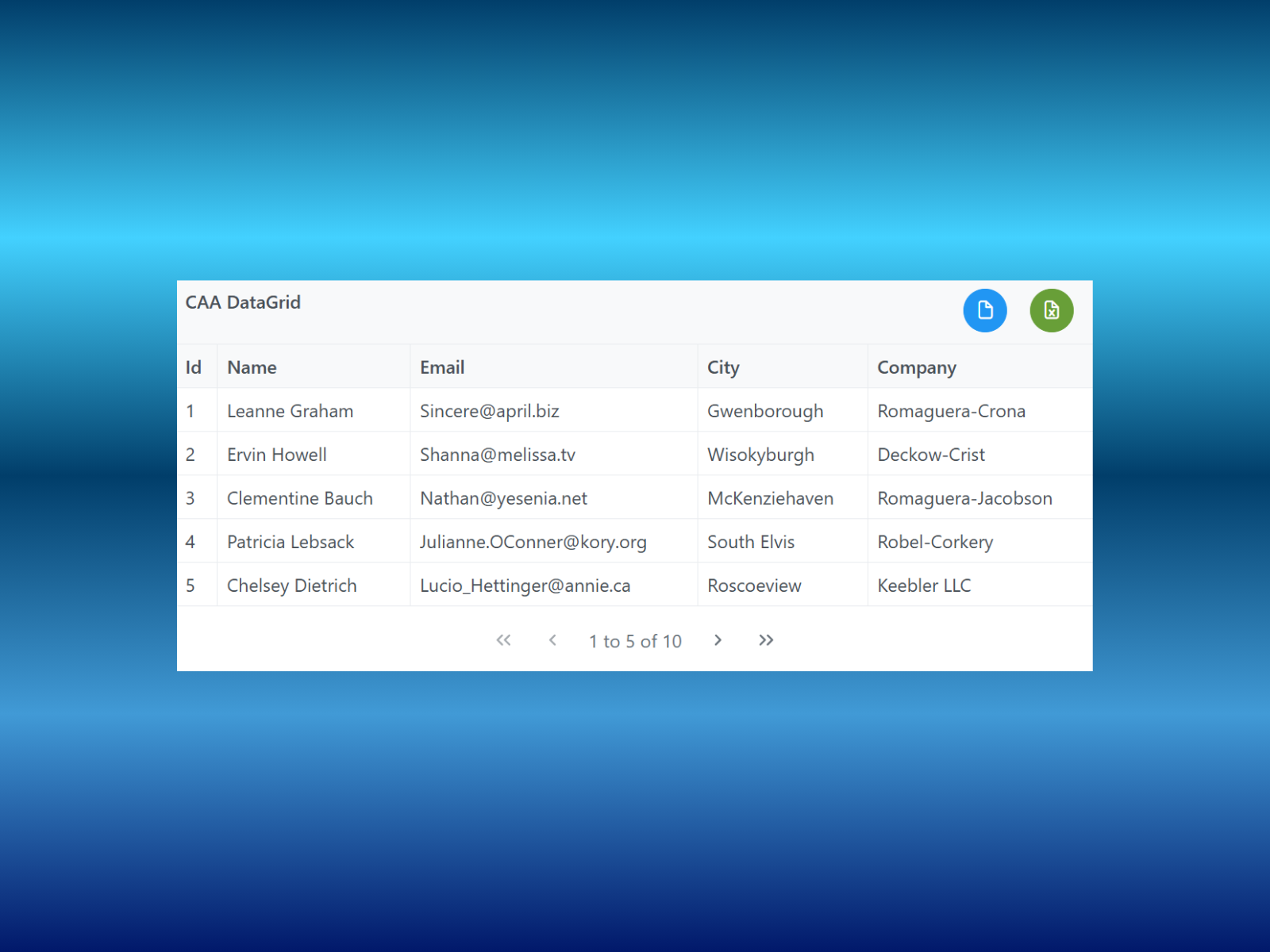
Caa DataGrid — JSON and API-driven grid with column selection, pagination, and CSV or Excel export
by Cem Atahan
Caa DataGrid from Cem Atahan focuses on flexible headers and columns configured through JSON, with optional API fetching when rows should load from a backend URL. Select which columns and headers appear, set page size for pagination, toggle gridlines and striped rows, and export filtered results to CSV or Excel. The live demo site shows responsive sizing defaults that fill parent frames. At 10 USD it sits between CSV DataTable and Dynamic Datatable: more API-friendly than upload-only tools, less feature-dense than server-side filter grids. Choose it when stakeholders need export buttons and clean JSON wiring without enterprise toolbar complexity.
- Best for
- Prototypes and investor demos that fetch structured JSON from a public API endpoint
Affiliate link — we may earn a commission at no extra cost to you.
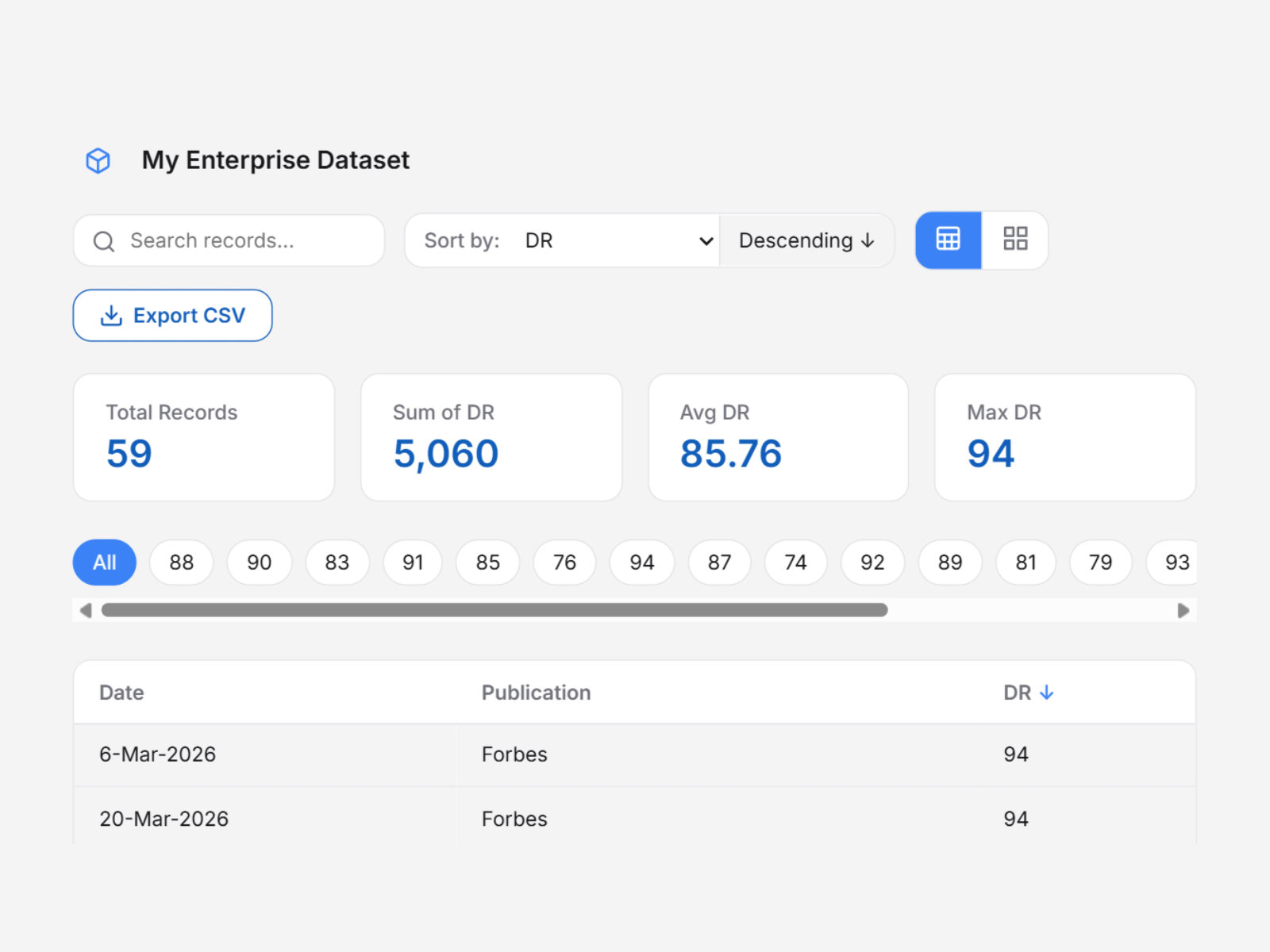
Data Visualise Pro — CSV and Excel explorer with table view, card grid, filters, and metric summaries
by Sajjadul Kibria
Data Visualise Pro from Sajjadul Kibria turns CSV or Excel files into a small analytics dashboard for free. Connect a file, map title, value, category, and date columns by header name, and the component builds searchable, sortable table and grid views plus metric cards for totals, averages, and maximums. Category filters auto-generate from unique values in your spreadsheet, so department or status breakdowns appear without extra wiring. Switching views keeps filter and sort state intact. It is the strongest free option when the dataset is exploratory rather than production CRM volume, and you want both table density and card summaries in one component.
- Best for
- Internal dashboards and research pages where visitors toggle between dense tables and scannable card grids
Affiliate link — we may earn a commission at no extra cost to you.
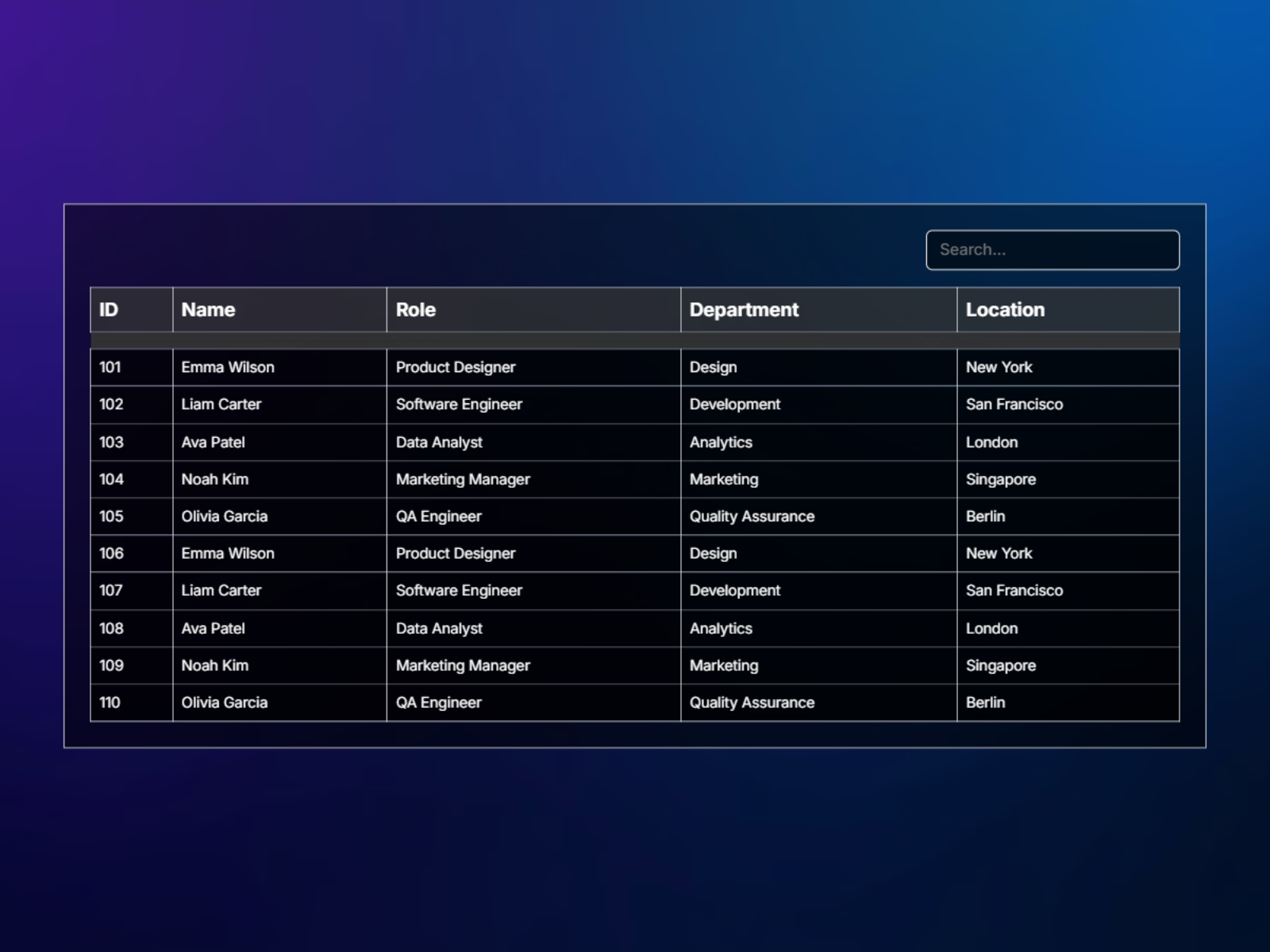
CSVtoTableX — Upload CSV or TSV files with live search and hidden-column support
by Hamim Reza
CSVtoTableX handles CSV and TSV uploads from the property panel, parses rows on insert, and renders a responsive scrollable table with real-time search across visible columns. Hide sensitive columns from display while keeping them in the source file, then tune background, border, header, scrollbar, and typography colors without code. At 10 USD it is a polished upload-first alternative to CSV DataTable when TSV support and panel-side file management matter more than row selection or column chooser menus. Pair it with hosted CSV workflows when files update rarely and designers prefer uploading over pasting URLs.
- Best for
- Spec sheets and inventory lists where designers upload files directly in the Framer panel
Affiliate link — we may earn a commission at no extra cost to you.
Framer CMS Tables — Native Rich Text tables with merge cells, CMS Styles, and mobile horizontal scroll
by Framer
Framer CMS Tables ship inside Rich Text fields: open any CMS item, click the Table tool, and insert rows and columns with auto-adjusting widths, cell merging, header rows, and styling through CMS Styles on the canvas. Tables scroll horizontally on mobile by default, which keeps spec tables readable without custom breakpoints. They do not sort, filter, or bind to collection lists, so treat them as editorial layout inside long-form content. Enable this free baseline before buying plugins; reach for Table/Grid or Dynamic Datatable when visitors need to search thousands of rows or export CSV from live data.
- Best for
- Blog posts, help docs, and CMS articles that need static comparison tables edited by content authors
Affiliate link — we may earn a commission at no extra cost to you.
Quick comparison
| Resource | Price | Type | Best for |
|---|---|---|---|
| Dynamic Datatable | 11 USD | Component | API and CSV DataGrids with server-side pagination |
| Table/Grid | from 10 USD/month | Plugin | CMS collection tables with sort and export |
| MultiBase Pro | 15 USD | Component | Table plus Gallery, Board, and List views |
| Table Creator | from 9 USD | Plugin | Styled tables on any canvas page |
| DataTable CSV+Sheets | 10 USD | Component | Live Google Sheets and CSV dashboards |
| CSV DataTable | 5 USD | Component | Hosted CSV with search and column toggles |
| Caa DataGrid | 10 USD | Component | JSON and API grids with Excel export |
| Data Visualise Pro | Free | Component | CSV and Excel with table and grid toggle |
| CSVtoTableX | 10 USD | Component | Panel CSV and TSV upload with live search |
| Framer CMS Tables | Free | Built-in | Static tables inside CMS Rich Text |
How to choose the right Framer table or DataGrid
Match the data source first. CMS collection rows belong on Table/Grid. REST APIs and large paginated datasets belong on Dynamic Datatable. Google Sheets workflows fit DataTable CSV+Sheets. One-off CSV files can start free with Data Visualise Pro or paid with CSV DataTable and CSVtoTableX depending on whether you upload in-panel or host a URL.
Separate editorial tables from interactive grids. Framer CMS Tables cover comparison matrices inside articles and release notes. Do not force them into product directories that need search and sort. Table Creator fills the middle ground for designed landing-page tables that never touch the CMS.
Budget for view switching. MultiBase Pro costs more than a single-purpose table but replaces separate gallery, Kanban, and list components when the same dataset needs multiple layouts. Buy it once when stakeholders ask for both spreadsheet and board views.
Try free tools before paid grids. Data Visualise Pro and native CMS Tables handle many internal dashboards and docs. Pay for Dynamic Datatable or Table/Grid when export, server-side pagination, or fifteen-column CMS mapping becomes non-negotiable.
Our top pick for most Framer builders
Start with Framer CMS Tables for static content inside Rich Text, and Data Visualise Pro when a CSV or Excel file needs searchable table and card views at zero cost. Production directories and admin UX should budget for Dynamic Datatable (API and CSV DataGrids) or Table/Grid (native CMS mapping).
Browse free Framer templates on yoframer for CMS-ready starting points, pair tabular layouts with our CMS filter and sort roundup when visitors also need faceted narrowing, and explore more resource roundups on the Resources hub.
Updated August 2026. We refresh this list as table and DataGrid tools ship breaking changes, reprice, or go stale.


