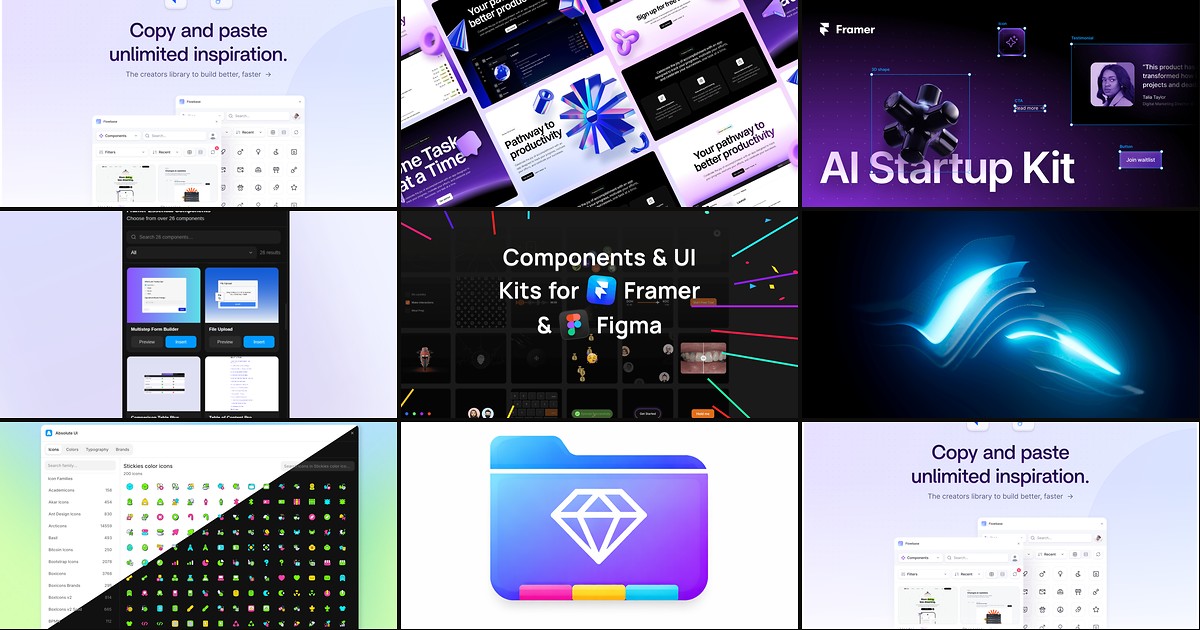
A free Framer UI kit should do more than look good in a marketplace thumbnail. It needs remixable or insertable sections, responsive breakpoints already configured, and a clear path to client work — not a teaser that locks half the library behind a paywall. The best free kits in 2026 come from Framer itself, established plugin makers, and creators who ship identifiable remix links with live previews.
This list ranks eight free UI kits and component libraries you can use on real projects today. Every pick is genuinely free to start (not a timed trial), works with current Framer, and comes from a real creator with a working link and demo.
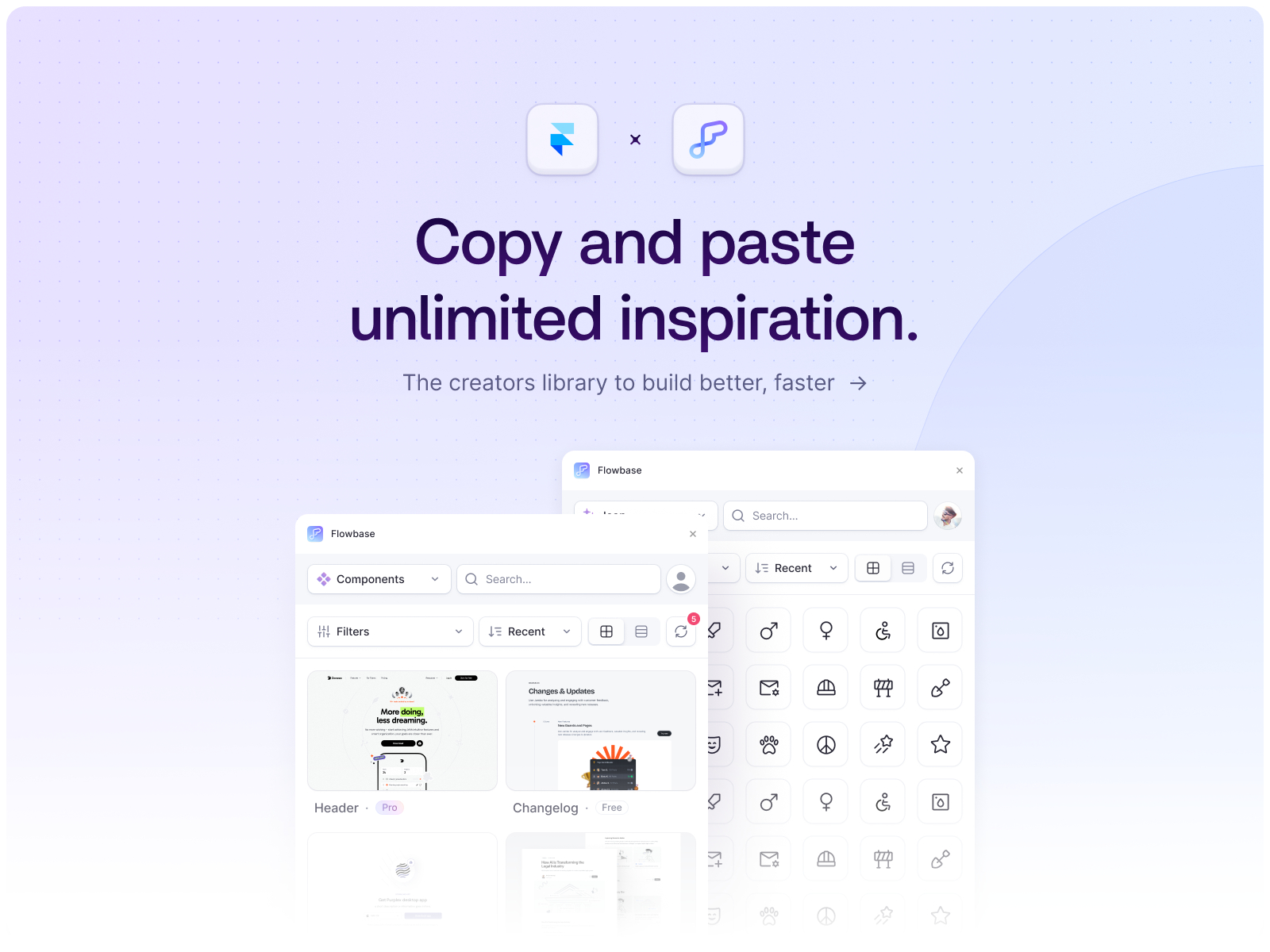
Flowbase — 3,500+ components, wireframes, icons, and illustrations in one panel
by Flowbase
Flowbase is the largest cross-platform design library with a native Framer plugin — and its free tier is usable on client sites, not just a three-item sample. Browse thousands of marketing components, wireframe layouts, SVG illustrations, and open-source icons, then insert them directly on the canvas. The Pro upgrade unlocks the full catalog, but the free plan covers heroes, CTAs, pricing blocks, and footers that would take a full day to build from scratch.
- Best for
- Agencies and freelancers who need the broadest free component library without leaving the canvas
Affiliate link — we may earn a commission at no extra cost to you.
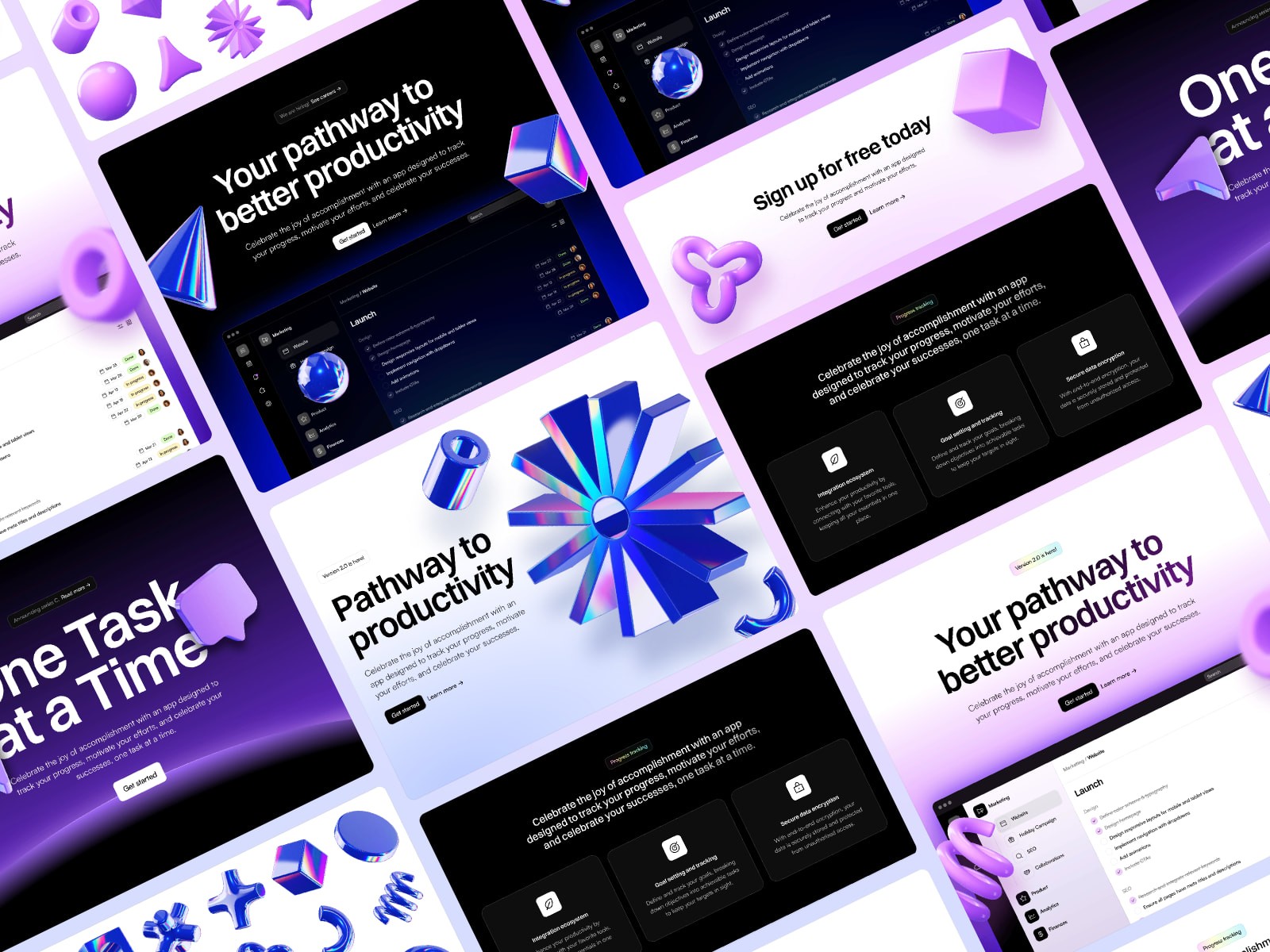
Blocks (SaaS Website Kit) — Official 100+ section SaaS kit with light and dark example pages
by Framer
Blocks is Framer’s official SaaS Website UI Kit — over 100 categorized sections including headers, feature grids, pricing tables, testimonials, changelog blocks, and 3D assets in three visual styles. Remix the project for free and pull individual sections into other builds, or customize the included light and dark example pages. Because it ships from Framer, breakpoints, project styles, and native forms are already wired the way the editor expects.
- Best for
- SaaS and startup founders who want a complete remixable kit from the platform maker
Affiliate link — we may earn a commission at no extra cost to you.
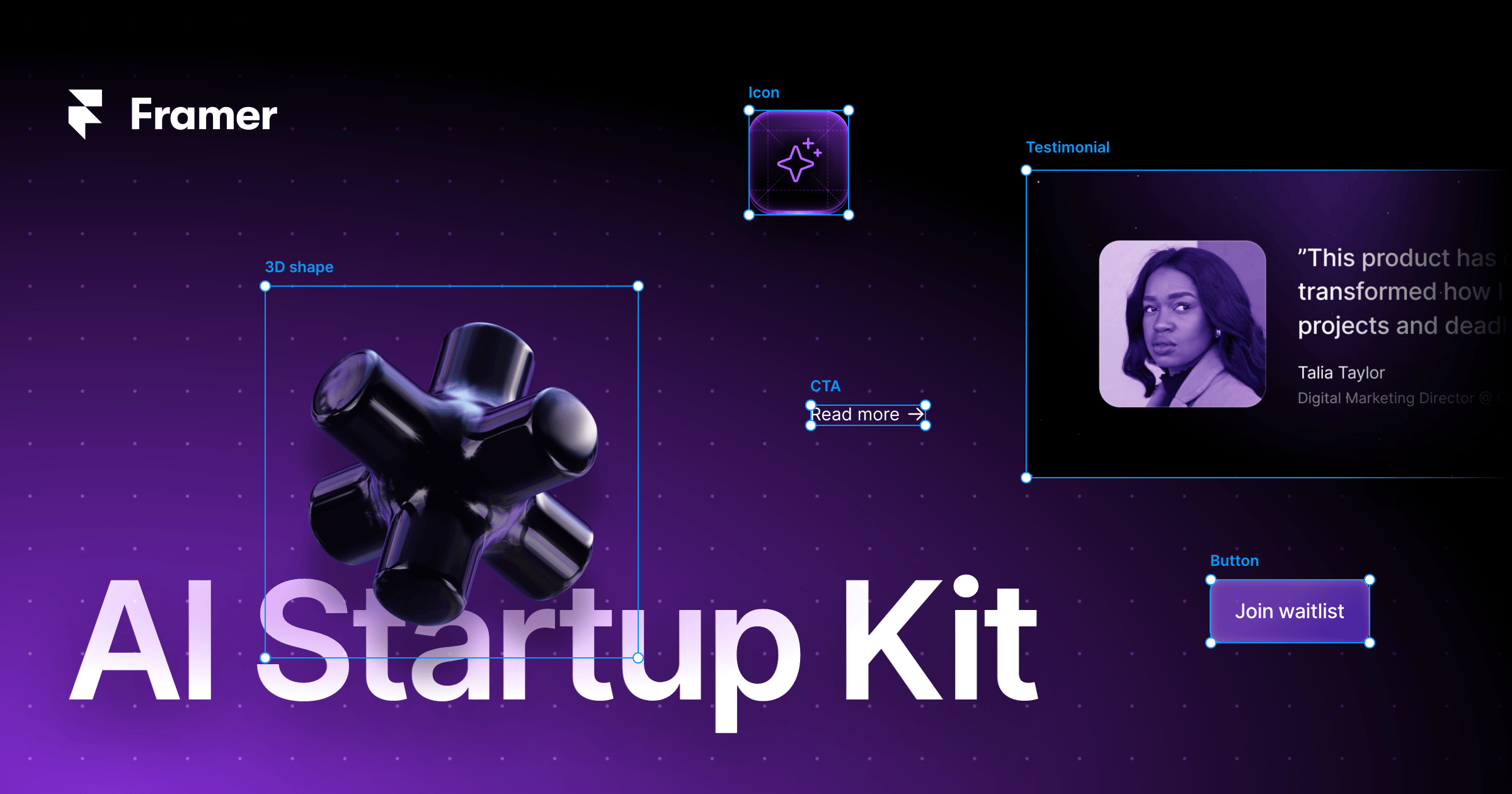
Free AI Startup Website Kit — 100+ AI-themed sections, 3D assets, and two full example pages
by Framer
Framer’s AI Startup Website Kit parallels Blocks but targets the current wave of AI tools and model launches. You get 100+ elements across fifteen categories — holographic 3D shapes, feature cards, pricing tables, and native contact forms — plus two complete example pages to remix. The kit is free forever, publishes to a Framer subdomain at no cost, and pairs naturally with Framer’s built-in CMS when you outgrow a single landing page.
- Best for
- AI product launches that need a distinct visual language without commissioning custom 3D art
Affiliate link — we may earn a commission at no extra cost to you.
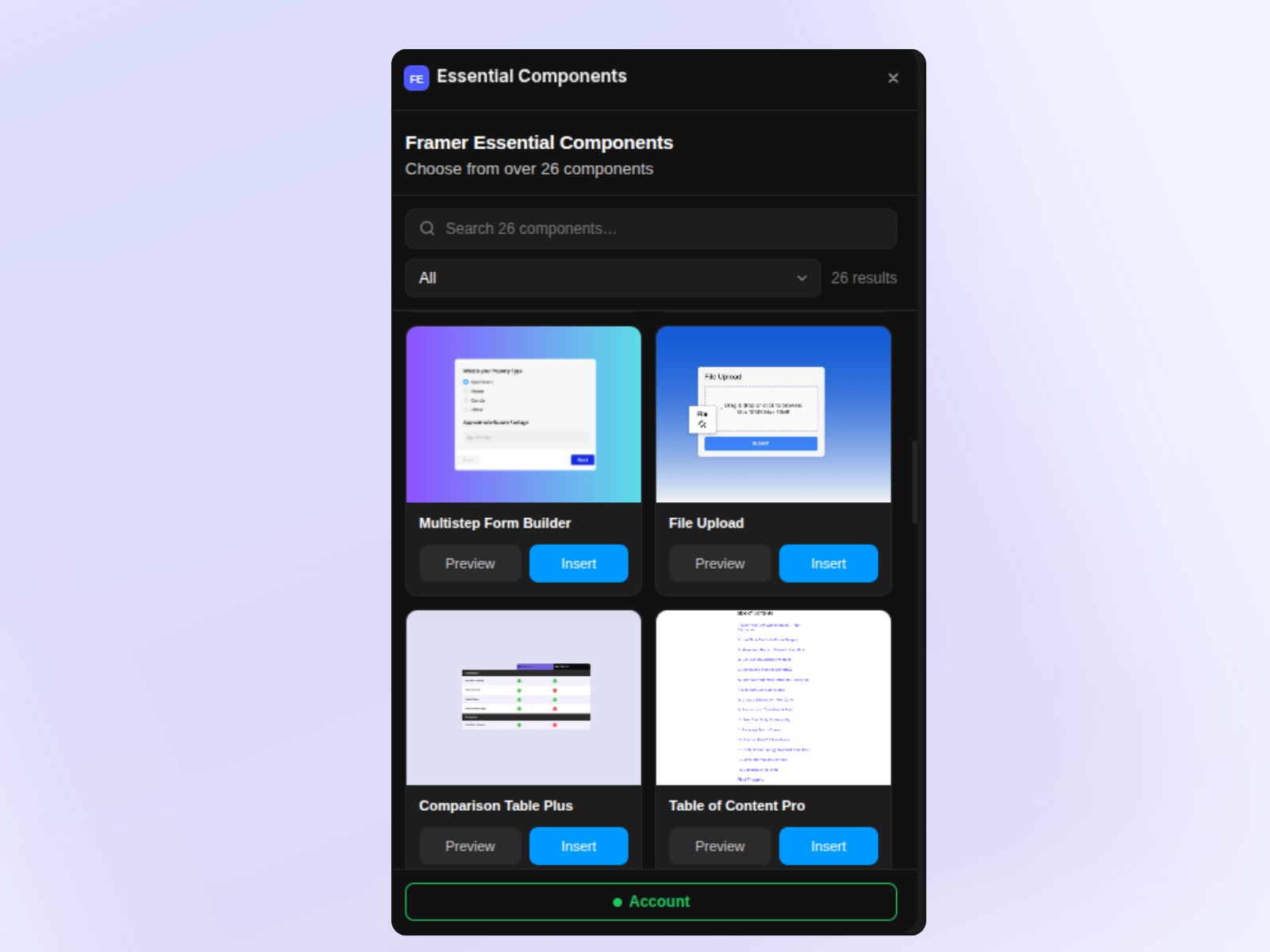
Essential Components — 30+ insertable forms, popups, carousels, and layout blocks
by Kai Studio
Essential Components bundles the blocks every marketing site eventually needs — contact forms, multi-step flows, comparison tables, 3D carousels, WhatsApp widgets, and more — into one searchable plugin with one-click canvas insert. The marketplace listing is free, and a solid subset of components ships without a license key. When a client asks for a file uploader or NPS survey at the eleventh hour, you are not hunting the marketplace one component at a time.
- Best for
- Client-site builders who need functional blocks — multi-step forms, TOC, booking widgets — not just static heroes
Affiliate link — we may earn a commission at no extra cost to you.
Foundation Kit — Light, dark, and dynamic text and color foundations
by SegmentUI
SegmentUI’s Foundation Kit is the antidote to bloated template imports: responsive text styles and color palettes for desktop, tablet, and mobile, with light, dark, and system-dynamic modes. Remix it for free on unlimited personal and client projects — no attribution required. Use it as the typography and color layer under custom layouts, then graduate to SegmentUI Pro only if you need the full component catalog.
- Best for
- Designers who want a lean style base without importing a 1,000-component mega library

Radius UI Kit — 200+ components and 60+ style variants with a live preview site
Radius is one of the most complete free third-party UI kits available in 2026 — 200+ components, 60+ style variants, and a dedicated preview site at radiuscomponents.framer.website so you can evaluate before remixing. Aidan Creates ships it as a free remix link with no paywall on the core library, which makes it a strong alternative when official Framer kits feel too SaaS-generic for your brand direction.
- Best for
- Indie founders and freelancers who want a community-built kit with commercial-ready depth at zero cost
Quick comparison
| Resource | Price | Type | Best for |
|---|---|---|---|
| Flowbase | Free | Plugin | Largest free component and wireframe library |
| Blocks | Free | Kit | Official SaaS sections and 3D assets |
| AI Startup Kit | Free | Kit | AI product launches with themed 3D visuals |
| Essential Components | Free | Plugin | Functional forms, popups, and carousels |
| Foundation Kit | Free | Kit | Lean typography and color foundations |
| Radius UI Kit | Free | Kit | 200+ third-party components with live preview |
| Absolute UI | Free | Plugin | Icons, palettes, logos, and type hierarchy |
| UI Vault | Free | Plugin | Hero, pricing, and ecommerce section blocks |
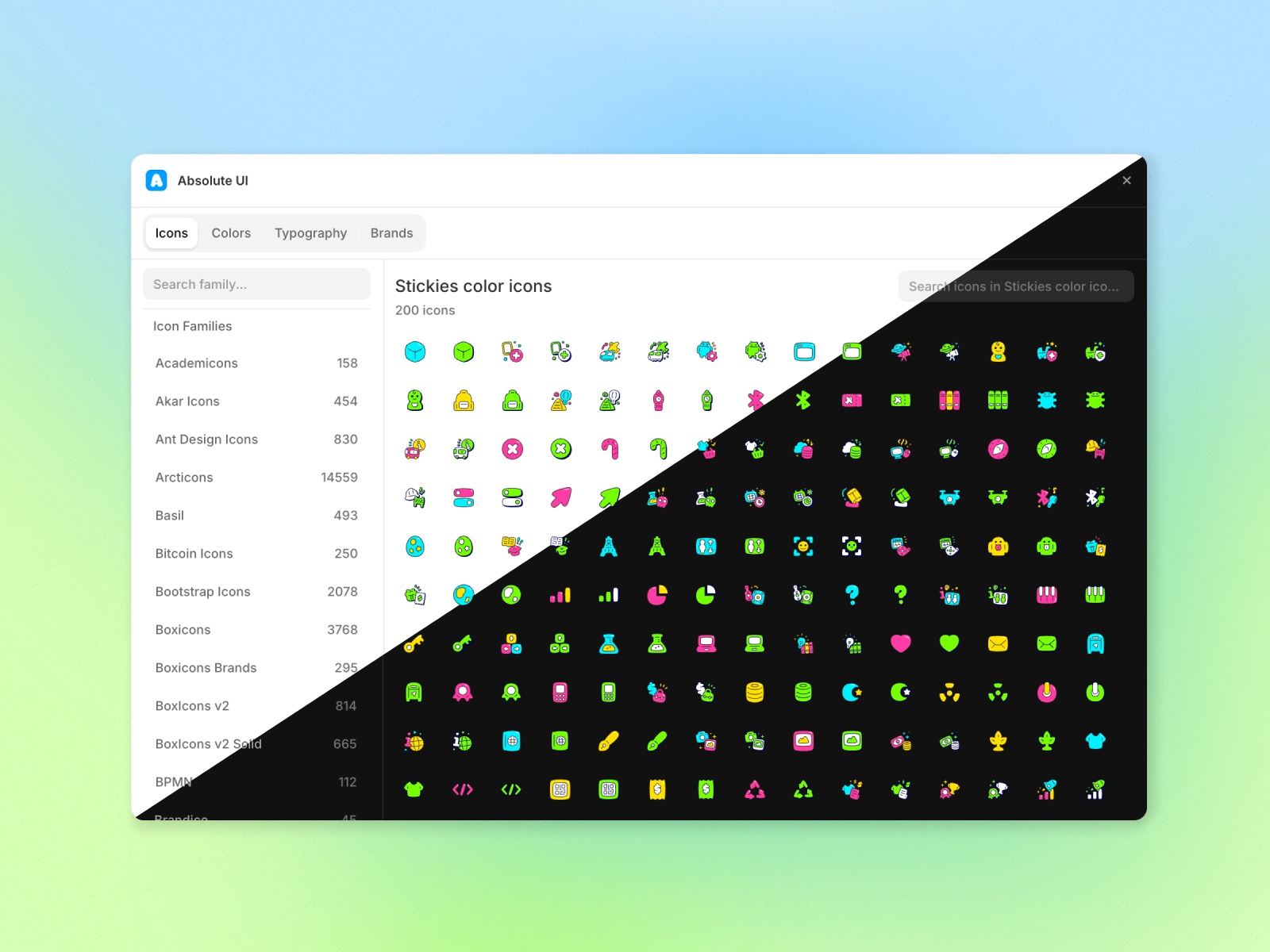
Absolute UI — Icons, color palettes, brand logos, and type scales in one kit
by Latitude Design
Absolute UI focuses on the foundations that most kits skip — 100+ icon families, structured color palettes, consistent type hierarchy, and 500+ brand logos ready to drop on the canvas. The marketplace plugin is entirely free, which makes it a smart first install when you are theming a client brand before pulling in heavier section libraries like Flowbase or Blocks.
- Best for
- Teams establishing a design system before building page sections
Affiliate link — we may earn a commission at no extra cost to you.
UI Vault — Insertable hero, pricing, testimonial, and ecommerce sections
by Meetanshi
UI Vault packages common landing-page sections — heroes, navbars, feature grids, pricing, testimonials, and ecommerce blocks — as a free Framer plugin with instant canvas insert. The library is smaller than Flowbase or Blocks, but the workflow is faster when you already have project styles and only need a polished pricing table or hero variant to finish a page before review.
- Best for
- Quick landing-page assembly when you need named section patterns, not a full remix project
Affiliate link — we may earn a commission at no extra cost to you.
How to choose the right free UI kit
Remix project vs. canvas plugin. Official kits like Blocks and the AI Startup Kit, plus Radius and Foundation, work best when you remix a full Framer project and copy sections into your site file. Flowbase, Essential Components, Absolute UI, and UI Vault shine when you want to stay inside an existing project and insert blocks from a plugin panel.
Breadth vs. foundations. Flowbase wins on sheer volume — components, wireframes, and icons in one search. Foundation Kit and Absolute UI win when your bottleneck is typography, color, or icon consistency, not missing hero layouts. Install foundations first, then layer a section library on top.
Maintenance and fit. Check the marketplace changelog or creator preview site before committing a client build. Framer’s official kits update with platform changes; community kits like Radius show their craft on a live demo. Skip any kit that hides its remix link or shows a stale preview — if you cannot verify it loads, your client should not depend on it.
Our top pick for most Framer builders
If you install one resource from this list, start with Flowbase for day-to-day section building, then remix Blocks when you need a structured SaaS starting point with official 3D assets. For a lightweight style base before any sections land, Foundation Kit plus Absolute UI is the fastest free stack.
Browse every Framer template on yoframer for full-site starting points, or explore our template roundups for niche-specific picks. More resource roundups live on the Resources hub.
Updated June 2026. We refresh this list as notable free kits ship, go paid-only, or stop maintaining previews.


