TL;DR. On November 12, 2026, Framer shipped image generation and generated shaders. Ask the Agent for a custom image, texture, or illustration. Drop an image into chat or select one on the canvas, then ask it to swap the subject, remove the background, or restyle it. Shaders follow the same pattern: name one (halftone, bokeh blur, CRT, pencil), describe an effect, or tweak a Framer shader already on the canvas. The Agent can also generate an image and set it as the input of an image shader.
Framer’s official note is one paragraph. This yoframer guide stays inside that scope, then points at free Framer templates where a studio hero can hold the result before you try it on a client file. The November 12 change is an Agent path for images and shaders. It is not a new Insert catalog, and it does not replace the shader posts already on yoframer.
Framer image generation at a glance
| Ask | What the November 12 note says | What it does not say |
|---|---|---|
| New artwork | A custom image, texture, or illustration that fits the site | Resolution, file type, or usage rights |
| An image you have | Drop it in chat or select it on the canvas, then swap the subject, remove the background, or restyle it | A mask editor or a non-destructive history |
| A new shader | Halftone, bokeh blur, CRT, pencil, or a described effect such as a pointer smudge | That every name is a new preset in Insert |
| A shader on the canvas | The Agent can tweak a Framer shader that is already placed | A property-by-property changelog |
| Both at once | Generate an image and set it as the input of an image shader (pen drawing, ink smudge on mouse move) | Credit cost, model name, or a plan gate |
| Release shape | A short announcement, with a demo on Framer’s page | A YouTube URL and an Added / Fixed table |
What image and shader generation can do
1. Ask for an image, a texture, or an illustration
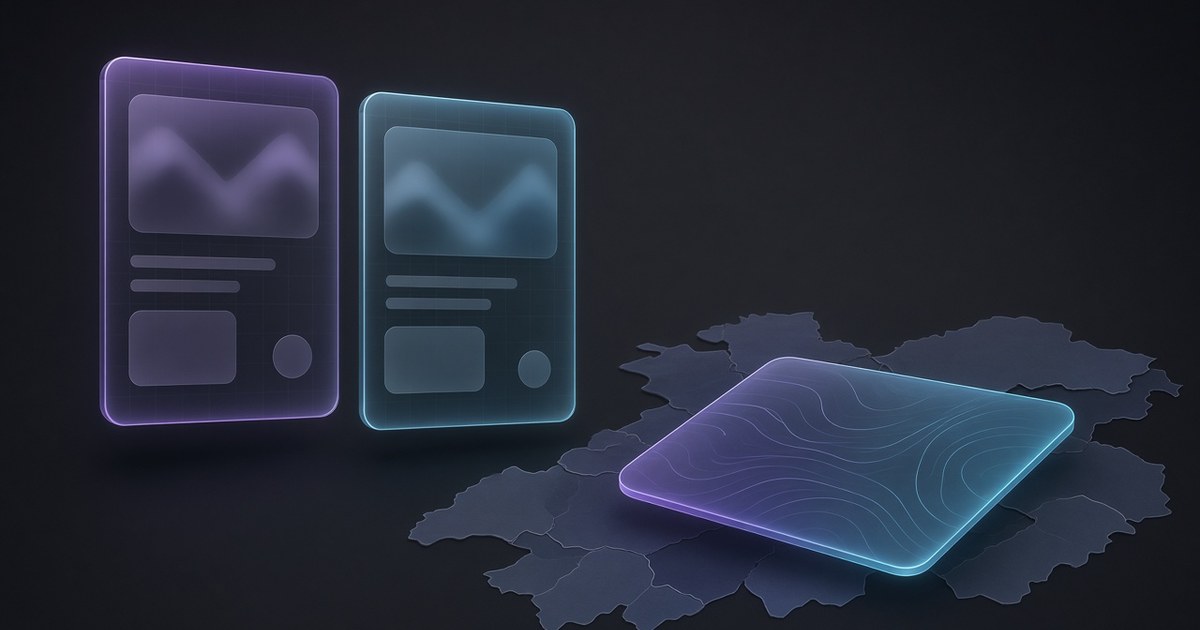
Framer’s first sentence is the product: image generation and generated shaders, reached by asking the Agent. The image half is three nouns. A custom image, a texture, or an illustration, and it should fit your site.
That “fit your site” clause is the useful constraint. A texture for a dark studio hero is a different ask from an illustration for a bright product page. The note does not say the Agent reads your color styles automatically, so name the subject and the mood in the prompt. Do not treat a vague “make it nicer” as the workflow Framer described.
2. Edit an image you already have
Generation is not the only path. You can drop an image into the chat or select one on the canvas, then ask the Agent to do one of three things Framer lists: swap the subject, remove the background, or restyle it.
Those are different jobs. A subject swap replaces what the picture is about. A background removal is a cutout. A restyle keeps the subject and changes the treatment. Stacking all three in one prompt is how you lose the original. The note does not say the edit keeps a backup, so duplicate the layer or the asset before you ask if the file is the only copy.
3. Generate a shader, or tweak one already on the canvas
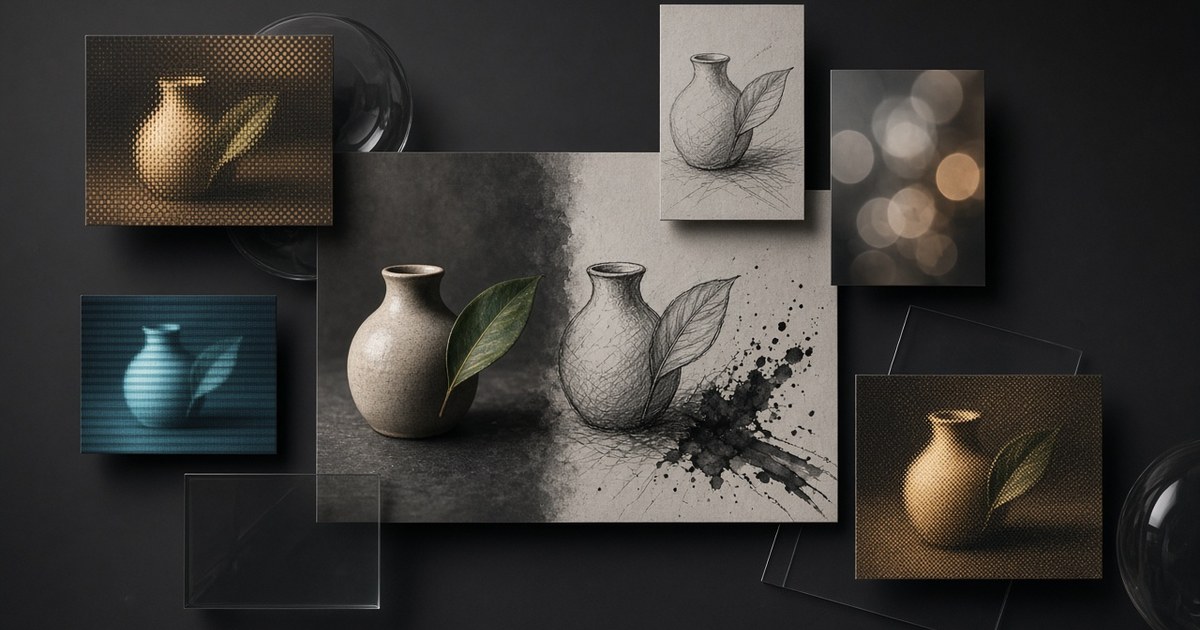
Framer says shaders work the same way. You ask the Agent for a shader. The named examples are halftone, bokeh blur, CRT, and pencil. You can also describe an effect you saw elsewhere. Framer’s own description is “smudge an image on pointer drag.”
A second sentence matters if you already design with the library: the Agent can tweak a Framer shader that’s already on your canvas. That is an edit of a placed effect, not a promise that every older shader gained new controls on November 12.
The drag-and-drop catalog is still the March launch, covered in Shaders in the Insert panel. Image treatments that shipped as their own effects, such as Chromatic Aberration, stay those effects. Logo Shaders are for marks, not for this “generate a picture, then shade it” loop. Use this note when the prompt is the interface. Use Insert when you want to browse.
4. Use a generated image as a shader input
The last claim is the one to try if you only test one thing. Image and shader generation work together. The Agent can generate an image and set it as the input of an image shader. Framer’s example: the image becomes a pen drawing with an ink smudge on mouse move.
That example is specific on purpose. It is an image shader with a pointer interaction, not a static filter baked into a JPEG. If your page needs a still illustration with no motion, stop after the image. If the page needs the drawing to react, ask for the pairing Framer described instead of inventing a second interaction.
A separate November 2 post, Harness 2, rebuilds the Agent runtime. Framer did not say the November 12 note depends on it. Keep them apart in a client update.
How to ask the Agent
Framer did not publish a new settings breadcrumb, a credit table, or a model name. Do not invent them. The documented path is the in-project Agent, plus a selection on the canvas or a file dropped into chat.
- Ask for a custom image, texture, or illustration that fits the site. Name the subject, the crop, and the page it is for.
- To change an existing picture, select it on the canvas or drop it into the chat. Ask for one of: swap the subject, remove the background, or restyle it.
- For a shader, use one of Framer’s names (halftone, bokeh blur, CRT, pencil) or describe the effect in a sentence. Their description example is a smudge on pointer drag.
- If a Framer shader is already on the canvas, ask the Agent to tweak that shader instead of stacking a second effect on the same frame.
- To combine the two, ask the Agent to generate an image and set it as the input of an image shader. The published example is a pen drawing with an ink smudge on mouse move.
- Preview on the canvas, including the pointer-move case if you asked for one, before you publish.
No YouTube walkthrough shipped with the note. Framer’s update page plays a product demo. This guide does not embed that file. If you want a sandbox with a real hero, start from the creative studio shortlist or the free template hub instead of experimenting on a live client domain first.
Three workflow recipes to try this week
A generated image as the shader input
The hero needs a drawing that reacts to the pointer, not another stock photograph.
- Ask the Agent for an illustration that fits the page. Name the subject, the palette, and the crop.
- Ask it to set that image as the input of an image shader that turns it into a pen drawing with an ink smudge on mouse move. That pairing is Framer's published example.
- Check the frame with the pointer still, then with the pointer moving. If you only needed a still, skip the shader and keep the image.
One edit on an image you already placed
A picture is on the canvas and the subject, the background, or the treatment is wrong.
- Select the image on the canvas, or drop the file into the Agent chat.
- Ask for one change only: swap the subject, remove the background, or restyle it.
- Keep the original asset until you prefer the result. This note does not say the edit is reversible.
Name a shader, or describe one
You want halftone, bokeh, CRT, or pencil, or an effect you saw elsewhere, without browsing Insert first.
- Ask the Agent for one named shader, or describe the effect in a sentence. Framer's description example is "smudge an image on pointer drag."
- If a Framer shader is already on the canvas, ask the Agent to tweak that one instead of placing a second shader on the same hero.
- Browse the March library by hand when you would rather drag than prompt. That catalog is the Insert panel post, not this one.
Who this helps
- Designers who can describe a texture or an illustration and would rather the Agent draft it than open a stock tab.
- Studios that already placed a shader and want a tweak in words, not a second effect stacked on the hero.
- Anyone with a picture on the canvas who needs a subject swap, a cutout, or a restyle, and can keep the original until the new one wins.
- People waiting on a long changelog. This note is short on purpose. Credit cost, plan gates, and file limits are not in it. If your question is the Insert library, logo marks, or the Agent harness, those are different posts.
Free Framer templates for generated images and shaders
These free Framer templates are sandboxes. Remixing one does not turn image generation on by itself. You still ask the Agent inside the project. They are here because each file has a hero that can hold a generated image or a shader without a CMS migration first.
 Live Preview
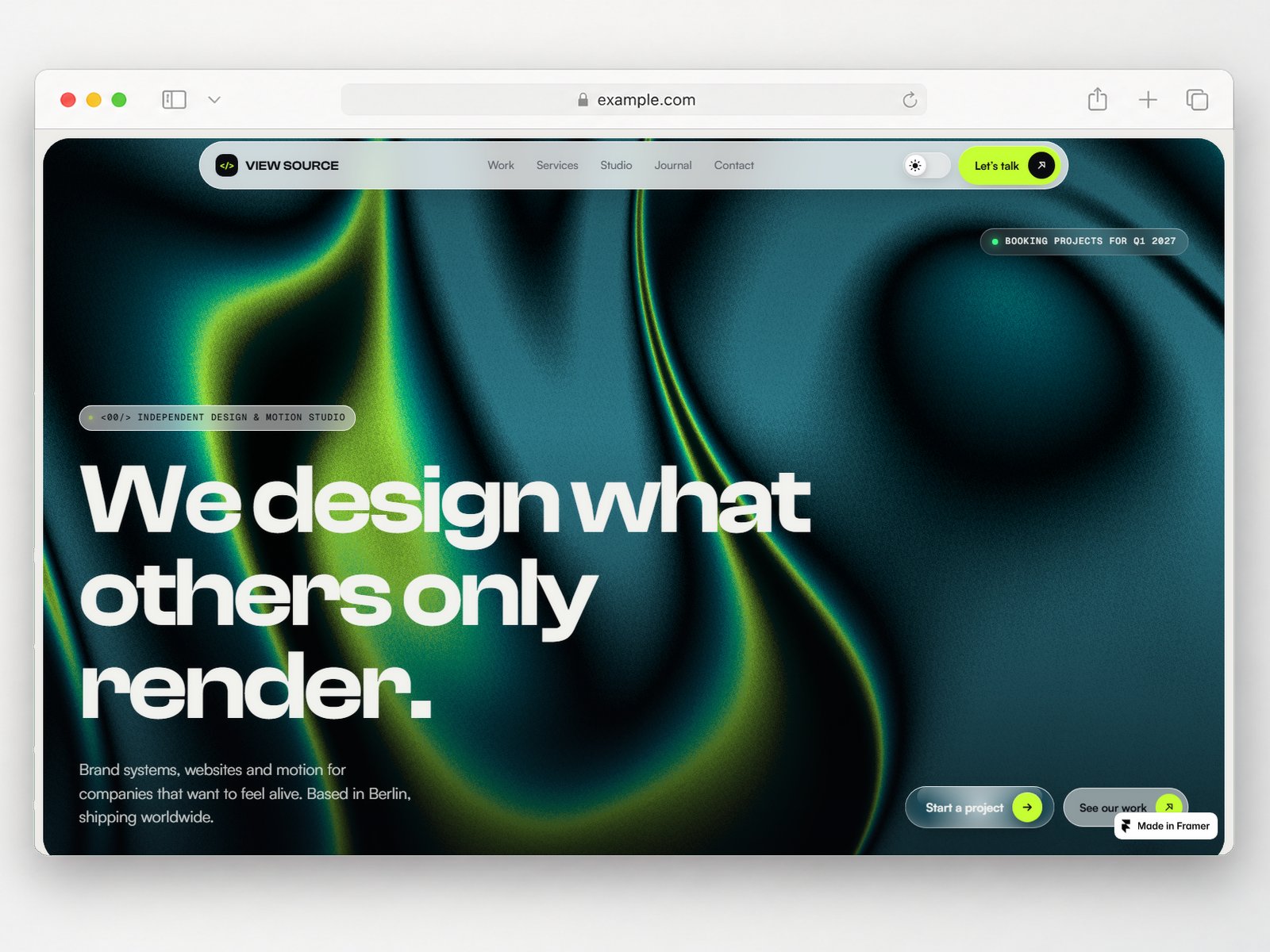
VIEW SOURCE · Seven static studio routes, with glass panels and a Journal
by Noel Dario Andres
VIEW SOURCE is a free seven-page agency file by Noel Dario Andres: Home, Work, Services, Studio, Journal, Contact, and 404, all static. The preview is liquid glass, frosted panels, and room in the work grid for looping visuals, which is a fair place to try a restyle or a shader on a still. Skip it if you need pricing, careers, and CMS case-study URLs. Formix Co is the deeper agency kit. The creative studio shortlist has more studio maps if seven routes is the wrong size.
- Best for
- Motion and branding studios that want a luminous hero for a generated texture or a pointer shader
 Live Preview
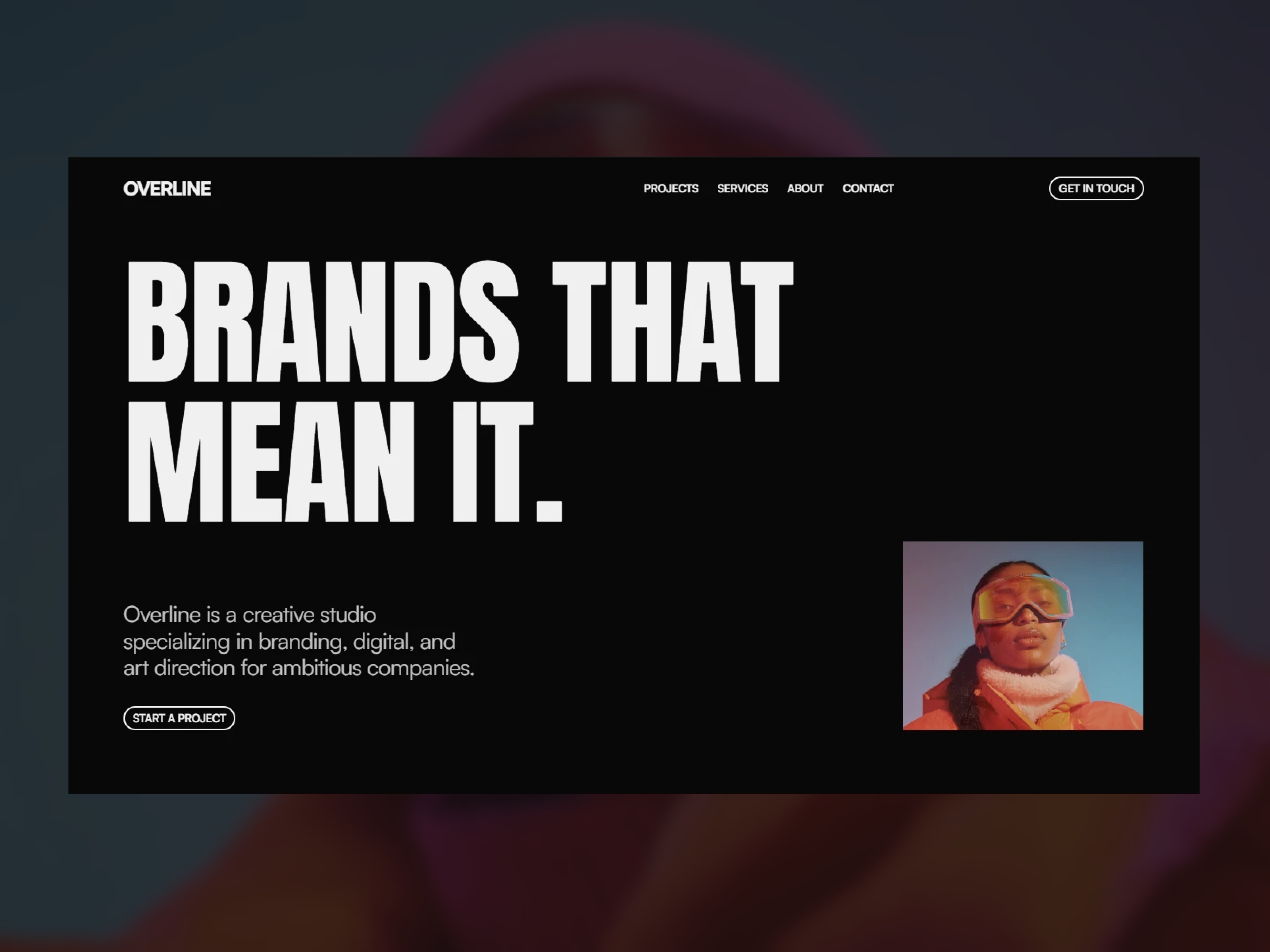
Overline 2.0 · Dark poster type, with project and news detail pages
by Unknown
Overline 2.0 is eight static pages: Home, About, a Projects archive and detail, a News archive and article, Contact, and 404. The first screen is black, condensed uppercase type, and one small color photograph as the only warm note. That single image is the honest test for a generated illustration or a pencil shader. Skip it if you need a services page, pricing, or a CMS work index. Agencygrain covers services and a journal. A healthcare or finance client will also fight the nightlife tone, so recolor before you promise the default.
- Best for
- Branding studios that want one small photograph on a black hero, then a generated or restyled replacement
 Live Preview
Yves - AR Studio · Six static pages for an immersive studio, with Work and Case Studies
by Unknown
Yves - AR Studio is a free six-page file for AR and immersive shops: Home, About, Services, Work, Case Studies, and Contact, with no CMS collections. The demo is studio-dark and leaves space for motion stills, which is where a generated texture or a CRT treatment can sit without a collection to rewire. Skip it if you need CMS project pages, pricing, careers, or a blog. Formix Co is the wider kit. Work and Case Studies both show outcomes, so decide which route gets the new images or the two galleries will repeat. Browse the full grid on /templates/ if none of these three match the brief.
- Best for
- Experiential studios that need stills and a services page more than a blog
Official sources and where to go next
- Image and shader generation, November 12, 2026: the only canonical note for Agent image generation, image edits, and generated shaders.
- Shaders in the Insert panel: the March drag-and-drop library. Browse it when you do not want to prompt.
- Chromatic Aberration: an image shader that already existed. This November note does not rewrite it.
- Logo Shaders: treatments for marks, which is a different job from a generated illustration.
- Harness 2: November 2 Agent runtime post. Related, not the same release.
- Framer pricing: the November 12 note does not name a plan or a price.
- All yoframer Framer updates and the free template hub.
The bottom line
Framer image generation and generated shaders, as published on November 12, are a prompt workflow. Ask for an image, texture, or illustration that fits the site. Select or drop an existing image and ask for a subject swap, a cutout, or a restyle. Ask for a halftone, bokeh blur, CRT, or pencil shader, describe an effect, or tweak a shader already on the canvas. When you want both, ask the Agent to generate the image and set it as the shader input. Framer’s example is a pen drawing with an ink smudge on mouse move.
The note does not price the feature, name a model, or list bug fixes. Write one change per prompt, and keep the original asset until you prefer the new one. Practice on a remix from the free Framer templates hub, then open Framer when you are ready to ask the Agent in the project.