Framer ships scroll variants, component variants, and a growing Effects panel — but some behaviors still require wrapping an existing layer in a React higher-order component. Framer code overrides are that escape hatch: small functions you apply from the properties panel that run only in preview and on the published site, letting you add shared state, CMS-driven filtering, or custom click handlers without rebuilding your layout as a code component.
The catch is that overrides are easy to write badly. Skip forwardRef, forget to spread {...props}, or override className and you break links, styling, or variant switching. This list ranks ten override resources that work with current Framer in 2026 — marketplace packs you can remix today, official reference code, and community snippets with working demos — so you can extend layers safely instead of guessing at HOC patterns.
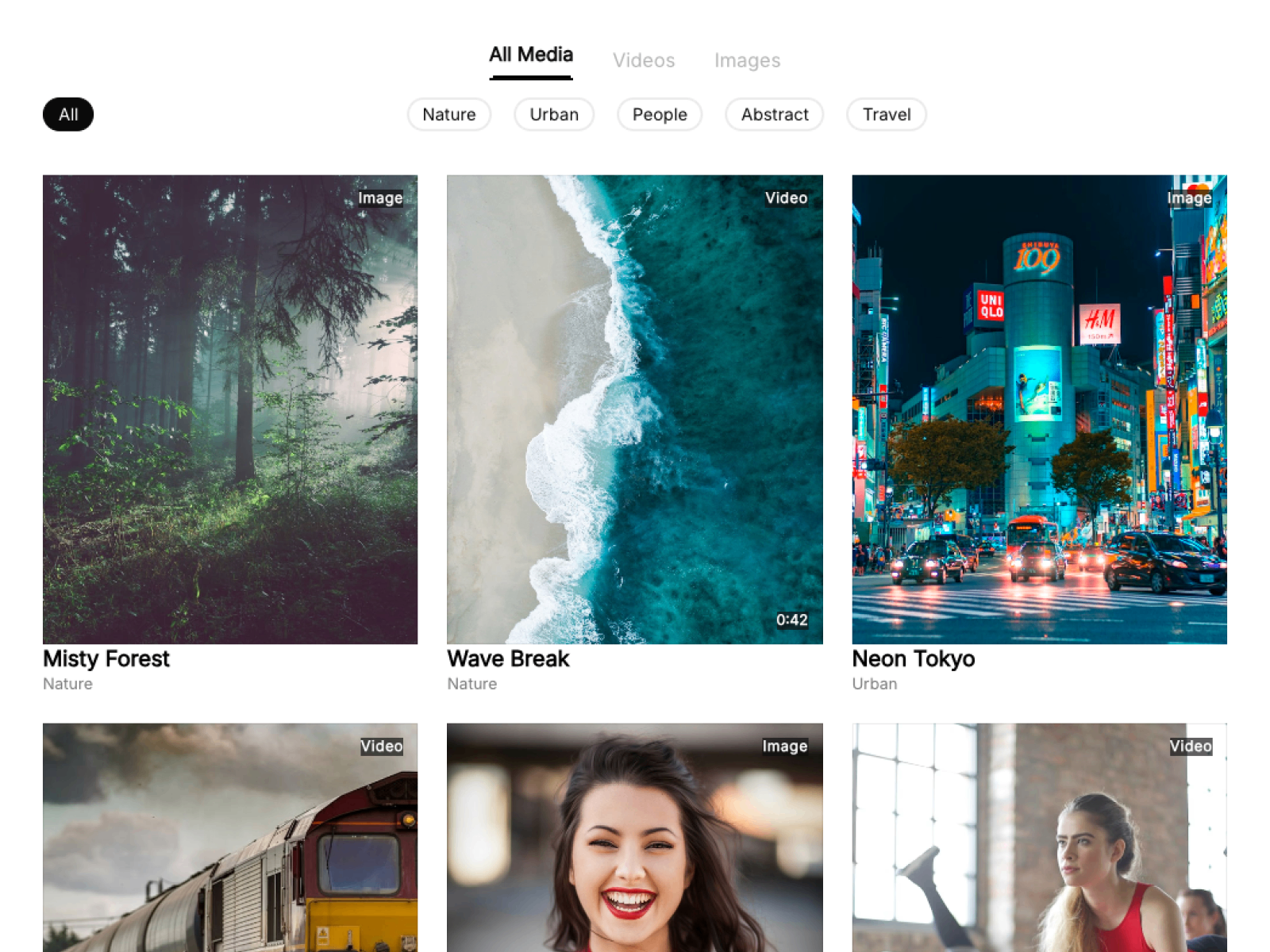
CMS Media Filter — Three drop-in overrides that wire chips and tabs to a CMS repeater
by Rashid Iqbal
CMS Media Filter ships a single Filtering.tsx file with three named exports — withFilterChip, withFilterTab, and withFilteredCard — that turn any labeled chip or tab on your canvas into a live CMS filter. The override reads chip label text at runtime, so adding a new category is a CMS edit and a duplicated frame, not a code change. Chip and tab filters combine for AND-style narrowing, which is the kind of editorial filtering pattern agencies rebuild from scratch on every portfolio project.
- Best for
- Portfolio grids, resource libraries, and case-study indexes that need client-side CMS filtering
Affiliate link — we may earn a commission at no extra cost to you.
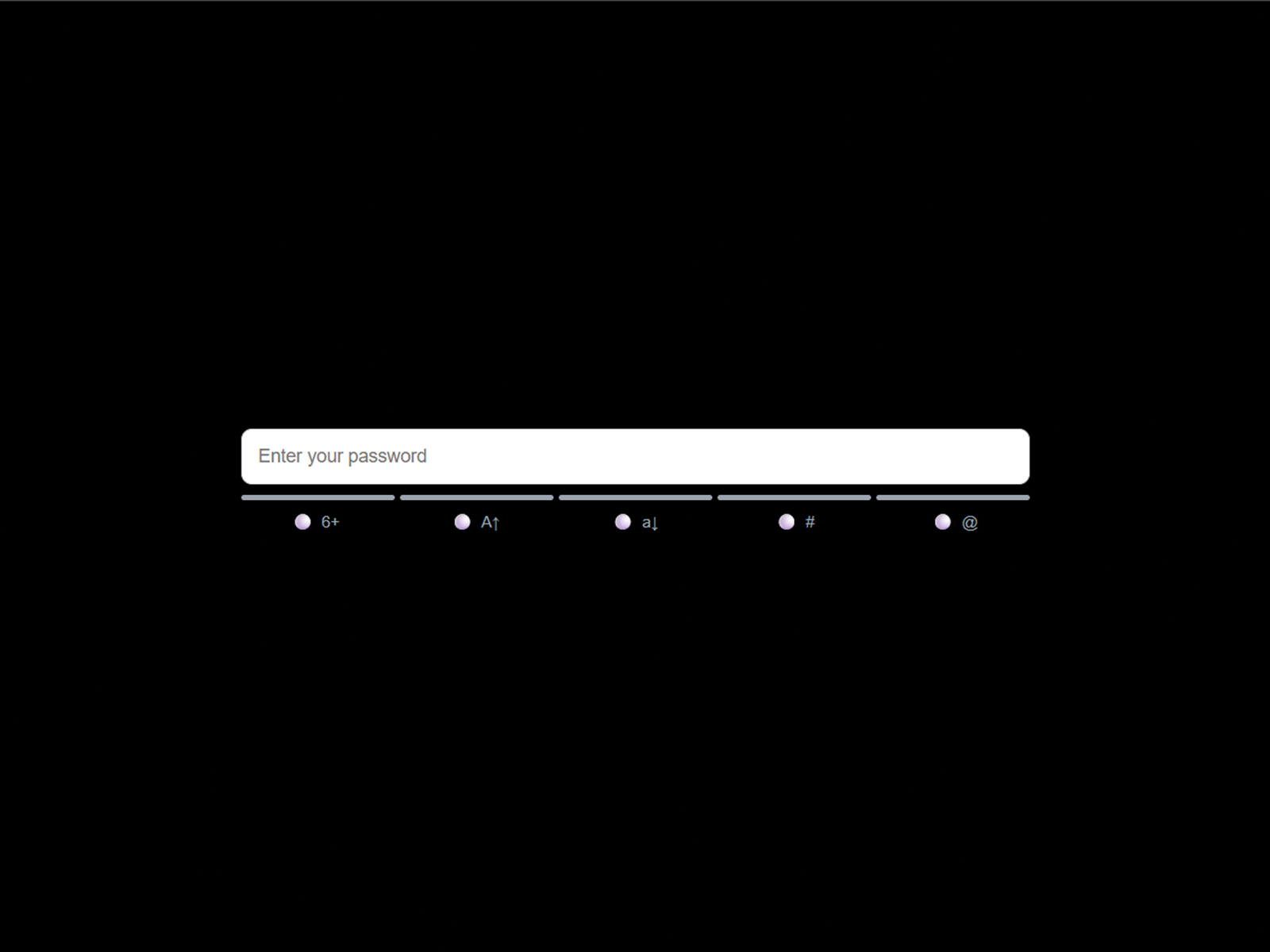
Password Input Pro — Form Validity Overrides — Shared-store overrides that gate submit until every field validates
Password Input Pro includes FormValidityOverrides.tsx, a miniature state layer for entire forms: useFirstName, useLastName, and useEmail connect native inputs to a shared store, while useSubmitGate watches validity across all fields and switches your submit button between enabled and disabled variants. Toggle useSharedStore on the password component and the whole form syncs without custom wiring. It is the clearest example on the marketplace of overrides solving coordination problems that variants alone cannot.
- Best for
- Signup flows, account settings, and multi-field forms built from native Framer inputs
Affiliate link — we may earn a commission at no extra cost to you.

MorphMenu Background — MenuToggle Override — Fullscreen morphing menu background with a ready-made trigger override
by Hasan Wali
MorphMenu Background pairs a morphing SVG fullscreen menu with a MenuToggle code override you apply to any trigger — text, icon, or button. The override handles open/close state and animation timing while your visual menu stays as native Framer frames. At 7 USD it replaces the most common bespoke override request on client projects: connecting a custom menu button to a fullscreen overlay without writing state management from scratch.
- Best for
- Agency sites and creative portfolios that need a custom hamburger-to-menu interaction
Affiliate link — we may earn a commission at no extra cost to you.

Back Button — Browser-style back navigation on any button layer
by Plaiter
Back Button is a focused override that maps window.history.back() onto any Framer button or link layer. It is deliberately minimal — no component wrapper, no layout changes — which makes it ideal when a case-study template or documentation section needs a back affordance that matches your design system instead of relying on the browser chrome. Apply the override, preview, publish. That simplicity is the point.
- Best for
- Multi-page marketing sites and web-app-style flows that need in-site back controls
Affiliate link — we may earn a commission at no extra cost to you.

Framer Official Override Examples — Canonical patterns for data attributes, tracking, text swap, and shared counters
by Framer
Framer’s developer docs ship copy-paste override examples for the patterns that still belong in HOCs: custom data-* attributes for analytics, click-tracking handlers, dynamic text replacement, and a two-override counter wired through createStore from Framer’s official store module. These snippets use the correct ComponentType return signature and forwardRef patterns Framer expects in 2026. Bookmark this page before opening a blank override file — it prevents the silent “override not showing in dropdown” failures that come from wrong typing.
- Best for
- Any builder who needs a vetted starting point before writing custom override logic
Affiliate link — we may earn a commission at no extra cost to you.
Framer Developer Gems — Community-documented hooks and APIs for advanced override behavior
Framer Developer Gems is a curated GitHub repo documenting community-discovered APIs that official docs omit — useStore for cross-override state, useLocaleInfo for localization-aware overrides, useIsOnCanvas for editor-vs-runtime branching, and @framerDisableUnlink for locking component code. If your override needs to share data between distant layers or react to locale switches, this repo is the reference experienced Framer builders reach for. It is actively maintained and TypeScript-first, with one markdown doc per discovery.
- Best for
- Developers pushing overrides beyond basic prop changes into locale, store, and lifecycle patterns
SegmentUI Free Override Library — Hundreds of remixable community overrides searchable in one library
by SegmentUI
SegmentUI maintains the largest free remix library for Framer overrides — scroll skew effects, gradient text treatments, CMS search filters, form signature inputs, and dozens more community-sourced snippets you can remix directly into a project. Each entry is a complete Framer file with override code you can inspect, duplicate, and adapt. Pair the library with SegmentUI’s free masterclass article for the end-to-end workflow from Assets panel to properties-panel assignment.
- Best for
- Designers who want working override starting points without writing React from a blank file
Scripting Pixels Counter Overrides — Step-by-step shared-state counter with increment, decrement, and reset overrides
Scripting Pixels walks through a full counter built from four cooperating overrides — withCount, withIncrementClick, withDecrementClick, and withReset — all backed by a single createStore instance. The tutorial explains why state lives outside the override functions, how variant switching disables the decrement button at zero, and where forwardRef fits in each export. It is the best free written guide for understanding how multiple overrides share one source of truth across a layout.
- Best for
- Teams learning override architecture through a complete, commented multi-override example
Quick comparison
| Resource | Price | Type | Best for |
|---|---|---|---|
| CMS Media Filter | 5 USD | Paid | CMS chip and tab filtering on repeaters |
| Password Input Pro | 15 USD | Paid | Multi-field form validation and submit gating |
| MorphMenu Background | 7 USD | Paid | Custom menu trigger with morphing overlay |
| Back Button | 10 USD | Paid | In-site browser back navigation |
| Framer Official Examples | Free | Free | Canonical patterns and store-based counters |
| Framer Developer Gems | Free | Free | Advanced hooks and undocumented APIs |
| SegmentUI Override Library | Free | Free | Remixable community override collection |
| Scripting Pixels Counter | Free | Free | Learning shared-state override architecture |
| Queen Raae Copy URL | Free | Free | Clipboard copy on any clickable layer |
| Matt Perry Variant Gist | Free | Free | Variant switching via shared store |
Queen Raae Copy URL Override — Copy the current page URL to clipboard on click
by Queen Raae
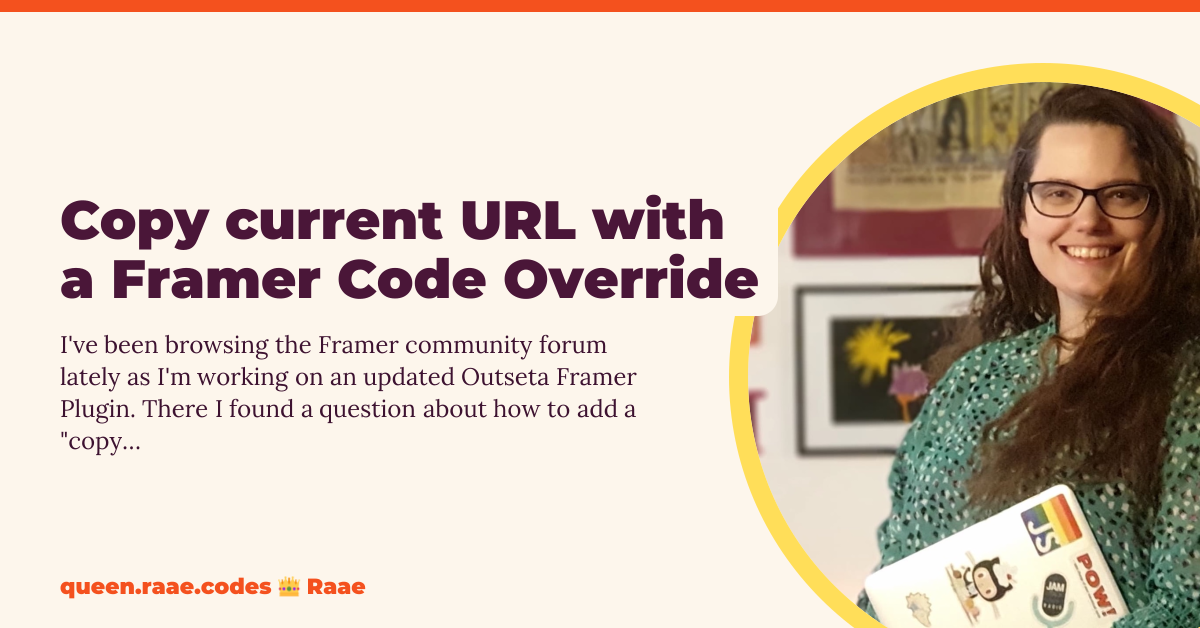
Queen Raae’s withCopyURL override wraps any layer with an async clipboard handler that copies window.location.href on click, with error logging if the browser blocks clipboard access. The post also documents the ComponentType return annotation that makes overrides appear in Framer’s dropdown — a fix worth reading even if you never need copy-to-clipboard. Paste the snippet into a new override file, assign it to an icon or text layer, and you have a share button without a code component.
- Best for
- Blog posts, share pages, and referral flows that need a one-click copy link button

Matt Perry Modern Override Gist — Minimal variant-switching pattern with createStore
by Matt Perry
This gist from Motion founder Matt Perry demonstrates the modern override API at its smallest useful size: withSetVariant writes a store value on click, and withMyVariant reads it back as a variant prop on a separate layer. Two functions, one store, no component rebuild. It is an ideal reference when a client asks for “click this to change that” behavior and you want the leanest possible override pair before reaching for a full code component.
- Best for
- Prototypes that need one button to flip another layer's variant through shared state
How to choose the right Framer code override
Start with the problem layer, not the code file. CMS filtering belongs in CMS Media Filter’s three-override pack. Form coordination belongs in Password Input Pro’s store suite. Menu triggers belong in MorphMenu’s MenuToggle. If you are learning patterns or prototyping, start with Framer’s official examples or Scripting Pixels’ counter walkthrough before buying marketplace packs.
Prefer first-class Framer features when they exist. Scroll effects, simple hovers, and variant switching on click often do not need overrides anymore. Framer’s own docs warn that overrides can break built-in behavior — use them for state sharing, CMS wiring, and browser APIs, not for effects the canvas already handles natively.
Free vs paid is about time saved, not code quality. SegmentUI’s library and Queen Raae’s snippets are production-ready at zero cost. Paid marketplace packs justify their price when they replace a multi-override system you would otherwise rebuild on every client project — especially CMS filters and form validation gates.
Always spread props and use forwardRef. Every resource on this list follows React 18 patterns Framer requires. Skipping forwardRef or overwriting className is the fastest way to break links, effects, and responsive styling. When an override vanishes from the dropdown, add the ComponentType return type first.
Our top pick for most Framer builders
For production client work, CMS Media Filter at 5 USD is the highest-impact paid override pack — it solves a recurring portfolio problem in one remix. For forms, Password Input Pro’s useSubmitGate pattern is the template to study even if you write your own validation rules. For learning, start with Framer Official Override Examples and Scripting Pixels’ counter tutorial before touching custom code.
Browse every Framer template on yoframer for launch-ready starting points, or read our animation components roundup for motion work that does not require overrides. More resource roundups live on the Resources hub.
Updated June 2026. We refresh this list as notable override packs ship, APIs change, or community resources go stale.


