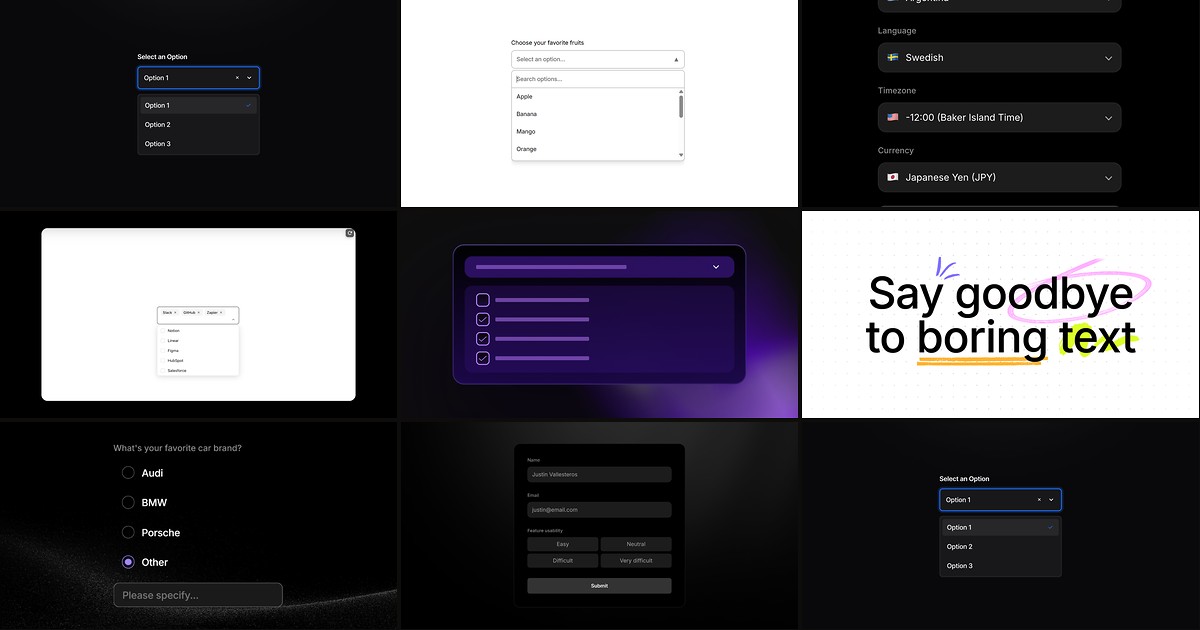
Long option lists, multiselect surveys, and country pickers expose the limits of Framer’s built-in Select field quickly. Native dropdowns work for five to ten static choices, but they do not ship search filtering, chip-based multiselect, preloaded geographic data, or canvas previews for open-menu styling. A purpose-built framer dropdown select component drops into your Form frame, captures submissions like any other field, and gives you property-panel control over validation, hover states, and selected-value display.
This list ranks eight dropdown and select components on the Framer marketplace in 2026. Every pick integrates with native Framer forms, has a live listing with working preview, and comes from an identifiable creator — two free and six paid, ordered strongest first for production form work.
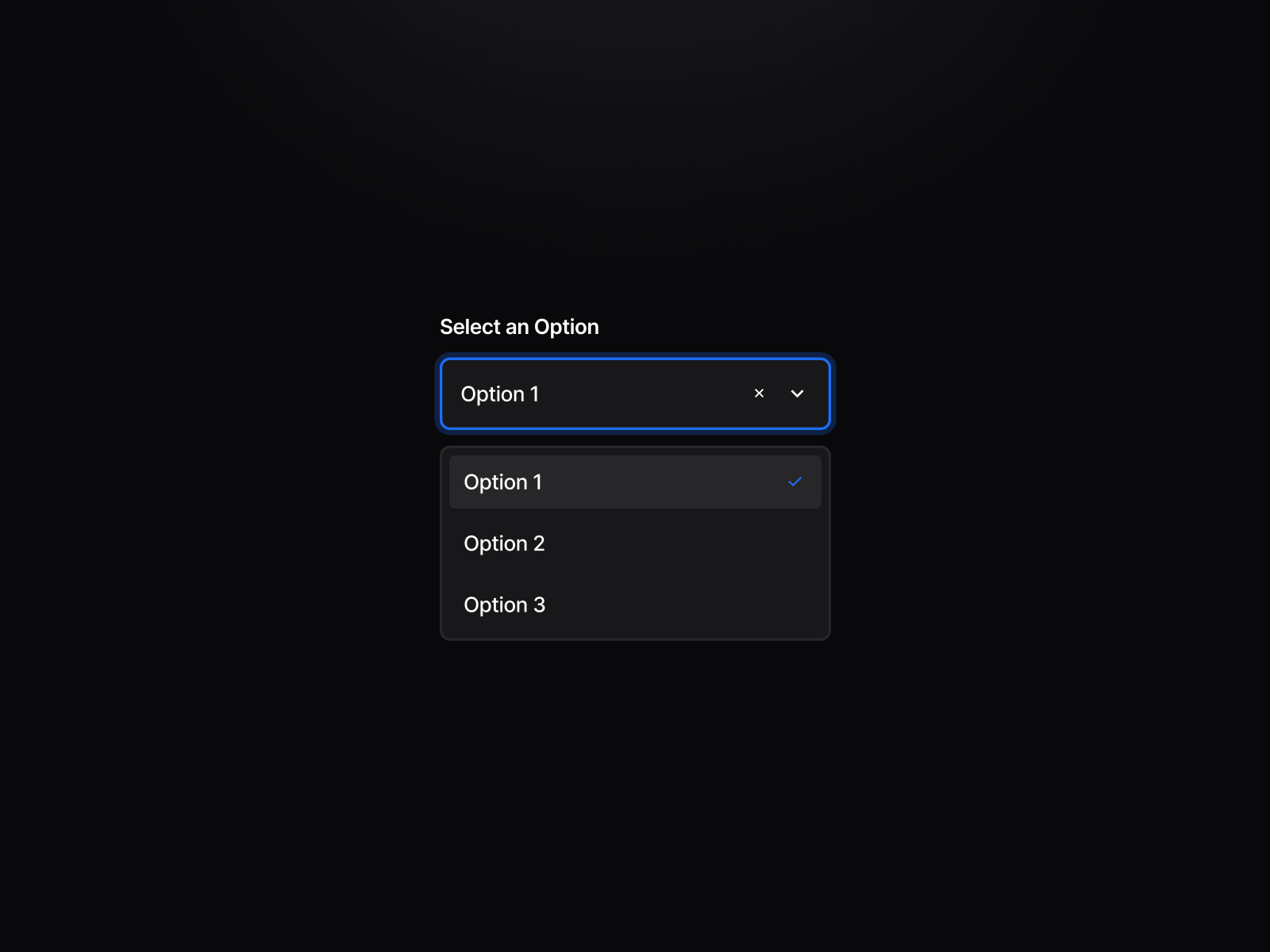
Dropdown Pro — Validation-ready dropdown with canvas state previews and intelligent focus reset
Dropdown Pro is the most complete single-select dropdown for Framer forms on this list. Matheus Brandão ships canvas toggles to preview open menus, hover, focus, and invalid states without entering preview mode — so you can style scrollbars and error messaging on the design canvas. Native form validation triggers custom invalid visuals, outside-click closing and focus blur after selection keep the UI from looking stuck, and separator lines in the options array support grouped lists. At 5 USD it replaces hours of variant wiring when your form brief demands macOS-grade polish and real required-field behavior.
- Best for
- Production contact and application forms that need native HTML validation without React overrides
Affiliate link — we may earn a commission at no extra cost to you.
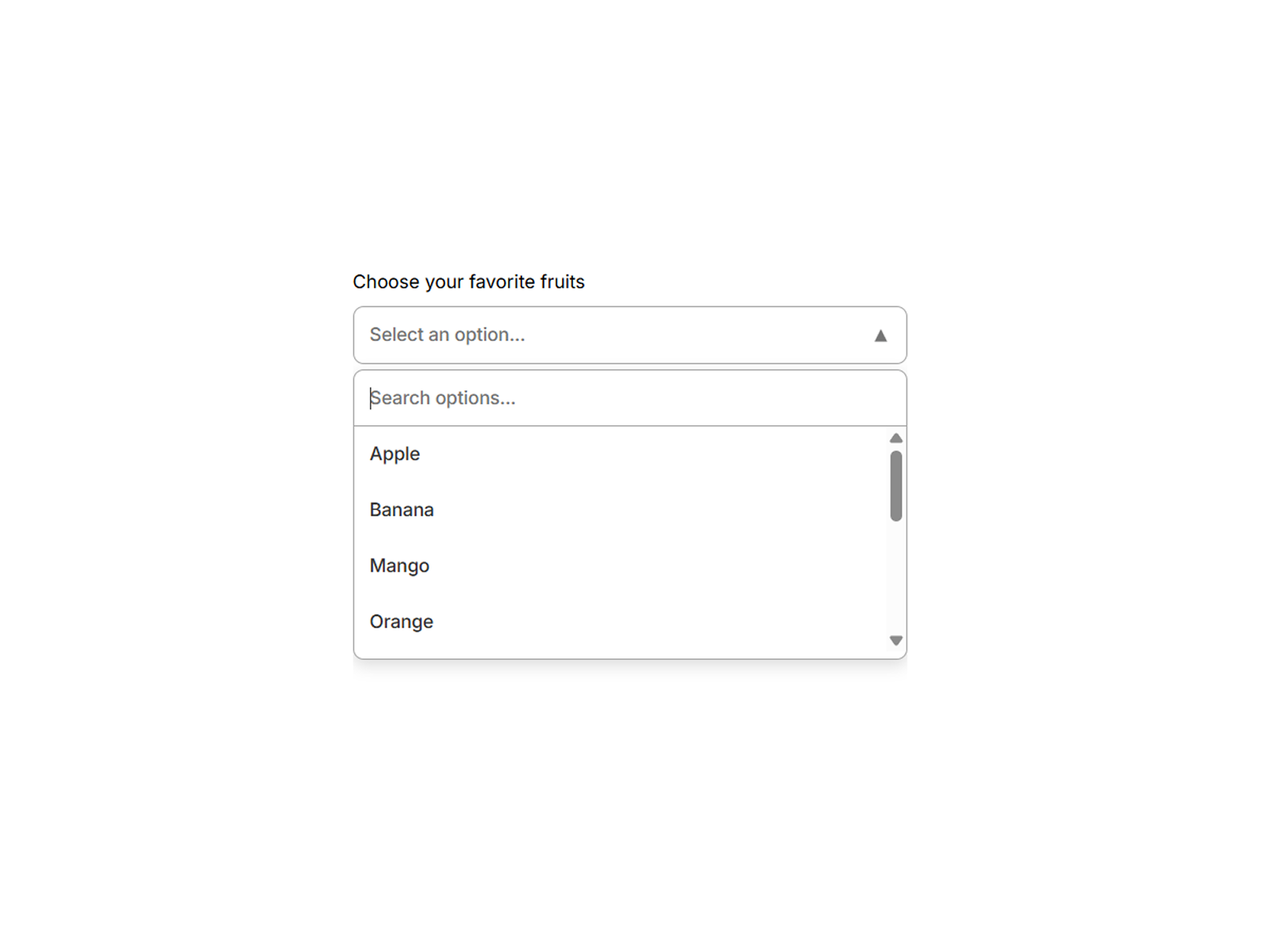
Searchable Dropdown — Real-time search filtering with single- or multi-select modes for long lists
Searchable Dropdown solves the scroll-fatigue problem native Select cannot touch. Arkdezin Studio filters the option list as users type, switches between single-select and multi-select from the panel, and exposes full typography, border, and behavioral controls for form and filter contexts alike. It handles large datasets without forcing a separate search field above a static menu — the input and dropdown share one cohesive control. Install it first on directory signup flows and product configurators where a plain Select would bury the right answer below the fold.
- Best for
- Dashboard filters and lead forms where users must find one option among dozens
Affiliate link — we may earn a commission at no extra cost to you.
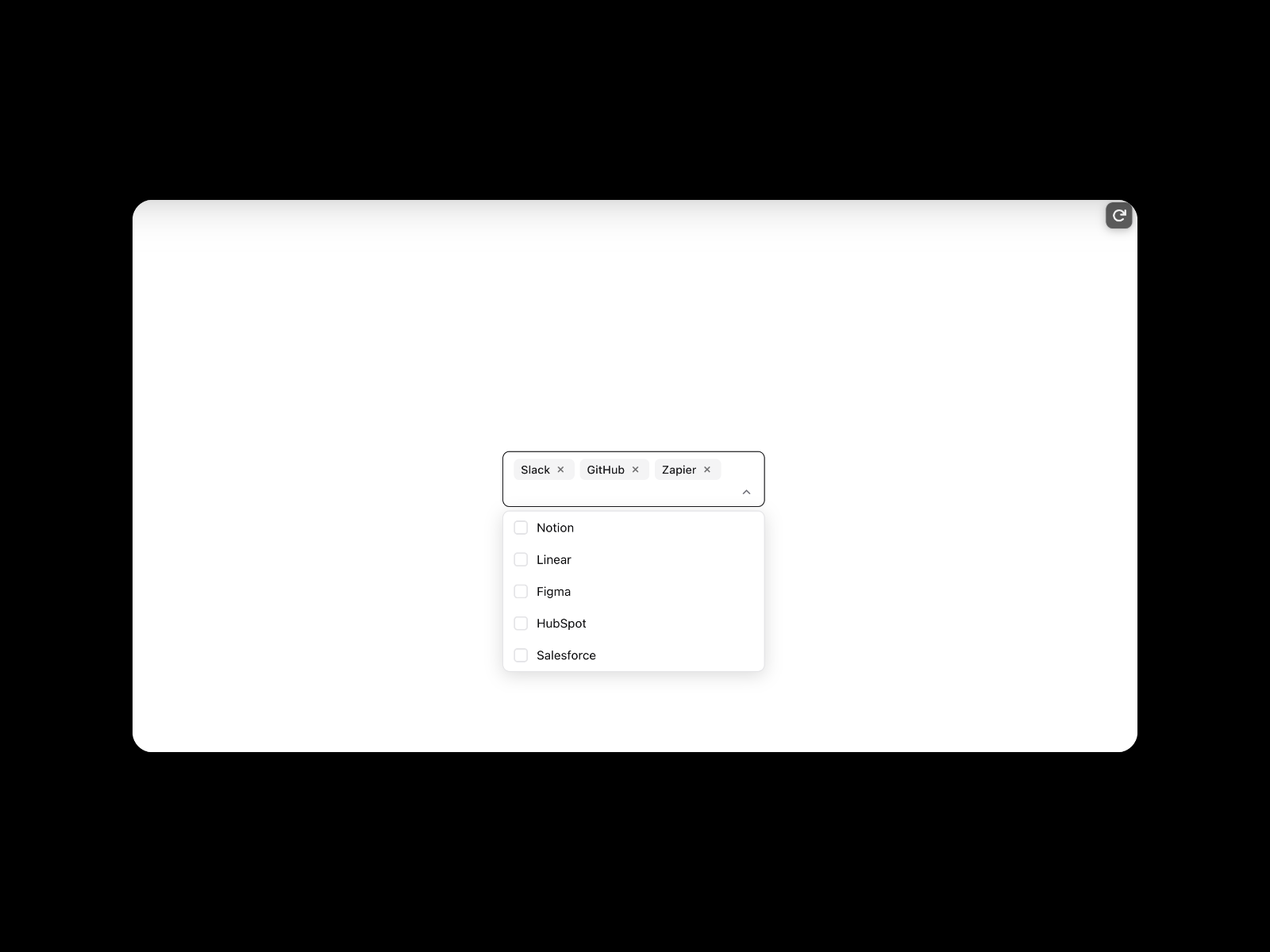
MultiSelectCombobox — Searchable combobox with animated chips, keyboard navigation, and portal rendering
MultiSelectCombobox delivers the chip-and-search pattern SaaS builders expect from modern design systems. Francisc Toth renders selected values as removable tags inside the input, filters options in real time, and supports Enter-to-select, Backspace-to-delete, and Escape-to-close without clipping inside nested frames thanks to portal rendering. Checkbox indicators in the dropdown, focus rings, and empty-state copy make long preference lists feel intentional rather than hacked together. At 10 USD it is the premium combobox when Searchable Dropdown’s list styling is enough for forms but not for settings-panel-grade multiselect UX.
- Best for
- Integration pickers, tag inputs, and role-assignment fields that need chip UX
Affiliate link — we may earn a commission at no extra cost to you.
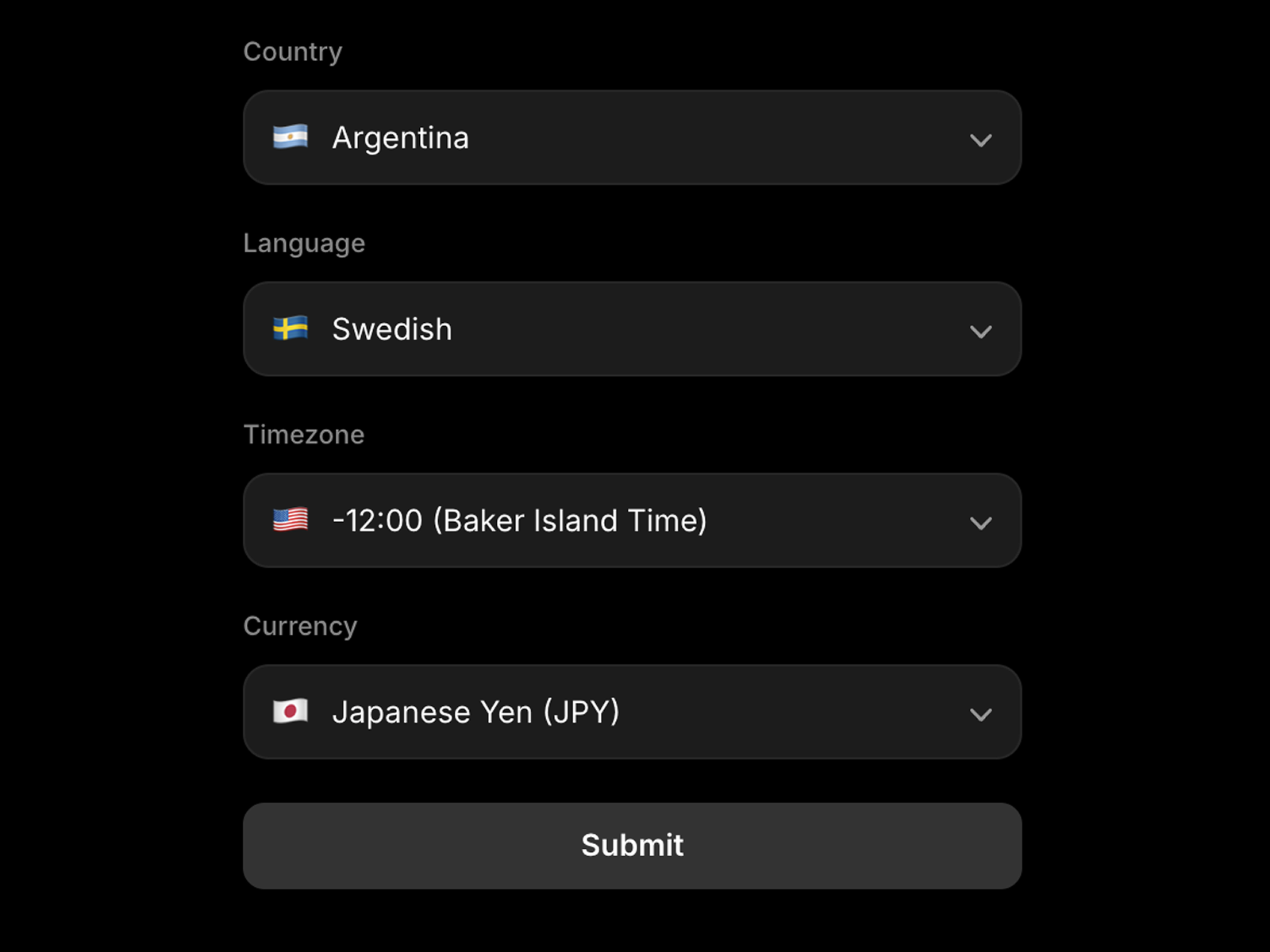
Custom Form Selector — Searchable country, language, timezone, and currency selector with preloaded data
by Nabeel
Custom Form Selector eliminates the spreadsheet work behind locale fields. Nabeel preloads searchable datasets for countries, languages, timezones, and currencies — switch the Type in the panel and the options repopulate automatically while submissions capture the selected value through Framer’s native form pipeline. Separate Input Style and Dropdown Style sections control the trigger button and floating list independently, with optional flags, placeholders, and required-field support. At 9 USD it is the focused upgrade when your brief names a country or timezone field and building the option array by hand would delay launch.
- Best for
- International signup forms that need accurate geographic data without manual option lists
Affiliate link — we may earn a commission at no extra cost to you.

MultiSelect Dropdown — Native-form multiselect with pill display, plain text mode, and Other-field support
by Sakina Ihsan
MultiSelect Dropdown extends Framer forms where the native Select stops at single choice. Sakina Ihsan lets visitors pick multiple options from one dropdown, displays selections as pills or plain comma-separated text, and exposes an Other pathway with custom input when that option is included in the list. Drop it inside your Form frame and the combined value arrives in email notifications and Google Sheets like any standard field. At 5 USD it is the straightforward multiselect dropdown when you do not need combobox chips but do need Other-field capture on the same control.
- Best for
- Survey and intake forms where respondents pick multiple services or interests
Affiliate link — we may earn a commission at no extra cost to you.

Multiselect Form — Button-group multiselect with stable IDs, capped selection, and hidden form input
by Motiondrops
Multiselect Form reimagines selection as a styled button group rather than a collapsing menu. Motiondrops supports single-select, unlimited multiselect, or a custom maximum count, stores stable value IDs for webhooks and CRMs even when display labels change language, and writes selections into a hidden input Framer forms read on submit. Icon position, per-state padding, and gap controls make the grid feel native to your layout system — ideal for plan tiers, feature toggles, and workshop slot pickers where every option should stay visible. At 3 USD it is the lowest-cost multiselect when dropdown UX would hurt conversion.
- Best for
- Visual preference pickers where dropdown menus would hide available choices
Affiliate link — we may earn a commission at no extra cost to you.

SmartSelect+ — Select field that reveals a text input when users choose Other
by Mo Haytham
SmartSelect+ solves the incomplete-survey problem without rebuilding your entire form. Mo Haytham keeps a standard select interaction for predefined answers, then dynamically surfaces a text input when Other is chosen — so submissions capture both the category and the custom detail in one field flow. Full label, color, and typography controls stay in the property panel, and the component remains compatible with Framer’s native form submission path. At 5 USD it is the surgical add-on when MultiSelect Dropdown’s Other handling is more than you need but a static Select cannot capture follow-up text.
- Best for
- Feedback and qualification forms with fixed options plus a free-text escape hatch
Affiliate link — we may earn a commission at no extra cost to you.
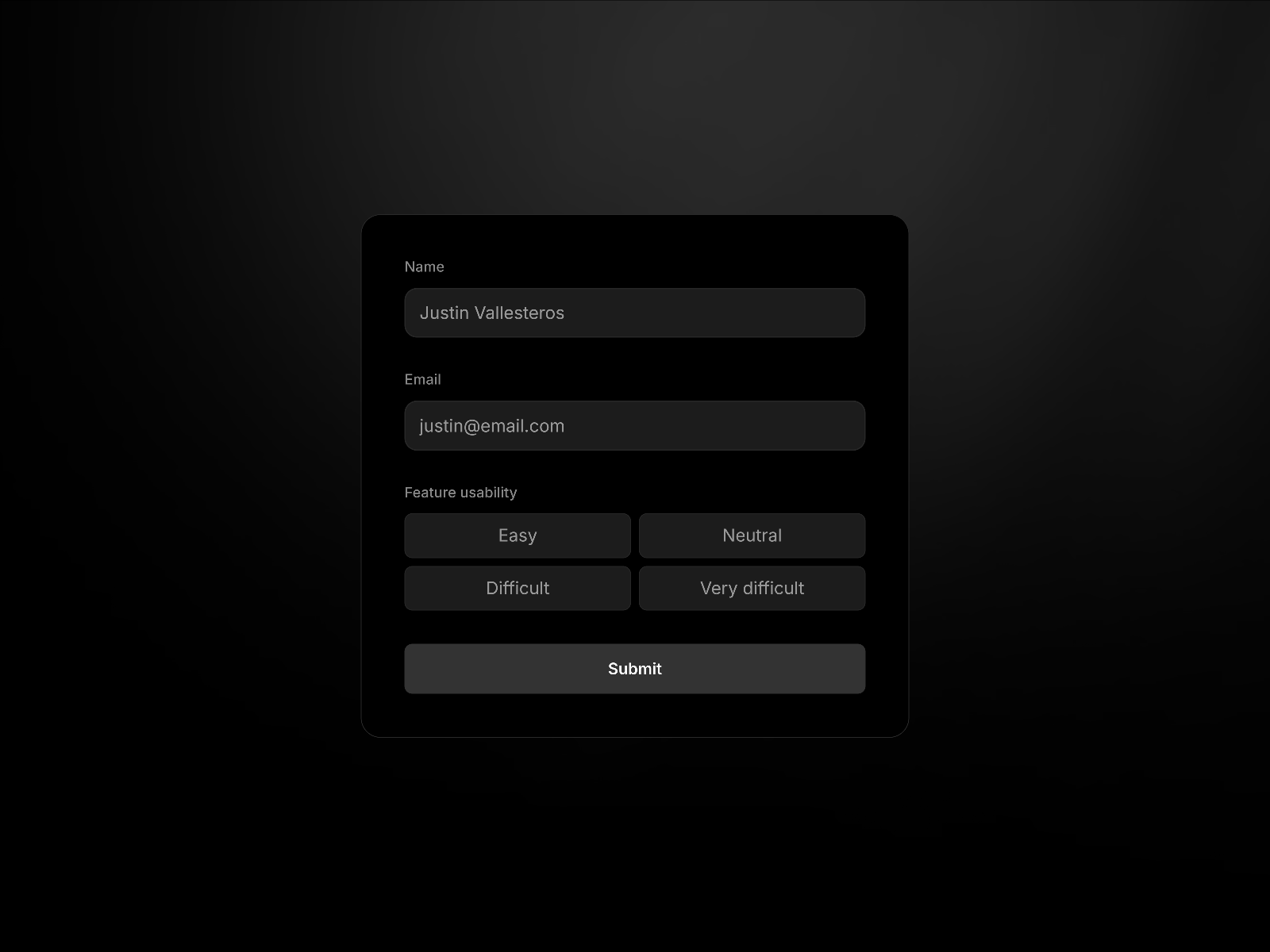
Button Group Input — Single- or multi-select button row with required-field support for native forms
Button Group Input is the free alternative when your select list has three to six choices and visibility beats compactness. Agustin Zalazar wires single-select and multi-select modes, required-field validation, and per-button styling for size, radius, hover, and active states — all inside Framer’s native Form element. It captures the same submission data a Select field would without hiding options behind a chevron. Pair it with Dropdown Pro or Searchable Dropdown on the same form: use buttons for quick categorical answers and searchable dropdowns for long-tail fields.
- Best for
- Short option sets where a dropdown would add unnecessary clicks
Affiliate link — we may earn a commission at no extra cost to you.
Quick comparison
| Resource | Price | Type | Best for |
|---|---|---|---|
| Dropdown Pro | 5 USD | Component | Validation-ready single select with canvas state previews |
| Searchable Dropdown | Free | Component | Real-time search across long single- or multi-select lists |
| MultiSelectCombobox | 10 USD | Component | Chip-based combobox with keyboard navigation |
| Custom Form Selector | 9 USD | Component | Preloaded country, language, timezone, and currency data |
| MultiSelect Dropdown | 5 USD | Component | Multiselect dropdown with pills and Other-field support |
| Multiselect Form | 3 USD | Component | Visible button-group multiselect with stable value IDs |
| SmartSelect+ | 5 USD | Component | Select with dynamic Other text input |
| Button Group Input | Free | Component | Short-list single or multi select without a dropdown menu |
How to choose the right Framer dropdown select component
Match control type to list length. Button Group Input and Multiselect Form suit short, scannable option sets where hiding choices hurts completion. Searchable Dropdown, MultiSelectCombobox, and Dropdown Pro target longer lists — search filtering or validation becomes essential once you pass roughly ten options. Custom Form Selector is the exception: preloaded geographic data makes even hundred-item lists manageable without manual setup.
Separate single-select from multiselect needs. MultiSelect Dropdown, MultiSelectCombobox, Multiselect Form, and Searchable Dropdown’s multi mode handle multiple answers. Dropdown Pro, SmartSelect+, and Custom Form Selector focus on one value per field — though SmartSelect+ adds a text branch when Other is selected. Mixing both on one form is common: single-select for role, multiselect for interests.
Budget free foundations first. Searchable Dropdown free and Button Group Input free cover most MVP forms. Spend 3–10 USD when you need chip UX, preloaded locale data, canvas validation previews, or stable API IDs that free controls do not bundle. Custom Form Selector at 9 USD pays for itself the first time you skip building a country list by hand.
Place every component inside the Form frame. All eight picks capture submission data only when nested inside Framer’s native Form element. Dropping a dropdown on the canvas outside the form looks correct in design but will not arrive in email, Sheets, or webhook payloads — verify placement before publish.
Our top pick for most Framer builders
If you install one general-purpose dropdown, Searchable Dropdown free is the balanced default — real-time filtering, single or multi mode, and full styling without a marketplace spend. For production forms that must pass HTML validation and show polished error states, Dropdown Pro at 5 USD is the focused paid upgrade. International signup flows should start with Custom Form Selector at 9 USD rather than pasting country arrays from a spreadsheet.
Browse Framer templates on yoframer for SaaS and agency layouts with form sections ready to remix, or read our form components and plugins roundup for multi-step builders and validation kits that pair with these selects. More resource roundups live on the Resources hub.
Updated August 2026. We refresh this list as notable dropdown and select components ship, reprice, or go stale.


