TL;DR — On August 12, 2026, Framer added reasoning controls and Fast Mode to the Agent model picker. Light reasoning keeps quick edits snappy; higher reasoning gives Agents more planning room before they touch the canvas. Fast Mode — starting with models that support it, like Opus 5 — trades higher token use for noticeably faster generations and responses.
This is a control-plane update, not a new model launch: Framer is finally exposing the knobs power users already implied when they picked Sonnet for polish or Luna for speed. The sections below translate the picker into when to dial reasoning up or down, when Fast Mode is worth the token premium, and which remix-friendly templates give you enough routes to feel the difference on a branch.
Agents reasoning at a glance
| Control | What it does | Best for |
|---|---|---|
| Light reasoning | Less pre-build thinking before Agents edit | Single-layer tweaks, copy swaps, spacing nudges |
| Higher reasoning | More planning headroom before canvas changes | Multi-page refactors, CMS-aware layout passes, scoped redesigns |
| Fast Mode | Faster generations on supported models | Deadline sprints when Opus-level quality must land today |
| Token trade-off | Fast Mode uses more tokens per task | Budget Fast Mode for high-stakes passes, not every micro-edit |
| Prior Agent release | How reasoning + Fast Mode extend it |
|---|---|
| Terra default + credit efficiency | Same lean runtime — you now tune depth and speed per session |
| July canvas capabilities | Higher reasoning helps plan Page Effects, Overlays, and CMS video edits Agents can finally touch |
| Branching workflow | Run reasoning experiments on a branch before merging to production |
What reasoning and Fast Mode change
1. Reasoning joins the model picker
Framer’s August 12 release puts reasoning beside model selection — not buried in a hidden advanced panel. You choose how much thinking happens before the Agent starts building.
Light reasoning fits the tasks Framer calls out explicitly: quick edits and refinements. Think hero headline swaps, button label updates, or nudging stack gap on one section — work where a long internal plan would mostly slow you down.
Higher reasoning is for prompts that need structure first: aligning nav and footer across routes, refactoring a pricing table system, or sequencing CMS field updates before layout moves. If you have been writing elaborate “step 1 / step 2” prompts to force planning, try higher reasoning and a shorter natural-language brief instead.
2. Fast Mode on supported models
Fast Mode is separate from reasoning but lives in the same control surface. Framer ships it for models that support it, naming Opus 5 in the announcement.
The benefit is straightforward: noticeably quicker generations and responses when you need Opus-class output under time pressure. The cost is explicit too — Fast Mode uses more tokens per task. That is not a bug; it is the trade Framer documents. Use it for client review cycles and launch-week polish, not for fifteen consecutive micro-edits you could run at light reasoning on Terra.
3. Combined control, clearer agency workflows
Reasoning and Fast Mode are orthogonal levers:
- Light reasoning + Terra — daily retainer maintenance
- Higher reasoning + Sonnet 5 — typography- and layout-sensitive co-design (our Sonnet 5 coverage)
- Higher reasoning + Opus 5 Fast Mode — complex multi-page pass when the staging link must go out tonight
Framer’s framing — “more control of Agents in Framer” — matches how agencies already think about model pickers. This release makes that control visible in the UI instead of implied by model folklore.
How reasoning fits the Agents stack
Framer shipped three Agent-adjacent releases in quick succession:
- July 29 canvas capabilities — Agents can finally touch Page Effects, A11Y attributes, Overlays, CMS Rich Text Video, and richer summaries.
- July 21 credit efficiency — Terra default, fewer steps and tokens platform-wide, smarter side-effect cleanup.
- August 12 reasoning + Fast Mode — you choose planning depth and response speed per session.
Read together, the arc is capability → economy → control. Teams that paused Agents because runs felt either too shallow or too slow now get UI-level answers without waiting for another model drop.
If you automate outside the editor, confirm whether your integration exposes the same picker options — External Agents may lag the in-app UI; check the developer changelog before you script reasoning levels into CI.
How to use reasoning and Fast Mode
- Open Agents on a branch — never benchmark reasoning levels on production main.
- Start with light reasoning on Terra for a scoped one-section prompt; note time-to-preview and credit feel.
- Repeat the same prompt at higher reasoning — if staging quality jumps materially, keep higher reasoning for that prompt class.
- Enable Fast Mode only on supported models — Framer names Opus 5; verify the toggle appears before you rely on it in a client demo.
- Log token-heavy Fast Mode runs — compare to the same task at standard speed so your team knows when the premium is worth it.
- Pair with July capabilities — higher reasoning shines on multi-route prompts that touch Overlays, CMS video, or Page Effects Agents could not edit reliably before July 29.
- Review staging before merge — reasoning depth does not replace human QA; side-effect cleanup improved in July, but client sites still deserve a final pass.
Three workflow recipes to try this week
Hero headline refresh at light reasoning
Client approved new positioning copy but the hero layout stays — you only need text and button label updates on one page.
- Branch the project and select your usual model (Terra or Sonnet 5) with light reasoning.
- Prompt: update hero headline, subhead, and primary CTA label only — do not change layout, spacing, or shared components.
- Review staging in under a minute; merge if typography still matches the design system.
Multi-page nav alignment at higher reasoning
Eight marketing routes need nav labels and footer links aligned after a rebrand — a planning-heavy pass.
- Create a branch and enable higher reasoning with Terra or Sonnet 5.
- Prompt: align nav labels and footer links across all marketing routes; preserve hero layouts and CMS slugs.
- Scan each route in staging for unintended hero spacing changes, then merge when navigation is consistent.
Opus 5 Fast Mode before a staging deadline
A complex pricing and features restructure must land tonight; Opus-level planning quality is non-negotiable.
- Branch, select Opus 5, enable Fast Mode, and use higher reasoning for the first structured prompt.
- Run a scoped pass: pricing table hierarchy and feature grid on Pricing and Features only.
- Accept higher token burn for this session; compare staging quality to your last standard-speed Opus run before merge.
Framer templates for Agent reasoning tests
These remix-friendly files give Agents real routes and CMS hooks — enough surface to feel the difference between light and higher reasoning without inventing a sitemap from scratch.
 Live Preview
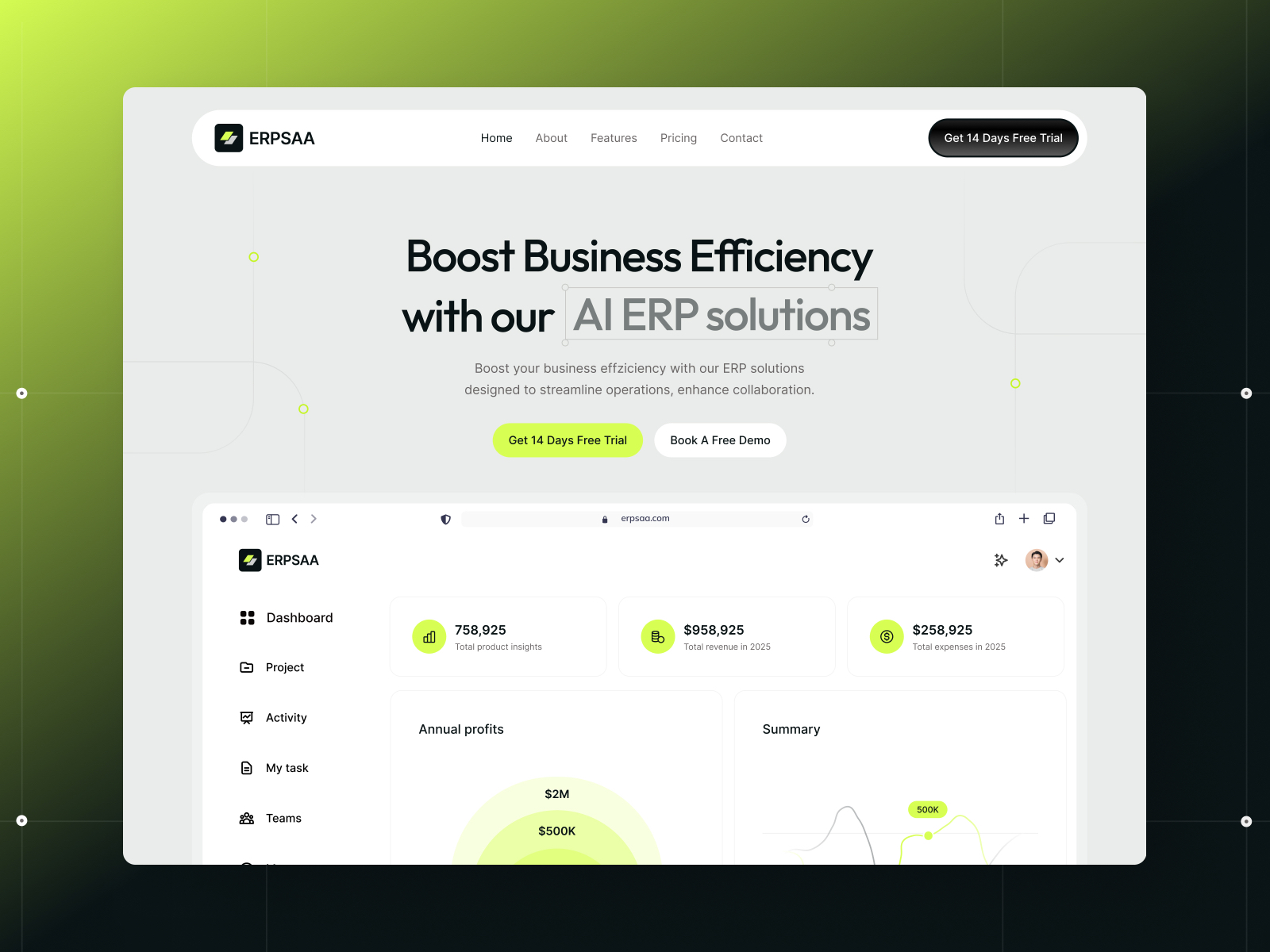
ERPSAA · Sixteen-route SaaS file with CMS blog
by Gr8r
ERPSAA ships enough pages and CMS structure for a credible planning-heavy Agent session — the fastest way to compare light vs higher reasoning on the same scoped prompt.
- Best for
- Higher-reasoning multi-page passes across pricing, features, and blog collections
 Live Preview
Revior · Dark SaaS landing with strong hero hierarchy
by OneFramer
Revior’s concentrated hero mirrors quick refinement prompts where light reasoning should finish in one pass — rerun a headline swap here before you trust the setting on client work.
- Best for
- Light-reasoning hero and CTA micro-edits without disturbing shared footer components
 Live Preview
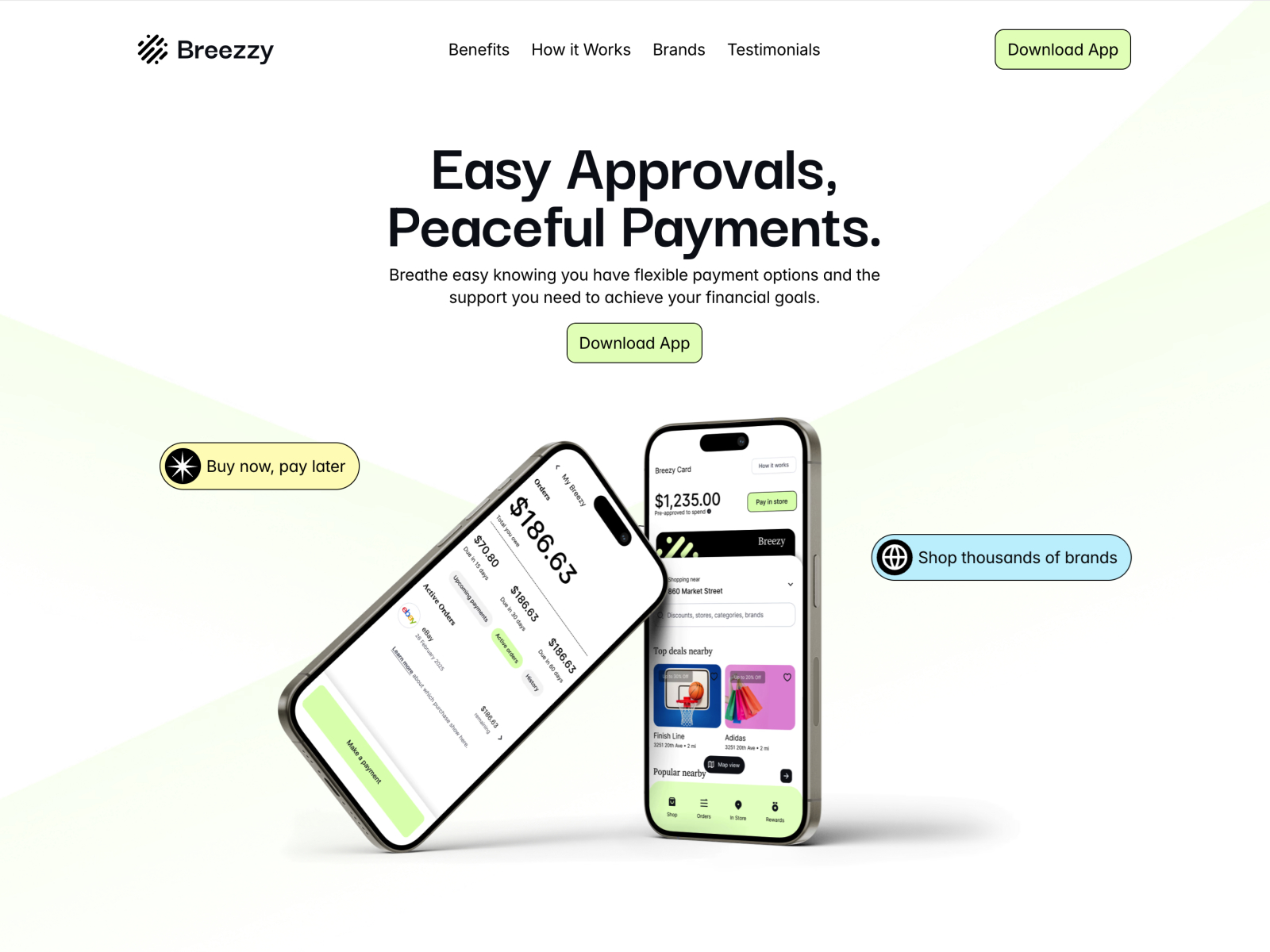
Breezzy · Lightweight marketing site with blog-ready CMS
by Mainnet Design
Breezzy’s smaller surface keeps first reasoning experiments cheap while still giving you marketing routes and blog fields to stress-test higher reasoning on editorial tasks.
- Best for
- Benchmarking reasoning depth on a smaller sitemap before rolling settings to larger client files
Browse more in the template directory or our best free SaaS Framer templates in 2026 roundup.
Official Framer resources worth bookmarking
- Agents reasoning and Fast Mode release notes — canonical announcement (August 12, 2026).
- Opus 5 in Framer Agents — model context for Fast Mode support.
- Framer Agents product page — task examples and onboarding.
- External Agents — automation outside the editor.
- All Framer updates — adjacent releases including Video Shaders and Plugins 4.1.
More reading on yoframer
- Framer updates hub — editorial coverage of each major Framer release.
- Agents credit efficiency — Terra defaults and platform-wide savings context.
- Submit a template or resource — if you ship Agent-friendly starter files.
The bottom line
Framer Agents gained two practical controls on August 12 — reasoning depth for when you want more planning before pixels move, and Fast Mode for when supported models like Opus 5 must respond faster at a higher token cost. Start on a branch, default to light reasoning for daily edits, reach for higher reasoning on multi-route work, and treat Fast Mode as a deadline lever — not an always-on setting.