
TL;DR — On August 4, 2026, Framer shipped Plugins 4.1: Branching and Publishing APIs — two long-requested capabilities that let plugin code create and merge branches, publish project changes, deploy to custom domains, and inspect unpublished page diffs and deployment issues. The same drop refreshes API docs with search, adds vector node types and collection item timestamps, and upgrades Notion, Google Sheets, Tidy Up, and ASCII marketplace plugins.
This yoframer article lives at /framer-updates/framer-plugins-4-1-branching-publishing-apis-update/ and translates Framer’s Plugins 4.1 notes for plugin authors, agency ops teams, and integration maintainers — what to refactor, what to test on staging, and which remix-friendly templates give you realistic pages to branch and publish against.
Plugins 4.1 at a glance
| Area | What Framer shipped | Why it matters |
|---|---|---|
| Branching | createBranch, Branch class, getBranch, getBranches, subscribeToBranches | Plugins can experiment on isolated branches and merge without manual editor hops |
| Publishing | publish, deploy, getUnpublishedPageChanges, getDeployment, getDeploymentIssues | End-to-end ship flows from plugin code — publish, deploy, and debug |
| Docs | Rebuilt API reference with search and better linking | Faster onboarding for new plugin authors and fewer stale doc hunts |
| Vectors | PathNode, ShapeGroupNode, ShapeContainerNode, BooleanShapeNode | Richer vector import and manipulation inside plugins |
| CMS fields | createdAt and updatedAt on collection items | Sync tools can diff rows without guessing edit order |
| Fonts | url property on Font for source file | Plugins that audit or swap fonts get a direct source handle |
| Integrations | Notion, Google Sheets, Tidy Up, ASCII updates | Production marketplace plugins behave better on real client stacks |
What Plugins 4.1 changes for authors
1. Branching APIs — experiment without touching main
Framer positions branching in plugins as the missing link between integration code and safe experimentation. With createBranch, a plugin can spin up a branch and switch context in one flow. The Branch class handles switch, merge, and delete operations — the same lifecycle designers already know from the editor, now callable from TypeScript inside a plugin.
getBranch and getBranches give lookup helpers when your UI lists open experiments or enforces naming conventions. subscribeToBranches is the reactive hook: dashboards and status panels can update when teammates create or merge branches without polling the editor.
If you maintain a private deployment plugin, audit any brittle “duplicate project” workarounds first. This release is permission to delete them.
2. Publishing APIs — ship from plugin code
The Publishing cluster is what ops-minded teams waited for:
publish— ship the project’s changes from inside a plugin.deploy— push a published version to a custom domain.getUnpublishedPageChanges— list what changed since the last publish so QA can sign off.getDeploymentandgetDeploymentIssues— track deploy progress and surface blockers.
Together, these methods turn a plugin from a sidebar utility into a control plane — useful for agencies that want a single “Ship staging” button in a custom ops panel, or for SaaS tools that tie Framer publishes to ticket status.
3. Vector and CMS primitives bundled in the same drop
Framer also expanded the node graph plugins can touch:
PathNodeandShapeGroupNodefor imported vectors.ShapeContainerNodeandBooleanShapeNodefor grouped shape operations.
On the CMS side, createdAt and updatedAt timestamps on collection items help sync plugins show “last edited” without inferring from field values. The url property on Font exposes the source file location — handy for font audit or replacement tools.
4. Marketplace plugin fixes you may already depend on
Even if you never ship a plugin, your stack might include one of these integrations Framer patched:
- Notion — relation fields support up to 100 references, faster sync error reports, and a clearer progress UI.
- Google Sheets — alt-text and option field support for richer CMS mapping.
- Tidy Up — vertical layout and name sorting for layer cleanup workflows.
- ASCII — can launch from the image picker for quicker retro art experiments.
Schedule a staging smoke test after you bump Framer — especially on Notion-heavy client files.
How Plugins 4.1 fits the platform story
Framer 3.0 brought branching to designers and Agents — experiment on a branch, merge when ready. Plugins 4.1 extends that story to code: integrations can branch, publish, and deploy without asking a human to click through the same steps.
Earlier in the arc, Plugins 3.10 strengthened CMS collection APIs with createManagedCollection. CMS Plugins improved sidebar discovery for editors. Read them together: APIs for builders, branch-and-ship for ops, sidebar polish for everyone.
Try Plugins 4.1 in your plugin project
- Open a staging project with a custom domain attached — not production first.
- Read Framer’s developer changelog for the exact Plugins 4.1 version line before you pin SDK versions in CI.
- Prototype
createBranchon a throwaway file — log branch IDs so support can trace client projects. - Call
getUnpublishedPageChangesbeforepublishin your plugin UI so QA sees a diff summary. - After
deploy, pollgetDeploymentand surfacegetDeploymentIssuesin plain language for non-technical clients. - Re-run Notion or Google Sheets sync on a 20-row sample if those plugins power the site.
Three workflow recipes for Plugins 4.1
Branch-and-ship QA for a client launch
An agency plugin runs automated content checks on a staging branch before merge and publish.
- createBranch with a dated name like qa-2026-08-04 before importing CMS rows from a headless source.
- Run validation rules on the branch — broken links, missing alt text, unpublished page diffs via getUnpublishedPageChanges.
- Merge the branch and call publish only when the diff summary is empty or explicitly approved in your plugin UI.
Ops dashboard with deploy status
You ship a private plugin that ties Framer publishes to a Slack or Linear workflow.
- Expose publish and deploy as two buttons — publish first, deploy second — matching Framer two-step mental model.
- After deploy, poll getDeployment until status settles; post getDeploymentIssues to the client channel in human-readable copy.
- Store deployment IDs in your backend so support can reopen the same deploy trace without re-running the plugin.
Integration regression after the API bump
The site uses Notion sync plus Google Sheets for alt-text metadata — the client is non-technical.
- Re-sync a Notion collection with relation fields near the new 100-reference ceiling on staging.
- Map alt-text and option columns in Google Sheets against a five-row test CSV before touching production rows.
- Launch ASCII from the image picker on a hero section — confirm the marketplace plugin still behaves after the 4.1 bump.
Framer templates for plugin publish tests
 Live Preview
Revior · SaaS marketing with a CMS blog
by OneFramer
Revior gives you CMS blog rows and marketing sections in one remix — useful when you want to prove getUnpublishedPageChanges against content shapes clients actually publish.
- Best for
- Plugin authors who need realistic pages and blog rows to branch, diff, and publish against
 Live Preview
BotFlow · AI SaaS with FAQs and integrations
by Salim
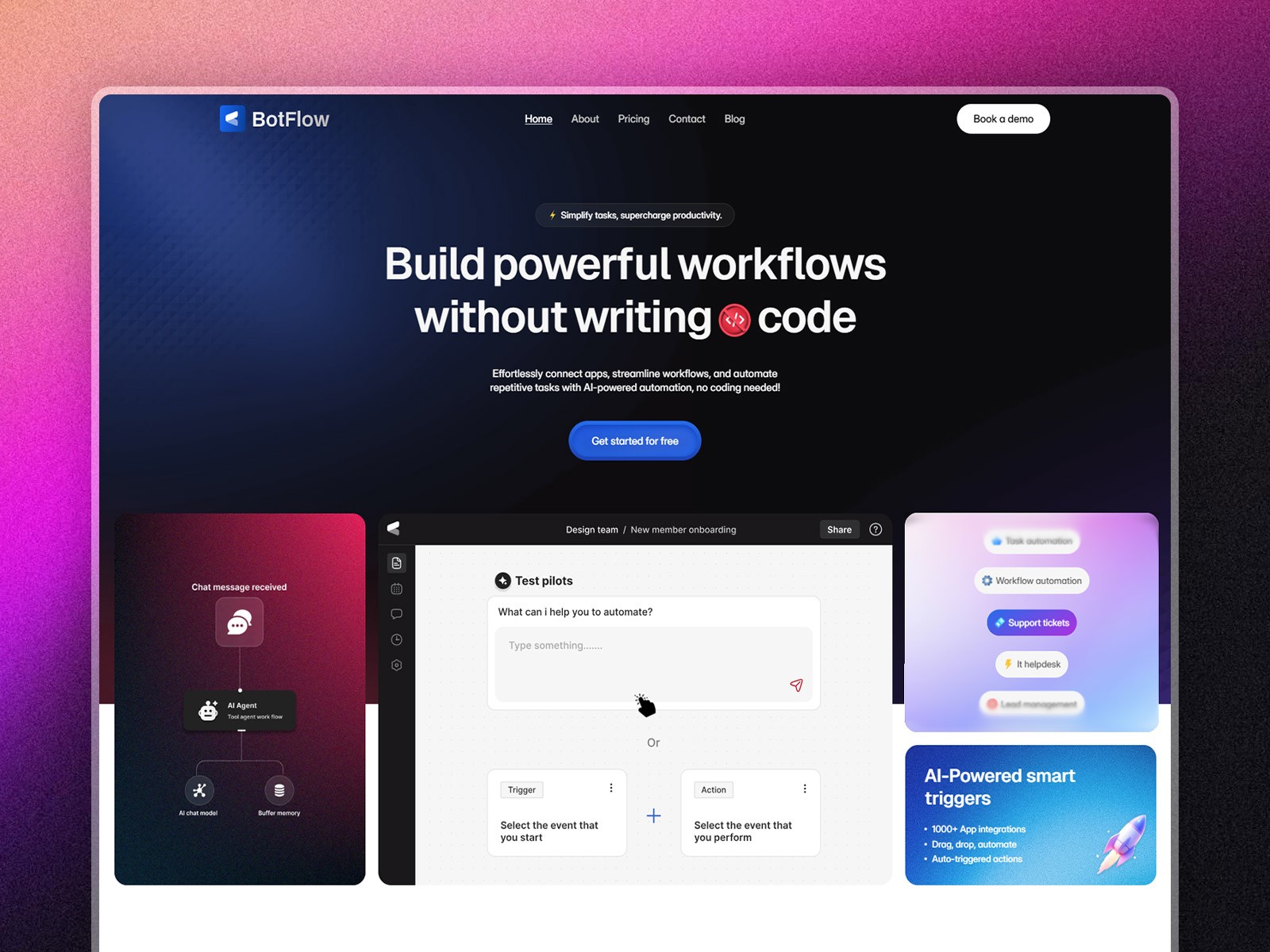
Botflow pairs FAQs with integrations and blog collections — a credible sandbox for branch-and-merge QA before you touch a paid client file.
- Best for
- Teams testing publish flows on dense FAQ and blog collections before a client handoff
 Live Preview
Bizent · Multi-collection corporate site
by OneFramer
Bizent’s multi-collection layout mirrors messy real-world sites where plugins must publish cleanly when editors jump between services, team, and blog collections.
- Best for
- Agencies that need several CMS surfaces in one project for deployment smoke tests
Need more CMS-first starters? Browse the template directory or our best free SaaS Framer templates in 2026 roundup.
Official Framer resources worth bookmarking
- Plugins 4.1 release notes — canonical Branching and Publishing API overview (August 4, 2026).
- Framer developers changelog — versioned API history for Plugins 4.1.
- Framer plugin marketplace — browse integrations affected by this release.
- Framer developers hub — rebuilt docs with search and improved linking.
- All Framer updates — platform releases including Plugins 3.10 CMS APIs on yoframer.
More reading on yoframer
- Framer updates hub — all editorial release write-ups.
- Framer Agents branching and community — editor-level branching context for the same platform story.
- Framer CMS Plugins — sidebar plugin view and overlay Save fixes.
- Submit a template or tool — if you ship a plugin that shines with branch-and-publish flows, tell us.
The bottom line
Plugins 4.1 closes the loop between experimentation and shipping for plugin authors — branch APIs for safe edits, publish and deploy APIs for ops automation, and deployment inspection so issues surface before clients notice. If you only run marketplace plugins, still run staging smoke tests on Notion and Sheets; if you write plugins, treat this as a refactor release worth scheduling before your next client launch.